Play on PC

Train Go - Railway Simulator
Contains adsIn-app purchases

1M+
Downloads

Everyone
info
After continuing, you’ll get an email for Google Play Games on PC

About this game
Select the desired rail and connect it.
Just tap to lay rails.
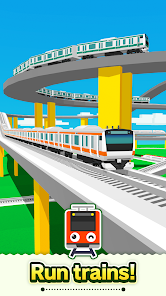
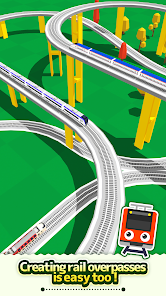
Create a railway with elevated rails, forking rails, etc., as you want.
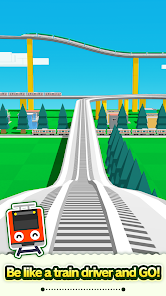
Create a railway for your favorite train or bullet train and exercise your imagination and creativity.
Great fun to run a train on a railway you created, and a great sense of accomplishment!
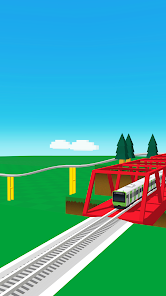
Add train stations and tunnels to customize it. Then run trains on it!
Instructions
Tap the screen to add the desired rail.
Tap the arrow in the direction you want to lay the rail. Very easy to lay rails.
Tap on a background part to add buildings and trees wherever you want.
After building the railway, tap on the Put Train button and select a train!
You can add and delete trains and change the running direction.
After you are done, tap the Start Train button to start running the train.
When the train approaches a fork, use the following Fork button to switch the train's direction.
Camera Mode
Press "+" to zoom in.
Press "-" to zoom out.
Press the arrow to change the camera angle.
Train tracking: Press ON to track a train.
Just tap to lay rails.
Create a railway with elevated rails, forking rails, etc., as you want.
Create a railway for your favorite train or bullet train and exercise your imagination and creativity.
Great fun to run a train on a railway you created, and a great sense of accomplishment!
Add train stations and tunnels to customize it. Then run trains on it!
Instructions
Tap the screen to add the desired rail.
Tap the arrow in the direction you want to lay the rail. Very easy to lay rails.
Tap on a background part to add buildings and trees wherever you want.
After building the railway, tap on the Put Train button and select a train!
You can add and delete trains and change the running direction.
After you are done, tap the Start Train button to start running the train.
When the train approaches a fork, use the following Fork button to switch the train's direction.
Camera Mode
Press "+" to zoom in.
Press "-" to zoom out.
Press the arrow to change the camera angle.
Train tracking: Press ON to track a train.
Updated on
Powered by Intel® technology
Safety starts with understanding how developers collect and share your data. Data privacy and security practices may vary based on your use, region, and age. The developer provided this information and may update it over time.

No data shared with third parties
Learn more about how developers declare sharing

This app may collect these data types
App activity, App info and performance, and Device or other IDs

Data is encrypted in transit

Data can’t be deleted
Play on PC
Play this game on your Windows PC with Google Play Games
Official Google experience
Bigger screen
Level up with improved controls
Seamless sync across devices*
Earn Google Play Points
Minimum requirements
- OS: Windows 10 (v2004)
- Storage: Solid state drive (SSD) with 10 GB of available storage space
- Graphics: IntelⓇ UHD Graphics 630 GPU or comparable
- Processor: 4 CPU physical cores
- Memory: 8 GB of RAM
- Windows admin account
- Hardware virtualization must be turned on
To learn more about these requirements, visit the Help Center
Intel is a registered trademark of Intel Corporation or its subsidiaries. Windows is a trademark of the Microsoft group of companies.
*Might not be available for this game
App support
About the developer
MONOIS INC.
contact@monois.com
1-10-8, DOGENZAKA
SHIBUYA DOGENZAKA TOKYU BLDG. 2F. C
SHIBUYA-KU, 東京都 150-0043
Japan
+81 90-9101-1319