Play on PC
Absolute RC Flight Simulator
Contains adsIn-app purchases

5M+
Downloads

Everyone
info
After continuing, you’ll get an email for Google Play Games on PC




About this game
Flight simulator for RC planes, helicopters, drones, cars and boats.
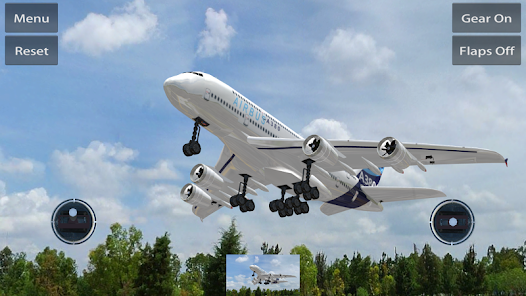
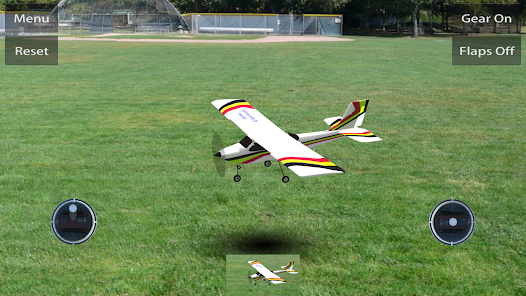
This flight simulator is great tool for experienced modelers, and even greater for someone who is just starting in this exciting hobby. In addition to the excellent flight simulation of rc planes and helicopters, this is the only rc flight simulator that provides boats and cars simulation.
The flight simulator includes 12 free models, 2 landscapes and 3 interactive object sets that can be loaded on any flying field when flying helicopters. The interactive objects can be used to learn landing and precise model control. For advanced RC fliers, we include more than 50 different types RC models and flying fields as IAP. You can also import free ClearView RC models from the internet, or create new models to use or share with anyone.
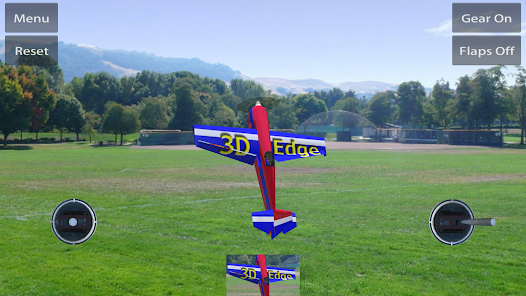
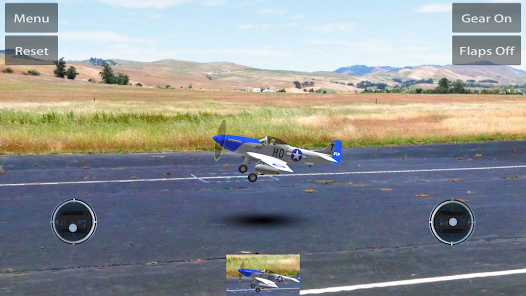
In addition to the fixed point camera that represents the RC pilot point of view, we have included follow up camera that follows the model. That is useful when you learn flying, so the model never gets far away.
Notes:
1. This is not a game, it is flight simulator. You are controlling rc models that reacts like real flying models. It takes some time to learn, and again, do not expect "arcade" style controls.
2. We have included 4 free models that will help you learn flying RC models. All other models and landscapes are available as in app purchases (IAP).
3. The onscreen control sticks are just indicators! They are made small so they do not obscure the screen.
*** You do not need to keep your fingers on them ***
Sliding your finger any where on the right screen half affects the right control stick , the same for the left screen part - sliding finger there moves the left control stick.
We suggest to select beginner settings at first few days before you can comfortably progress further
This flight simulator is great tool for experienced modelers, and even greater for someone who is just starting in this exciting hobby. In addition to the excellent flight simulation of rc planes and helicopters, this is the only rc flight simulator that provides boats and cars simulation.
The flight simulator includes 12 free models, 2 landscapes and 3 interactive object sets that can be loaded on any flying field when flying helicopters. The interactive objects can be used to learn landing and precise model control. For advanced RC fliers, we include more than 50 different types RC models and flying fields as IAP. You can also import free ClearView RC models from the internet, or create new models to use or share with anyone.
In addition to the fixed point camera that represents the RC pilot point of view, we have included follow up camera that follows the model. That is useful when you learn flying, so the model never gets far away.
Notes:
1. This is not a game, it is flight simulator. You are controlling rc models that reacts like real flying models. It takes some time to learn, and again, do not expect "arcade" style controls.
2. We have included 4 free models that will help you learn flying RC models. All other models and landscapes are available as in app purchases (IAP).
3. The onscreen control sticks are just indicators! They are made small so they do not obscure the screen.
*** You do not need to keep your fingers on them ***
Sliding your finger any where on the right screen half affects the right control stick , the same for the left screen part - sliding finger there moves the left control stick.
We suggest to select beginner settings at first few days before you can comfortably progress further
Updated on
Powered by Intel® technology
Safety starts with understanding how developers collect and share your data. Data privacy and security practices may vary based on your use, region, and age. The developer provided this information and may update it over time.

This app may share these data types with third parties
Device or other IDs

No data collected
Learn more about how developers declare collection

Data is encrypted in transit
Play on PC
Play this game on your Windows PC with Google Play Games
Official Google experience
Bigger screen
Level up with improved controls
Seamless sync across devices*
Earn Google Play Points
Minimum requirements
- OS: Windows 10 (v2004)
- Storage: Solid state drive (SSD) with 10 GB of available storage space
- Graphics: IntelⓇ UHD Graphics 630 GPU or comparable
- Processor: 4 CPU physical cores
- Memory: 8 GB of RAM
- Windows admin account
- Hardware virtualization must be turned on
To learn more about these requirements, visit the Help Center
Intel is a registered trademark of Intel Corporation or its subsidiaries. Windows is a trademark of the Microsoft group of companies.
*Might not be available for this game
App support
About the developer
Stefan Kiritzov
skiritzo@gmail.com
5172 Silver Birch Dr
Castro Valley, CA 94552-5521
United States