Wallshow: Wallpaper Changer
Contains adsIn-app purchases
4.0star
6.12K reviewsinfo
100K+
Downloads

PEGI 12
info
About this app
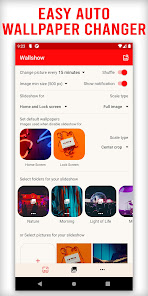
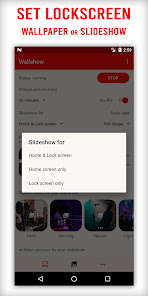
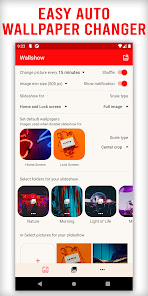
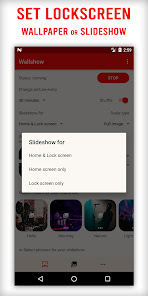
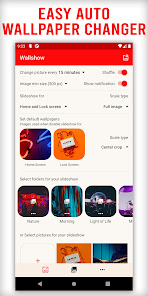
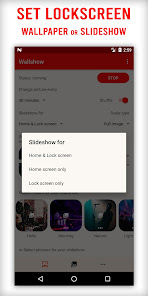
Wallshow allow you to set auto change slideshow or wallpaper for Lockscreen and/or Home screen with a super easy step.
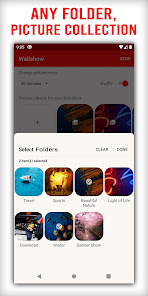
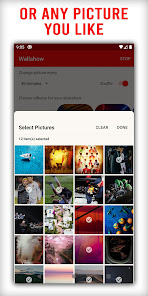
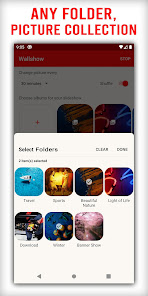
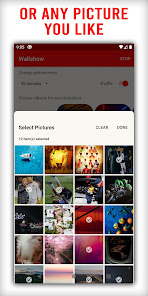
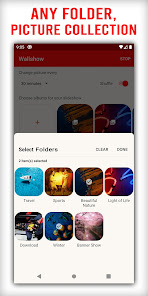
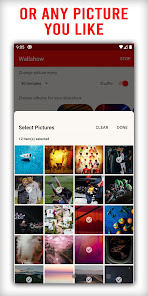
Just set your phone wallpaper slideshow by folders and/or picture collection and done.
Or set lock screen wallpaper with just 1 click.
(Lock screen feature is only supported for Android 7 or higher)
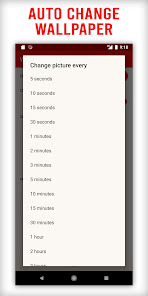
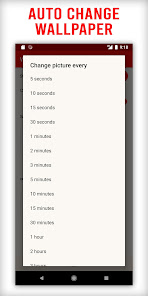
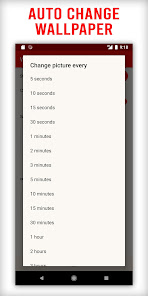
Slideshow intervals: 5s, 10s, 30s, 1min, 2mins, 3mins, ... 15mins, ..., everyday
Change picture when screen is turned on or unlocked as your desired.
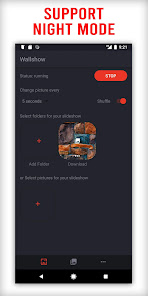
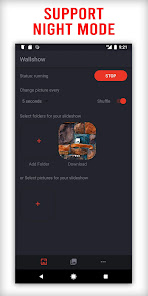
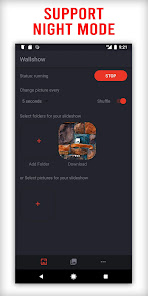
Support SDcard and Night mode
WALLPAPER WIDGET
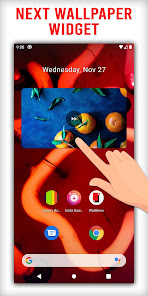
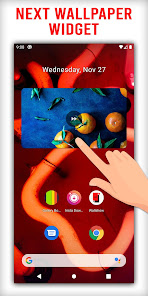
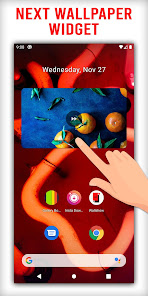
If you want to next wallpaper, don't worry the Wallshow wallpaper widget will help you with that. Just add it to your screen, click on it to go to next wallpaper.
EASY MANAGER
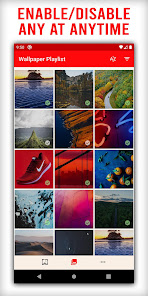
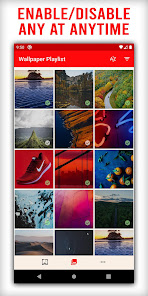
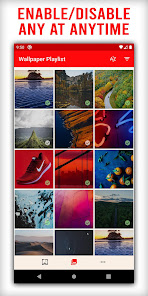
Add or remove photo or folder is super easy. Everything will then play automatically for you. If you want to temporarily disable a photo, do it just one click with our Wallpaper Playlist, the photo will be exclude from the playlist for you.
SHUFFLE WALLPAPER
Shuffle you wallpaper playlist. Auto change wallpaper by 5s, 10s, ..., 15 minutes, 30 minutes, 1 hour or everyday,... whatever you desire.
MATERIAL SLEEK DESIGN
Wallshow is designed for easily managing your screen wallpaper. Easy to select your folders or any photos you want to show on your screen.
Let's beautify our device screen with Wallshow wallpaper slideshow.
Give us 5 stars if you like the app. Don't hesitate to leave it a review ;).
Just set your phone wallpaper slideshow by folders and/or picture collection and done.
Or set lock screen wallpaper with just 1 click.
(Lock screen feature is only supported for Android 7 or higher)
Slideshow intervals: 5s, 10s, 30s, 1min, 2mins, 3mins, ... 15mins, ..., everyday
Change picture when screen is turned on or unlocked as your desired.
Support SDcard and Night mode
WALLPAPER WIDGET
If you want to next wallpaper, don't worry the Wallshow wallpaper widget will help you with that. Just add it to your screen, click on it to go to next wallpaper.
EASY MANAGER
Add or remove photo or folder is super easy. Everything will then play automatically for you. If you want to temporarily disable a photo, do it just one click with our Wallpaper Playlist, the photo will be exclude from the playlist for you.
SHUFFLE WALLPAPER
Shuffle you wallpaper playlist. Auto change wallpaper by 5s, 10s, ..., 15 minutes, 30 minutes, 1 hour or everyday,... whatever you desire.
MATERIAL SLEEK DESIGN
Wallshow is designed for easily managing your screen wallpaper. Easy to select your folders or any photos you want to show on your screen.
Let's beautify our device screen with Wallshow wallpaper slideshow.
Give us 5 stars if you like the app. Don't hesitate to leave it a review ;).
Updated on
Safety starts with understanding how developers collect and share your data. Data privacy and security practices may vary based on your use, region, and age. The developer provided this information and may update it over time.

No data shared with third parties
Learn more about how developers declare sharing

This app may collect these data types
App activity, App info and performance, and Device or other IDs

Data is encrypted in transit

Data can’t be deleted
Ratings and reviews
4.0
5.71K reviews

Jordan
- Flag inappropriate
February 4, 2025
I was looking for an app that can shuffle your wall paper. Whilst wallshow has all the features and settings to help with this the photo centering and cropping for photos that don't fit your screen is unfortunately quite poor. Even for portrait photos it seems to zoom in too much and in the wrong spots. Overall I think the shuffle feature is great and phenomenal, but the cropping is just not up to parr. I suggest allowing more customised and user friendly options for scaling photos going forward
1 person found this review helpful

Du Nguyen
- Flag inappropriate
- Show review history
November 17, 2025
App work fine 90% of the time. It does cause lag when for example, when I'm using YouTube and press the home button, it cause a bit of stutter/lag. And I'm pretty sure I paid for the app, but I still have a advertisement banner at the bottom of the app. Edit Nov 2025 - paid for the pro version a year or so ago to not see ads, then dev start putting ads back in, but it wasn't really intrusive. Now after the update in Nov 2025, the ads are so bad and I your face, the app almost unusable.
Angolix
December 11, 2023
Thank you! We are very glad that you find the app helpful. Please share it to your friends or social groups to support our development. Your support will really make a difference!

Arlen Poma
- Flag inappropriate
October 21, 2025
The application fulfills and integrates its functions, but it has some bugs in the interface for selecting images and folders. I’d also like a one-time payment version to remove the ads and unlock some enhanced features, but without removing the essential options of the app. If the app stops working when you switch or exit to other apps, it might be due to your phone’s settings that manage apps and put them to sleep. You can look for that option and allow it to run in the background.
1 person found this review helpful
What’s new
Rate us 5 stars to support our development.
- Bug fix and improvement
- Bug fix and improvement
App support
About the developer
Truong Minh Thinh
hello.angolix@gmail.com
Binh Tri, Ninh Binh
Ninh Hoa
Khánh Hòa 650000
Vietnam


