
Samsung Smart View - Cast To
Contains adsIn-app purchases
3.3star
36.6K reviewsinfo
5M+
Downloads

PEGI 3
info




About this app
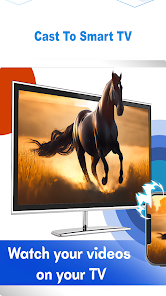
Smart view and Screen share to samsung tv works with Miracast and ChromeCast enables you to screen sharing, display smartphone mobile screen and videos on Tvs and tv boxes.
Enjoy playing your favourite videos, photos, games and many more on your Samsung tv, Roku tv, Lg tv and other smart tvs by using Smart View For Samsung TV.
Smart View Screen Sharing App also works with chromecast, share screen on roku tv and Samsung Smart View that instantly share screen from your mobile phone to Smart Tvs and android tvs.
If you feel bad about watching a movie alone on your small phone screen the try our screen share for app and share your fauvorite contents with your friends or family with a smart view option on big TV screens like Lg smart tv, Hisense, TCL, Vizio, Roku , Amazon Fire Stick or Fire TV.
This Screen Sharing App allows you casting your small mobile screens into larger screens on any Smart tv. You can now save your weak eyes from small screen by sharing same mobile content in big screen Television. You can easily display all types of media files including photos, videos, mobile games and music on the big screen.
Features
=> Mircast and ChromeCast Display
=> Smart View
=> Screen sharing
=> Sharing mobile screen on tv
=> Screen Cast media files and mirror screen to TV
=> Screen Share on Android TV
=> Cast Your Mobile Small screen to big TV
=> Watch your movies on big tv screen
How to use Smart View Screen Sharing App:
=> Make sure your smart phone and smart TV are connected to the same Wi-Fi network.
=> Enable “Wireless display” on your phone.
=> Enable Miracast or Chromecast on your smart TV.
=> Select tab to connect button in our app.
=> Now select your Tv device to share your mobile screen to the tv.
Enjoy playing your favourite videos, photos, games and many more on your Samsung tv, Roku tv, Lg tv and other smart tvs by using Smart View For Samsung TV.
Smart View Screen Sharing App also works with chromecast, share screen on roku tv and Samsung Smart View that instantly share screen from your mobile phone to Smart Tvs and android tvs.
If you feel bad about watching a movie alone on your small phone screen the try our screen share for app and share your fauvorite contents with your friends or family with a smart view option on big TV screens like Lg smart tv, Hisense, TCL, Vizio, Roku , Amazon Fire Stick or Fire TV.
This Screen Sharing App allows you casting your small mobile screens into larger screens on any Smart tv. You can now save your weak eyes from small screen by sharing same mobile content in big screen Television. You can easily display all types of media files including photos, videos, mobile games and music on the big screen.
Features
=> Mircast and ChromeCast Display
=> Smart View
=> Screen sharing
=> Sharing mobile screen on tv
=> Screen Cast media files and mirror screen to TV
=> Screen Share on Android TV
=> Cast Your Mobile Small screen to big TV
=> Watch your movies on big tv screen
How to use Smart View Screen Sharing App:
=> Make sure your smart phone and smart TV are connected to the same Wi-Fi network.
=> Enable “Wireless display” on your phone.
=> Enable Miracast or Chromecast on your smart TV.
=> Select tab to connect button in our app.
=> Now select your Tv device to share your mobile screen to the tv.
Updated on
Safety starts with understanding how developers collect and share your data. Data privacy and security practices may vary based on your use, region, and age. The developer provided this information and may update it over time.

No data shared with third parties
Learn more about how developers declare sharing

No data collected
Learn more about how developers declare collection

Data is encrypted in transit

Data can’t be deleted
Ratings and reviews
3.2
34.9K reviews

Md.Shohel Rana
- Flag inappropriate
December 1, 2025
Samsung Smart View is an excellent app for anyone who wants quick and easy screen sharing. The setup is simple, and it connects to my Samsung TV within seconds. I can instantly mirror photos, videos, and even my phone screen without any lag.

Ratul
- Flag inappropriate
November 30, 2025
This casting app works smoothly and connects to my TV without hassle. The interface is simple, and screen mirroring is fast with minimal delay. Ads appear sometimes but don’t interrupt the experience too much. Overall, a reliable option for quick TV casting.

Don B
- Flag inappropriate
September 21, 2025
I was very interested in the claimed ability of the app to cast from my phone to my ROKU TV, however, it didn't cast a damn thing. The app scanned for devices, my TV was listed, with several neighbors' devices. The screen on my TV was taken over by the app, but after trying to view a large number of pictures and videos from my phone, none showed up on my TV, all I got was a message that the file could not be displayed. I uninstalled the app & canceled my subscription. Very disappointing!
20 people found this review helpful
App support
About the developer
Shams Ullah
shamsu.appsvv@gmail.com
Saryab Road, Muhala shab-u-din , masjid Quetta khilji
Quetta, 87300
Pakistan
undefined


