
Intel® Unison™
4.7star
14.5K reviewsinfo
500K+
Downloads

PEGI 3
info
About this app
Intel Unison will soon be discontinued. The first step in its wind-down process is ending service for most platforms at the end of June 2025. Lenovo Aura platforms will continue to be supported.
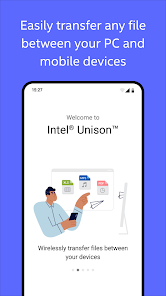
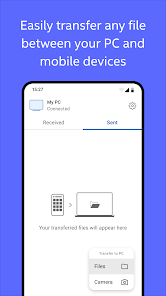
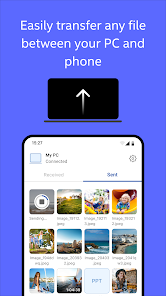
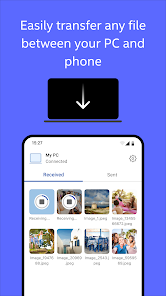
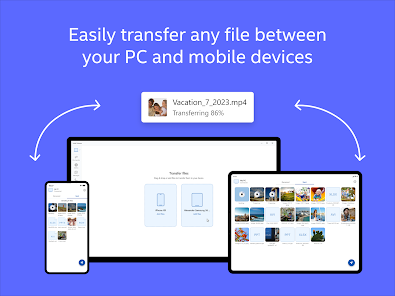
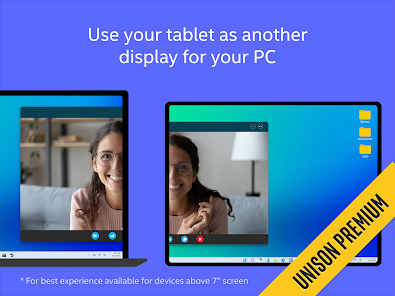
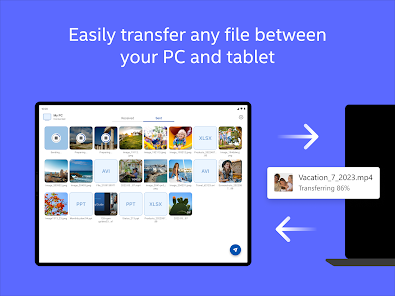
Unlock your connected world and multi-device experience to enjoy the freedom to work across operating systems. Intel® Unison™ seamlessly connects your mobile device to your PC for a universal, easy to use experience.
Intel® Unison™ solution is currently available for approved configurations of Windows-based PCs and pairs with phones or tablets. Intel Unison requires a companion Windows PC app that may already be preinstalled on your new Windows PC or can be downloaded from the Microsoft app store. All devices must run a supported OS version.
Instructions:
1. Install Unison app on your phone or tablet
2. Find the Intel Unison PC app on your new PC or install it from the Microsoft app store
3. Launch the Intel Unison apps on your PC and mobile device and follow the instructions
Unlock your connected world and multi-device experience to enjoy the freedom to work across operating systems. Intel® Unison™ seamlessly connects your mobile device to your PC for a universal, easy to use experience.
Intel® Unison™ solution is currently available for approved configurations of Windows-based PCs and pairs with phones or tablets. Intel Unison requires a companion Windows PC app that may already be preinstalled on your new Windows PC or can be downloaded from the Microsoft app store. All devices must run a supported OS version.
Instructions:
1. Install Unison app on your phone or tablet
2. Find the Intel Unison PC app on your new PC or install it from the Microsoft app store
3. Launch the Intel Unison apps on your PC and mobile device and follow the instructions
Updated on
Safety starts with understanding how developers collect and share your data. Data privacy and security practices may vary based on your use, region, and age. The developer provided this information and may update it over time.

No data shared with third parties
Learn more about how developers declare sharing

This app may collect these data types
Location, App activity and 2 others

Data is encrypted in transit

Data can’t be deleted
Ratings and reviews
4.7
13.8K reviews

ix
- Flag inappropriate
February 16, 2023
It's very useful but it's very memory intensive. It sometimes hit 100MB on my PC memory at startup in the background and when I end the task (to save memory because I only have 8GB), it gets funky when I use it later. It won't pair with my phone and I have to forget device on both sides and set it all up all over again. And it will freeze at times so I have to end task again and start all over. It's a huge hassle. I can't even stop it from running on start up for some reason.
19 people found this review helpful
Intel Corporation
February 16, 2023
Hi, We apologize for the poor experience with the Unison™ app. Our team is working to prevent this from happening. We appreciate all feedback. For any connection troubles, here are the steps you can follow: [ https://www.intel.com/content/www/us/en/support/articles/000092580/software/software-applications.html ]. Intel.

Burak Çelikbilek
- Flag inappropriate
- Show review history
April 11, 2023
In core, it is a great app. The only downside is that it has one critical issue; you cannot connect multiple devices... We live in an era of tablets and all and I cannot use this app on my tablet without sacrificing my phone's connection, which I don't know which connection is more valuable since I need to transfer documents often with my tablet but I need to access my phone through my laptop while I'm sitting at my desk. GET THIS FEATURE SOON INTEL!!
16 people found this review helpful
Intel Corporation
April 11, 2023
Hi, Burak. Thank you for using the Intel® Unison™ app. Unfortunately, at the moment the App supports one Intel®Evo™ laptop with a smartphone (either iOS or Android) connected simultaneously. You can check the information here: [ https://www.intel.com/content/www/us/en/support/articles/000092322/software/software-applications.html ] Arsi_Intel.

Colina Artesan
- Flag inappropriate
November 7, 2023
I love this app. I actually discovered it when DellMobile Connect went defunct earlier on this year. However unlike the Dell App , I cannot make/take phone calls on my desktop, nor do the text messages appear when I open the app, hence I cannot respond to any of them. Am I doing something wrong? Other than that, transferring of even the heaviest files is a breeze, its a fantastic app it helps me a lot!!! Now if only I dont lose connection with my contacts once I log on to my PC vs my phone!!
13 people found this review helpful
Intel Corporation
November 7, 2023
Hi Colina. Thank you for using Intel® Unison™! Our app allows you to make and receive calls on your PC and receive text notifications. For instructions, please refer to the following article: https://www.intel.com/content/www/us/en/support/articles/000092672/software/software-applications.html. If you need assistance, contact us anytime. Arsi_Intel
What’s new
As always, crunched some bugs
App support
About the developer
Intel Corporation
appgov@intel.com
2200 Mission College Blvd
Santa Clara, CA 95054
United States
+91 85534 42983


