CodeGuard
10K+
Downloads

PEGI 3
info
About this app
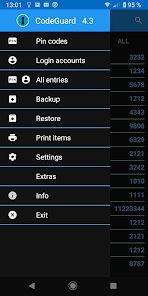
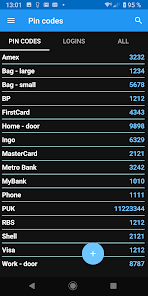
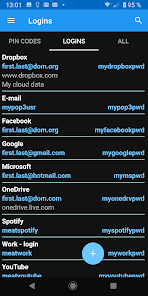
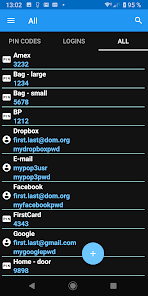
A simple to use utility for managing your secret pin-codes and login account passwords.
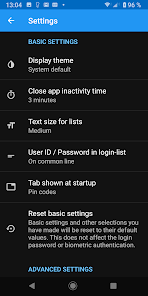
You login using a password, but you may also enable biometric authentication (e.g. fingerprint) in Settings.
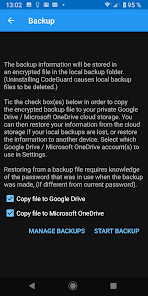
All information is safely stored in a local database using AES 256-bit encryption. The information can be backed-up to an encrypted file stored on the local device.
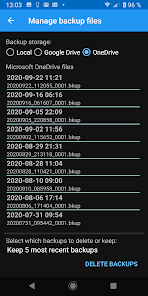
Optionally, a copy of the encrypted file can be stored in the cloud on Google Drive or Microsoft OneDrive.
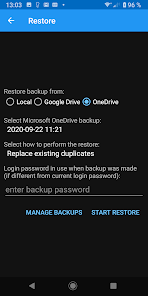
Information can be restored from a backup file on the local device or from a backup file in the cloud. You will be asked to select which account to use the first time you select any Google Drive or Microsoft OneDrive functionality. A Settings function allows you to change to another Google or Microsoft account, if desired. A cloud backup can also be restored to another device, (convenient restore to a new device).
You login using a password, but you may also enable biometric authentication (e.g. fingerprint) in Settings.
All information is safely stored in a local database using AES 256-bit encryption. The information can be backed-up to an encrypted file stored on the local device.
Optionally, a copy of the encrypted file can be stored in the cloud on Google Drive or Microsoft OneDrive.
Information can be restored from a backup file on the local device or from a backup file in the cloud. You will be asked to select which account to use the first time you select any Google Drive or Microsoft OneDrive functionality. A Settings function allows you to change to another Google or Microsoft account, if desired. A cloud backup can also be restored to another device, (convenient restore to a new device).
Updated on
Safety starts with understanding how developers collect and share your data. Data privacy and security practices may vary based on your use, region, and age. The developer provided this information and may update it over time.

No data shared with third parties
Learn more about how developers declare sharing

No data collected
Learn more about how developers declare collection
What’s new
Fixed login status bar display.
New library versions.
New library versions.
App support
About the developer
Leif Molin
lmohlin@gmail.com
Söderberga Allé 66
1203
162 51 Bromma
Sweden
undefined


