
pCloud: Cloud Storage
In-app purchases
4.5star
87.8K reviewsinfo
5M+
Downloads

PEGI 3
info


About this app
pCloud is the secure place to store, preview and share files, anywhere you go. Start with up to 10 GB free storage.
You'll be able to backup photos and videos from your device, play your personal playlists, or preview work-related documents. You'll also be able to share large files with anyone and control access with password protection and expiration dates. From your vacation photos to videos and work documents, pCloud brings all your files together.
• Start with up to 10 GB free. Extend the space on your phone with up to 2 TB
• Choose where to store your files - in the United States or the European Union.
• Scan invoices, reports or receipts with an easy-to-use document scanner.
• Backup photos and videos from your phone with the option Automatic Upload.
• Access and preview files across all your devices.
• Share large files with added security (password protection, expiration date).
• Play your personal music collection with the built-in audio player.
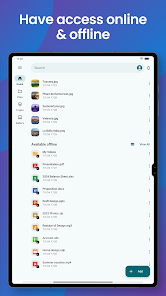
• Get offline access to important files, when you're on the go.
• Encrypt private files with client-side encryption, using pCloud Encryption.
Use pCloud Encryption as the vault for your passwords, financial reports or other sensitive documents. The files you upload to the Crypto folder will be protected with client-side encryption. This means that they will be encrypted before they get uploaded to pCloud. With pCloud's zero-knowledge privacy policy we, as a service provider, will not know what kind of data you store in the Crypto folder.
pCloud is also available for iOS, desktop (Windows, macOS and Linux) and from my.pCloud.com.
You'll be able to backup photos and videos from your device, play your personal playlists, or preview work-related documents. You'll also be able to share large files with anyone and control access with password protection and expiration dates. From your vacation photos to videos and work documents, pCloud brings all your files together.
• Start with up to 10 GB free. Extend the space on your phone with up to 2 TB
• Choose where to store your files - in the United States or the European Union.
• Scan invoices, reports or receipts with an easy-to-use document scanner.
• Backup photos and videos from your phone with the option Automatic Upload.
• Access and preview files across all your devices.
• Share large files with added security (password protection, expiration date).
• Play your personal music collection with the built-in audio player.
• Get offline access to important files, when you're on the go.
• Encrypt private files with client-side encryption, using pCloud Encryption.
Use pCloud Encryption as the vault for your passwords, financial reports or other sensitive documents. The files you upload to the Crypto folder will be protected with client-side encryption. This means that they will be encrypted before they get uploaded to pCloud. With pCloud's zero-knowledge privacy policy we, as a service provider, will not know what kind of data you store in the Crypto folder.
pCloud is also available for iOS, desktop (Windows, macOS and Linux) and from my.pCloud.com.
Updated on
Safety starts with understanding how developers collect and share your data. Data privacy and security practices may vary based on your use, region, and age. The developer provided this information and may update it over time.


Ratings and reviews
4.5
82K reviews

Dave Logan
- Flag inappropriate
October 30, 2025
I got 500gb free with a purchase, and I do like that I can auto upload pics/files from my phone. Having a PC app too is nice. Would like having an option to buy lifetime larger storage. If 10TB ($330-ish CAD/y) was sold at a decent price for a lifetime sub, $500-ish, I would definitely buy it, and then encryption to go with it. Would like to see an option to link it to Plex, so I can access pics and vids on my TV. MyCloud Home is $320 for 4TB, no subs and Plex can be linked.
15 people found this review helpful

Stefan Taranchokov
- Flag inappropriate
December 4, 2025
Great app and service! You can upload whole folders with whatever content, auto upload folders with videos and photos and access all of your cloud files. You also have a built in viewer for some files such as photos and pdfs and you have memories based on your photos. Unlike tech giants' services, you can pay a one-time fee and get lifetime access. Totally worth the money!
1 person found this review helpful

Jon h
- Flag inappropriate
November 29, 2025
It is great to know that you don't have monthly payments if you purchase the lifetime plan which I think is pretty good value. It would be useful if there was a Linux command line tool that allowed uploads after 2fa is set up. overall very happy with the service.
1 person found this review helpful
pCloud LTD
November 29, 2025
Thank you for your feedback! We’re glad to hear that you’re happy with the lifetime plan and find it a good value.
Regarding your suggestion — we appreciate it. A Linux command-line tool that supports uploads after 2FA setup is indeed a useful feature, and we have forwarded this request to our team for review.
What’s new
What's new:
We've also included bug fixes and stability improvements to enhance your overall experience.
We've also included bug fixes and stability improvements to enhance your overall experience.
App support
About the developer
PCLOUD EOOD
android@pcloud.com
13 Ul. 8-mi Dekemvri str.
1700 Sofia
Bulgaria
+359 89 788 6469


