
Screen Recorder - Vidma Record
Contains adsIn-app purchases
4.7star
891K reviews
50M+
Downloads

Rated for 3+
info
About this app
#1 Screen Recorder with Audio
Vidma Screen Recorder helps you record & take screenshots with ease.
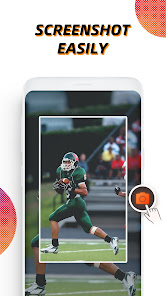
Vidma Screen Recorder makes screen recording more accessible than ever. Record, pause, resume, and screenshot any time with the handy record button. It's never too late to catch a live show again!
Why choose Vidma Screen Recorder?
✅ NO root needed, NO recording time limit
✅ Stable & Smooth video recorder
✅ Screen record with audio & no glitches
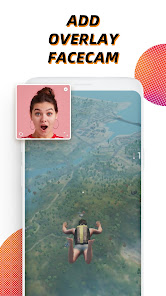
✅ Video recorder with face camera
✅ Screen video recorder without FPS drops
✅ Easy screen recorder app with customizable shortcuts
✅ Supports internal sound recording for Android 10 and up systems
🏆 Powerful Video Recorder
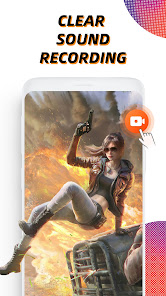
• Clear sound screen recorder: screen record with audio and microphone
• Brush tool: enable the brush on the toolbar and add marks on your screen
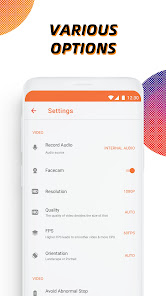
• Customizable and professional options: record screen in high quality (up to 2K resolution, 60fps)
• Video recorder without lag: running smoothly and stably on Android devices
• Video recorder without root: No need to root for screen recording
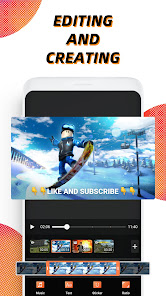
• Level up your recordings with professional video editing tools
💡 Recording Tips for You
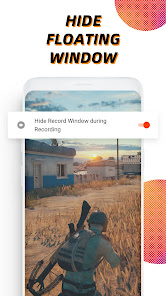
- For the most seamless recording experience, enable the floating button before you begin.
- The record button can be disabled if necessary. You can turn it off or adjust its opacity in Settings.
- You can stop video recording instantly by shaking your Android device.
🎞 Screen Recorder, Editor
• Quick edit: rotate, cut, and crop videos
• Video trimmer: remove the unwanted part of your recordings
• Add music: it will make your video sound more engaging
• Change speed: Slow down or speed up your screen recording
Most recording features in this screen recorder are totally free to use. Yet you can unblock more powerful video editing tools with Vidma Premium.
Are you a fan of Vidma? Stay connected with us:
Discord: https://discord.gg/NQxDkMH
Disclaimer:
* Vidma Video Recorder is not affiliated with any social media platforms.
* Screen recording features are offered for non-commercial and personal use only.
* Users shall be solely responsible for any intellectual property infringement arising from the recording.
* Vidma Video Recorder will never collect personal data from users without permission. All the recorded files are saved locally on your device. They cannot be accessed by us or by any third party.
Vidma Screen Recorder helps you record & take screenshots with ease.
Vidma Screen Recorder makes screen recording more accessible than ever. Record, pause, resume, and screenshot any time with the handy record button. It's never too late to catch a live show again!
Why choose Vidma Screen Recorder?
✅ NO root needed, NO recording time limit
✅ Stable & Smooth video recorder
✅ Screen record with audio & no glitches
✅ Video recorder with face camera
✅ Screen video recorder without FPS drops
✅ Easy screen recorder app with customizable shortcuts
✅ Supports internal sound recording for Android 10 and up systems
🏆 Powerful Video Recorder
• Clear sound screen recorder: screen record with audio and microphone
• Brush tool: enable the brush on the toolbar and add marks on your screen
• Customizable and professional options: record screen in high quality (up to 2K resolution, 60fps)
• Video recorder without lag: running smoothly and stably on Android devices
• Video recorder without root: No need to root for screen recording
• Level up your recordings with professional video editing tools
💡 Recording Tips for You
- For the most seamless recording experience, enable the floating button before you begin.
- The record button can be disabled if necessary. You can turn it off or adjust its opacity in Settings.
- You can stop video recording instantly by shaking your Android device.
🎞 Screen Recorder, Editor
• Quick edit: rotate, cut, and crop videos
• Video trimmer: remove the unwanted part of your recordings
• Add music: it will make your video sound more engaging
• Change speed: Slow down or speed up your screen recording
Most recording features in this screen recorder are totally free to use. Yet you can unblock more powerful video editing tools with Vidma Premium.
Are you a fan of Vidma? Stay connected with us:
Discord: https://discord.gg/NQxDkMH
Disclaimer:
* Vidma Video Recorder is not affiliated with any social media platforms.
* Screen recording features are offered for non-commercial and personal use only.
* Users shall be solely responsible for any intellectual property infringement arising from the recording.
* Vidma Video Recorder will never collect personal data from users without permission. All the recorded files are saved locally on your device. They cannot be accessed by us or by any third party.
Updated on
Safety starts with understanding how developers collect and share your data. Data privacy and security practices may vary based on your use, region, and age. The developer provided this information and may update it over time.

This app may share these data types with third parties
Device or other IDs

No data collected
Learn more about how developers declare collection

Data isn’t encrypted

You can request that data be deleted
Ratings and reviews
4.7
851K reviews

Jai Burgos
- Flag inappropriate
June 28, 2022
This app is so cool you can edit any type of videos, for example is the screen recording it has a audio that you can hear, because in other app, it doesn't allow the audio/you cannot her an audio. This app is recommended for students, at work or even watching some scenes that you want to play it all along that you even didn't have a signal. I will recommend it to anyone. And this app is so cool, I always play some movie and I forget some epics. When I discover this app I imisiatly install it.ILY
492 people found this review helpful

kera src
- Flag inappropriate
- Show review history
October 12, 2025
This app does what it's supposed to do and the ads aren't intrusive. It starts recording right away and I'm trying to remember if there's an option to have a countdown timer. No issues with Android updates. UPDATE 12/10/25: I opened the app today for the first time in a while. Now there's free trial vs paid plan options. It's a good app, but I just needed this one video. So I clicked the 3 day free trial. Now I can't find a way to UNSUBSCRIBE. Directed to Playstore subs but app not listed. Duped
66 people found this review helpful

William Alan Pearson (Billy)
- Flag inappropriate
September 7, 2025
dude I'm literally had to watch five ads back to back just to get to nowhere like I can't even get into the app when I use the camera feature it doesn't even record me it just freezes and then I can't get the actual picture that's frozen from the camera off my screen now. I do not want pop-up ads is there anything on this platform that's not forcing you to have a pop-up ad like I don't mind add banners I don't mind watching an ad for something to utilize something on the app but to force me no
26 people found this review helpful
What’s new
Bug fixes and recording performance improvements.
App support
About the developer
ATLASV GLOBAL PTE. LTD.
Marketing@atlasv.com
331 North Bridge Road
#22-08 Odeon 331
Singapore 188720
+65 8881 6197


