Frankford Arsenal Powder Intel
2.1star
117 reviews
10K+
Downloads

Everyone
info

About this app
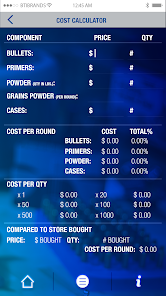
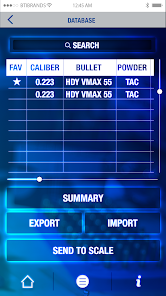
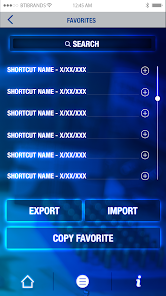
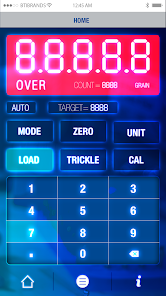
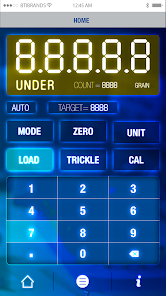
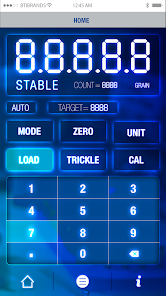
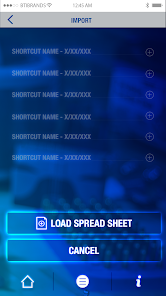
Get Frankford’s first reloader app to save you money now. This app optimizes powder caliber helping you make more accurate and precise ammunition. It’s the most intelligent and comprehensive tool of its kind. This user-friendly app neatly categorizes, organizes and stores your information for easy reloading. It has dual screen compatibility through Bluetooth directly syncing the app with your reloader device. It also features the highest technology in memory retention. Because we know that every firearm chamber is unique, this app tracks all your custom loads and load recipes ever used. It also includes a “favorites” menu where you can star your best loads, so you can easily replicate them. You can also import and export additional data to and from this app providing you with a way to save a copy to your desktop or share it with your buddy. Another great feature is the cost center-calculator. Punch in the information and it will give you a detailed price list of how much each round cost to build. As software developers improve the app there will be direct updates available within the app to expand its intellectual capacity and make overall improvements.
Updated on
Safety starts with understanding how developers collect and share your data. Data privacy and security practices may vary based on your use, region, and age. The developer provided this information and may update it over time.

No data shared with third parties
Learn more about how developers declare sharing

No data collected
Learn more about how developers declare collection
Ratings and reviews
2.1
110 reviews

A Google user
- Flag inappropriate
- Show review history
February 29, 2020
A few things here to mention. First thing. COL in the database needs to be 3 places. Such as 2.795. Most people load seat bullets to thousands of an inch. Right now it's only in hundreds of an inch. Secondly. There is no way to expand the database columns so you cant really see what's listed there without opening the entire thing up. IE; bullet info. Once those changes are made app should get 4 stars minimum. Lastly. Make it easier to import DB maybe import from Excel. Then 5 stars!!!
4 people found this review helpful

Paul
- Flag inappropriate
- Show review history
June 26, 2020
It will control the scale. The Bluetooth name is Dual-SPP because the programmer probably didn't know how to change the default name. That's what happens when you cut and paste example code. The database seems comprehensive and had the things I was looking for but it's not easy to navigate and enter or modify records. There is an option to export to CSV file but I could not get it to import a CSV file, even one the app created itself. There is an "I" info key that does nothing? If you are looking for an app to record your load data there are better alternatives out there. You don't need this to control the scale. The only good thing about this app is it has a firmware update option so if the manufacture ever was to release an update to the scale's firmware then this would be very useful. I look forward to future updates that will expand and enhance the functionality of this app.
12 people found this review helpful

Steve Eldridge
- Flag inappropriate
June 27, 2021
Was able to get the unit to pair with my Samsung S20+ Ultra, but the Bluetooth name/I.D was weird as it was not even remotely representative of the actual device. Will update review once I've had a chance to actually run/use the unit and verified the charges are accurate. Build quality seems pretty good. Setup and calibration are super simple processes, and I like that Frankford included the Calibration weight certificates too.
1 person found this review helpful
What’s new
Version 1.5 contains the following changes/updates:
• Android 14+ support.
• Android 14+ support.
App support
phone
Phone number
+18775099160
About the developer
American Outdoor Brands
mboeding@aob.com
1800 N Route Z
Columbia, MO 65202
United States
+1 816-223-7606


