
Float Video Player for Android
Contains ads

4.3star
625 reviews
50K+
Downloads

Everyone
info


About this app
Feature:
- Play video from other applications such as: file browser or chat applications ... by choose Video and select Share. Only support raw video data, not support web link and some applications will not play video via share.
- Support almost video formats: mp4, flv, f4v, m2ts, mkv, m2v, m4v, mpeg, mts, mov, wmv, ts ... more and more.
- Support 4K, HD video
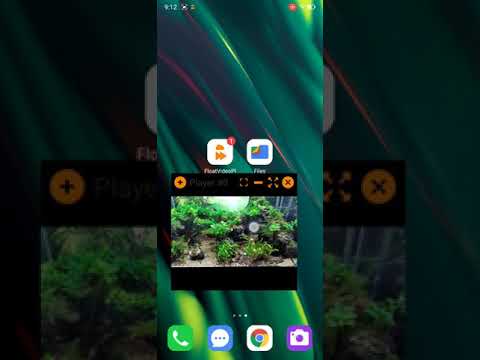
- View video with floating window, while watching video can use another application example: playing game, composing message ... video still playing on top on your screen
- View 3, 4 Videos at the same time depend on device with high specification or not
- Automatic close window video when play video complete or complete playlist if not set repeat mode
- Automatic hide top title bar on top video for better viewing video
- View video full screen
- Save last position and when resume video will automatic jump to that position
* Disclaimer:
- Float Video Player for Android is based on VLC for Android open source, and licensed under the GNU General Public License version 3 or later.
GNU General Public License: https://www.gnu.org/licenses/
- Play video from other applications such as: file browser or chat applications ... by choose Video and select Share. Only support raw video data, not support web link and some applications will not play video via share.
- Support almost video formats: mp4, flv, f4v, m2ts, mkv, m2v, m4v, mpeg, mts, mov, wmv, ts ... more and more.
- Support 4K, HD video
- View video with floating window, while watching video can use another application example: playing game, composing message ... video still playing on top on your screen
- View 3, 4 Videos at the same time depend on device with high specification or not
- Automatic close window video when play video complete or complete playlist if not set repeat mode
- Automatic hide top title bar on top video for better viewing video
- View video full screen
- Save last position and when resume video will automatic jump to that position
* Disclaimer:
- Float Video Player for Android is based on VLC for Android open source, and licensed under the GNU General Public License version 3 or later.
GNU General Public License: https://www.gnu.org/licenses/
Updated on
Safety starts with understanding how developers collect and share your data. Data privacy and security practices may vary based on your use, region, and age. The developer provided this information and may update it over time.


Ratings and reviews
4.3
580 reviews

Andrew Brown
- Flag inappropriate
January 4, 2025
Awesome in so many ways! My storage is full on all my devices from videos downloaded online. Most will be deleted to free space to download more and not included in my library, but need to screen them. I'm way behind and use a 55" monitor and 65" smart TV split in quadrants to play 8 videos at once while working on a 23" monitor. This would help me make up time while on the go, but I have an transparency problem I can't solve that makes the popup see-through and can barely see it play. 🫤🤔❓
1 person found this review helpful

royal elenchy
- Flag inappropriate
June 22, 2022
I could have given this app 5 stars, but it has one downside: The app has no minimum resizable video. I once resized it, and it disappeared while the video was still playing in the background. I thought the app has a bug but I later discovered that the video output was not vissible because the size was too small. I have to unintall and reinstall it. Please fix this.
3 people found this review helpful
NetSoftTouch
October 30, 2022
Thanks for your kind feedback. This issue have been fixed. Please update your app to the latest version. If video is playing in the background, you can select the option: Close All Windows in the Setting tab or in drop menu in floating window. Thanks.

Chip
- Flag inappropriate
November 20, 2025
suggestion. enable the manual + Add link option for YouTube domains so when we open YouTube links in telegram or whatever application or website it'll open up in the pop-up player. it would be so convenient and such a useful tool. of course if you could add the ability to play YouTube links.
What’s new
- fixed open video with external player
- fixed bug crash app
- add button rewind/forward 10 seconds
- remembered the window position and size
- set automatic play recent to true (can change to on/off in setting tab) and min length for video is more than 5 minutes
- fixed bug crash app
- add button rewind/forward 10 seconds
- remembered the window position and size
- set automatic play recent to true (can change to on/off in setting tab) and min length for video is more than 5 minutes
App support
About the developer
Nguyen Minh Thuan
nguyenminhthuanvnn@gmail.com
Vietnam
undefined


