
TIFF Converter: Image to TIF
Sadržava oglaseKupovina unutar aplikacije
4,4star
568 recenzija
50 hilj.+
Preuzimanja

Svako
info
O aplikaciji
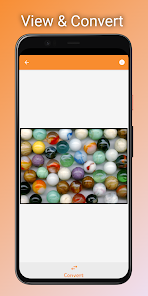
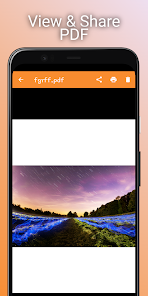
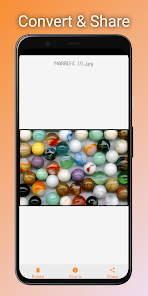
TIFF Viewer - TIFF Converter for Android allows you to view and print large TIFF files and convert TIFF images to PDF, JPG, PNG, BMP, and WEBP formats.
TIFF File Viewer - TIFF to JPG is a fast and lightweight TIFF file viewer and converter for Android.
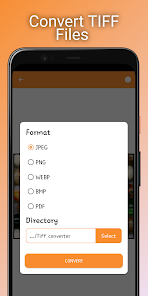
TIFF files can be opened using the system's built-in file browser, or the app can be launched from an external application. Multi-page TIFF files can be converted to PDF, PNG, WEBP, BMP, and JPEG.
Features:
• Supports batch conversion of TIFF image files
• Supports batch conversion of multi-page TIFF files
Supported conversion formats:
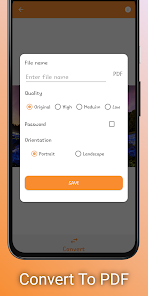
• TIFF Image to PDF
• TIFF Image to JPEG
• TIFF Image to BMP
• TIFF Image to PNG
• TIFF Image to WEBP
• Multi-page TIFF File to PDF
• Multi-page TIFF File to JPEG
• Multi-page TIFF File to BMP
• Multi-page TIFF File to PNG
• Multi-page TIFF File to WEBP
TIFF Viewer - TIFF Converter supports a wide range of image compressions, including:
CCiTT G3
CCiTT G4
LZW
Deflate
JPEG
Old-JPEG
How to Use TIFF Viewer - TIFF Converter
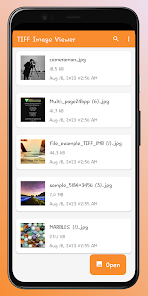
• Click on the "Open TIFF" button to select a TIFF file for viewing.
• Click on the "Convert" button, select the conversion format and directory, then click "Convert".
• To select and convert multiple TIFF image files at once, click on the "Converter" tab, select the TIFF files to convert, then click "Convert".
TIFF File Viewer - TIFF to JPG is a fast and lightweight TIFF file viewer and converter for Android.
TIFF files can be opened using the system's built-in file browser, or the app can be launched from an external application. Multi-page TIFF files can be converted to PDF, PNG, WEBP, BMP, and JPEG.
Features:
• Supports batch conversion of TIFF image files
• Supports batch conversion of multi-page TIFF files
Supported conversion formats:
• TIFF Image to PDF
• TIFF Image to JPEG
• TIFF Image to BMP
• TIFF Image to PNG
• TIFF Image to WEBP
• Multi-page TIFF File to PDF
• Multi-page TIFF File to JPEG
• Multi-page TIFF File to BMP
• Multi-page TIFF File to PNG
• Multi-page TIFF File to WEBP
TIFF Viewer - TIFF Converter supports a wide range of image compressions, including:
CCiTT G3
CCiTT G4
LZW
Deflate
JPEG
Old-JPEG
How to Use TIFF Viewer - TIFF Converter
• Click on the "Open TIFF" button to select a TIFF file for viewing.
• Click on the "Convert" button, select the conversion format and directory, then click "Convert".
• To select and convert multiple TIFF image files at once, click on the "Converter" tab, select the TIFF files to convert, then click "Convert".
Ažurirano dana
Sigurnost počinje razumijevanjem na koji način programeri prikupljaju i dijele vaše podatke. Privatnost podataka i sigurnosne prakse se mogu razlikovati ovisno o korištenju, regiji i dobi. Programer je naveo ove informacije i može ih s vremenom ažurirati.

Podaci se ne dijele s trećim stranama
Saznajte više o načinu na koji programeri pružaju izjavu o dijeljenju

Ova aplikacija može prikupljati ove vrste podataka
Lokacija, Informacije o aplikacijama i performanse i ID-ovi uređaja ili drugi ID-ovi

Podaci se šifriraju tokom prenosa
Ocjene i recenzije
4,3
530 recenzija
Što je novo
Optimize app and fixed issues
Podrška za aplikaciju
phone
Telefonski broj
+2348098039064
Informacije o programeru
NNOLI EBUKA RAPHAEL
theappchamp@gmail.com
11 Daniel St
Ojo 102101
Lagos
Nigeria
undefined


