Proximity Sensor Test
10 hilj.+
Preuzimanja

Svako
info
O aplikaciji
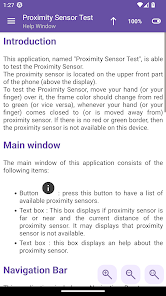
This app allows you to test the Proximity Sensor.
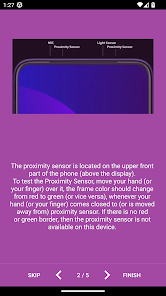
The proximity sensor is located on the upper front part of the phone (above the display).
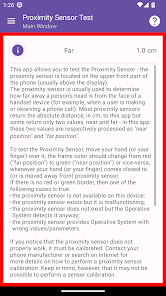
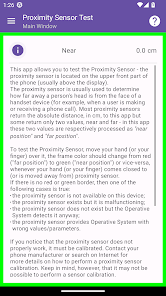
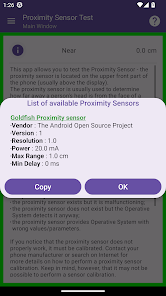
To test the Proximity Sensor, move your hand (or your finger) over it, the frame color should change from red to green (or vice versa), whenever your hand (or your finger) comes closed to (or is moved away from) proximity sensor. If there is no red or green border, then the proximity sensor is not available on this device.
If you notice that the proximity sensor does not work as intended, it must be calibrated. Contact your phone manufacturer or search on Internet for more details on how to perform a proximity sensor calibration. Keep in mind, however, that it may not be possible to perform a sensor calibration.
The proximity sensor may not work as intended in the following cases:
• If your device has a screen protection film, make sure it is specifically intended for your device. It is important that the protective film does not cover the proximity sensor.
• Make sure the proximity sensor is clean.
• If you use a case or cover which is not well suited to the phone, it may impact the functionality of the proximity sensor. The case may cover the proximity sensor.
• There may be other causes for the proximity sensor not working as intended. In this case, contact the phone manufacturer\'s support service in order to ask for a solution or even for a phone replacement.
The proximity sensor is located on the upper front part of the phone (above the display).
To test the Proximity Sensor, move your hand (or your finger) over it, the frame color should change from red to green (or vice versa), whenever your hand (or your finger) comes closed to (or is moved away from) proximity sensor. If there is no red or green border, then the proximity sensor is not available on this device.
If you notice that the proximity sensor does not work as intended, it must be calibrated. Contact your phone manufacturer or search on Internet for more details on how to perform a proximity sensor calibration. Keep in mind, however, that it may not be possible to perform a sensor calibration.
The proximity sensor may not work as intended in the following cases:
• If your device has a screen protection film, make sure it is specifically intended for your device. It is important that the protective film does not cover the proximity sensor.
• Make sure the proximity sensor is clean.
• If you use a case or cover which is not well suited to the phone, it may impact the functionality of the proximity sensor. The case may cover the proximity sensor.
• There may be other causes for the proximity sensor not working as intended. In this case, contact the phone manufacturer\'s support service in order to ask for a solution or even for a phone replacement.
Ažurirano dana
Sigurnost počinje razumijevanjem na koji način programeri prikupljaju i dijele vaše podatke. Privatnost podataka i sigurnosne prakse se mogu razlikovati ovisno o korištenju, regiji i dobi. Programer je naveo ove informacije i može ih s vremenom ažurirati.

Podaci se ne dijele s trećim stranama
Saznajte više o načinu na koji programeri pružaju izjavu o dijeljenju

Podaci se ne prikupljaju
Saznajte više o načinu na koji programeri pružaju izjavu o prikupljanju
Što je novo
Note : This is the latest version of this app which supports Android KitKat (Android 4.4). More details in the Additional Info Window of this app.
Settings window - section "User Interface" - new options "Hide Toolbars during scrolling" and "Custom System Bars".
Settings window - new section "Main Window".
Support for the native "Google Material Design 3" color theming system.
Bug fixes and minor improvements.
Settings window - section "User Interface" - new options "Hide Toolbars during scrolling" and "Custom System Bars".
Settings window - new section "Main Window".
Support for the native "Google Material Design 3" color theming system.
Bug fixes and minor improvements.
Podrška za aplikaciju
Informacije o programeru
Parrello Giuseppe
sourcenetitalia@gmail.com
Italy
undefined


