
Hearing Number: Test Your Ears
4.7star
93 reviews
10K+
Downloads

Everyone
info




About this app
How’s your hearing? Learn your Hearing Numbers—the softest sound you can hear in each ear—with an app created by the Johns Hopkins Bloomberg School of Public Health. Then use your Hearing Numbers to protect your hearing and hear better. Track your hearing to know how it changes over time and encourage others to know their hearing. Take charge of your hearing wellness!
Hearing Numbers can be as low as -10 or as high as 100 decibels, or dB. The higher your Hearing Numbers are, the louder sounds will need to be for you to hear them, and the harder it will be to hear and communicate in noisy places.
Requires headphones, a quiet space, and about 5 minutes to complete.
No advertising, in-app purchases, or product recommendations.
The app tests the noise level around you, measures your hearing levels at four frequencies in each ear, and provides your Hearing Numbers.
Share the Hearing Number app and encourage your friends and family to learn their Hearing Numbers.
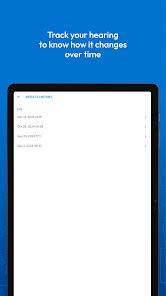
Re-check your Hearing Numbers from time to time and review previous results to track how your hearing changes over time.
Learn more about the Hearing Number and how to use it at app.HearingNumber.org.
This app is created by the Johns Hopkins Bloomberg School of Public Health, seeking to empower people to know their hearing—millions at a time.
Disclaimer
This hearing wellness app does not constitute medical advice or diagnosis. You should consult with a health care provider for questions related to your hearing or if you are experiencing any of the following: ear pain or ringing, dizziness, ear drainage or a sense of something in your ear, sudden or fluctuating hearing loss, injury or deformity to your ear, or worse hearing in one ear (i.e., your right and left Hearing Numbers are different by more than 10 dB).
Hearing Numbers can be as low as -10 or as high as 100 decibels, or dB. The higher your Hearing Numbers are, the louder sounds will need to be for you to hear them, and the harder it will be to hear and communicate in noisy places.
Requires headphones, a quiet space, and about 5 minutes to complete.
No advertising, in-app purchases, or product recommendations.
The app tests the noise level around you, measures your hearing levels at four frequencies in each ear, and provides your Hearing Numbers.
Share the Hearing Number app and encourage your friends and family to learn their Hearing Numbers.
Re-check your Hearing Numbers from time to time and review previous results to track how your hearing changes over time.
Learn more about the Hearing Number and how to use it at app.HearingNumber.org.
This app is created by the Johns Hopkins Bloomberg School of Public Health, seeking to empower people to know their hearing—millions at a time.
Disclaimer
This hearing wellness app does not constitute medical advice or diagnosis. You should consult with a health care provider for questions related to your hearing or if you are experiencing any of the following: ear pain or ringing, dizziness, ear drainage or a sense of something in your ear, sudden or fluctuating hearing loss, injury or deformity to your ear, or worse hearing in one ear (i.e., your right and left Hearing Numbers are different by more than 10 dB).
Updated on
Safety starts with understanding how developers collect and share your data. Data privacy and security practices may vary based on your use, region, and age. The developer provided this information and may update it over time.

No data shared with third parties
Learn more about how developers declare sharing

This app may collect these data types
Location

Data is encrypted in transit

Data can’t be deleted
Ratings and reviews
4.7
91 reviews

Peter Johnson
- Flag inappropriate
November 14, 2025
been a year, yet you still do not have ANY Google earbuds, not even the pixel bud pro 2, which are way more accurate than any of the apple earbuds, with a wider frequency response as well. but you have a ton of inferior apple devices listed... seems suspect to me.
mimi hearing technologies GmbH
December 1, 2025
Dear User, we are actively looking into adding support for more headphone models, but we are unable to provide a specific timeline. Rest assured, our team is diligently working on this, and we appreciate your patience. Stay tuned for future updates! Best regards, Hearing Number Team

Dale Haaland
- Flag inappropriate
- Show review history
October 2, 2025
this app gets to the point where you select the earpiece, set the volume and then goes no further. I have tried with both the earpiece I have which is listed and also tried the last choice which is none of the above and neither works. UPDATE: The instructions state "Turn on 'Do Not Disturb - Mute notifications, sounds, and vibrations". That, however also turns off the earbuds on my Android based Galaxy phone which then means the sounds from the applications needed for the test are muted also!
mimi hearing technologies GmbH
October 31, 2025
Thank you for your message! On some Android devices, enabling “Do Not Disturb” may also mute media sounds and affect the test. We appreciate you letting us know — we’ll update our instructions to clarify that media sounds should be allowed when using “Do Not Disturb.” Best, Hearing Number Team

Anne L
- Flag inappropriate
- Show review history
July 29, 2025
it would be great to check which is left ear, and right ear, or just say ear1 ear2 in the result. I can't check sides on the uncalibrated headphones I'm using. Thanks for the app.
mimi hearing technologies GmbH
July 29, 2025
Thank you for your feedback and suggestion—we really appreciate it! We're glad the app has been helpful! Best regards, Hearing Number Team
App support
About the developer
mimi hearing technologies GmbH
info@mimi.io
Boxhagener Str. 82
10245 Berlin
Germany
+49 176 73512736


