
Living Pages: Art in Motion
In-app purchases


Everyone
info
10+
Downloads


About this app
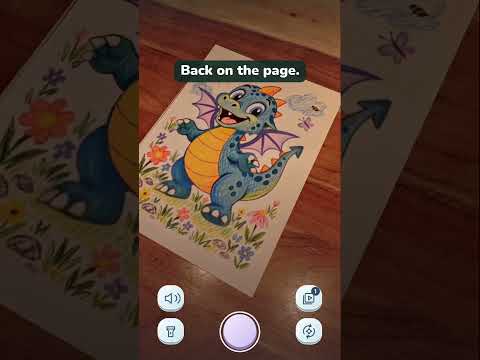
Turn an original drawing into a short AI animation, then point the camera on your phone or tablet at the paper to replay it in augmented reality. Living Pages is made for adults and parents who want to bring their artwork to life.
GETTING STARTED
Explore the guided sample and replay saved animations without spending credits. Creating a new AI animation requires internet access, a signed-in account with the current terms accepted and enough credits. Credit purchases are not currently available on Android, and creating an account does not grant credits.
CHOOSE HOW YOUR DRAWING MOVES
Photograph a detailed drawing on a flat surface and check its corners. Choose a movement style or write your own directions, select the available animation options, and review the credit cost before creating. AI results can vary.
REPLAY, SAVE AND SHARE
Point your camera at a saved drawing to reveal its animation on the paper. Watch, rename, save and share videos from Gallery. You can also reuse a saved animation with another drawing without generating it again.
PRIVATE GALLERY BACKUP
Sign in and accept the current terms to back up eligible Gallery items privately to your account. Completed backups can be restored on another device when you sign in to the same account. You can also export or import a portable Gallery ZIP.
FOR ADULTS AND PARENTS
The app is for adults aged 18+ who have reached legal majority. An adult manages the account, camera, uploads and playback. Use artwork you created or have permission to animate. Cover names and identifying details, and review AI results before showing them to a child.
WHAT GOES ONLINE
Camera tracking and local playback run on your device. When you request an animation, the selected drawing crop and movement directions are sent through Living Pages to an AI provider. Eligible signed-in Gallery items are stored privately for backup. Camera-based AR requires a compatible device.
Support: support@studiokostov.com
Privacy: https://livingpages.art/privacy
Terms: https://livingpages.art/terms
Animate drawings with credits, then replay them on paper with AR
Updated on
Safety starts with understanding how developers collect and share your data. Data privacy and security practices may vary based on your use, region, and age. The developer provided this information and may update it over time.
- No data shared with third partiesLearn more about how developers declare sharing
- This app may collect these data typesPersonal info, Financial info and 4 others
- Data is encrypted in transit
- You can request that data be deleted


What’s new
First public release of Living Pages.
• Photograph a drawing, check its corners and turn it into a short AI animation.
• Point your camera at the paper to replay it in AR, or watch it on screen.
• Credit packs of 5, 15, 40 or 85. No subscription, and credits do not expire.
• Sign in to back up your Gallery privately to your account.
App support
About the developer
GEORGI KOSTOV
hello@studiokostov.com
Breitwiesenstraße 22/Top 7
4481 Asten
Austria