
VIZIO Mobile
Contains ads
4.3star
70.3K reviews
5M+
Downloads

Everyone
info
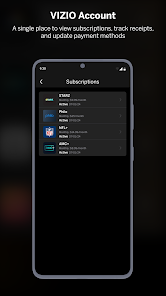
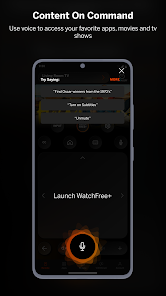
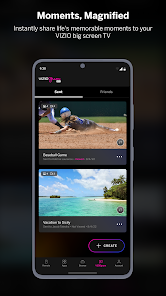
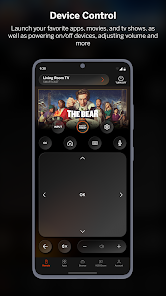
About this app
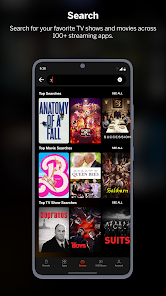
Your TV. Your Way. VIZIO Mobile lets you search, browse, and launch entertainment directly to your TV, plus so much more!
With VIZIO Mobile, you can:
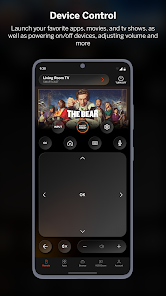
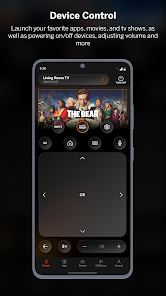
• Control your TV from the palm of your hand, without searching for the remote
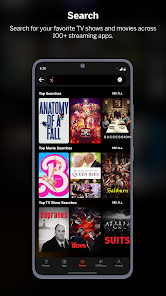
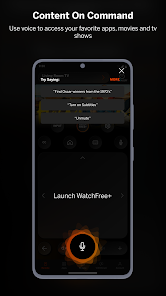
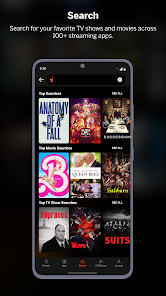
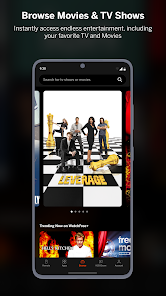
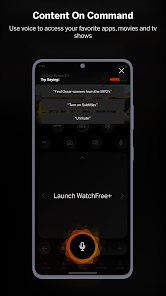
• Search for your entertainment in seconds using your VIZIO Mobile keyboard or just your voice
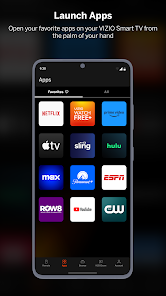
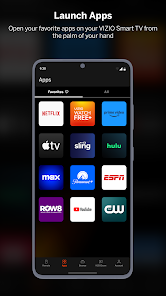
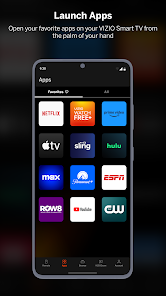
• Launch shows, movies and more on your VIZIO TV directly from VIZIO Mobile
• Save money by quickly finding which apps stream your next movie or show for free
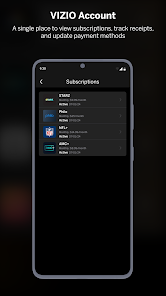
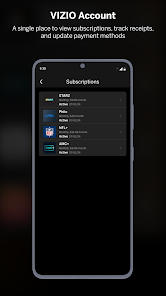
Your phone or tablet must be connected to the same wireless network as your VIZIO devices to use certain features of the mobile app. Select features of VIZIO Mobile require a free VIZIO Account.
Features:
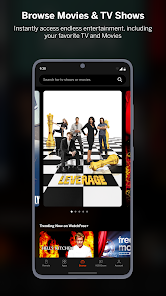
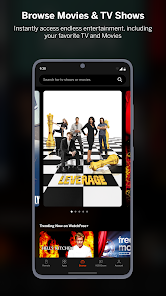
1. Effortless Discovery: VIZIO Mobile brings together entertainment from multiple apps into one simple experience.
2. Launch Your Favorite Apps on Your TV: Forget the remote, VIZIO Mobile does it all.
3. Your Control Center: Power on/off devices, play/pause content, adjust volume and more.
4. Easy Typing: Email and password completion is easier than ever thanks to VIZIO Mobile’s keyboard.
5. Advanced Settings Made Easy: Adjust aspect ratio, select input, calibrate picture and more.
6. Go Behind the Scenes: Check out show ratings, synopsis, cast, crew, clips and more.
VIZIO Crave Speakers cannot output audio from TVs/displays or be connected as an additional channel to an existing sound bar or sound system. Additional supported SmartCast or Chromecast-enabled audio products are required (not included) for Multi-Room feature. Streaming different songs to different speakers at the same time is not supported when using a single app running on a single mobile device. To stream a different song to different speakers at the same time, you’ll need to stream from a different app or a separate mobile device.
———————————————————————
The applications and content pictured herein or described on this page may only be available in certain countries and languages, may require additional fees or subscription charges, and may be subject to future updates, modifications, interruption and/or discontinuation of service without notice. VIZIO has no control over third party applications or content and assumes no responsibility for the availability or interruption of such applications or content. Additional third-party terms, conditions and restrictions apply. High-speed/broadband Internet service and access equipment are required and are not provided by VIZIO. Not all Google Cast-enabled apps are integrated with VIZIO SmartCast and may require additional steps to cast.
For help, please visit our Customer Help Center: support.vizio.com
Terms of Use: https://www.vizio.com/en/terms/account-terms
Privacy Policy: https://www.vizio.com/en/terms/privacy-policy
With VIZIO Mobile, you can:
• Control your TV from the palm of your hand, without searching for the remote
• Search for your entertainment in seconds using your VIZIO Mobile keyboard or just your voice
• Launch shows, movies and more on your VIZIO TV directly from VIZIO Mobile
• Save money by quickly finding which apps stream your next movie or show for free
Your phone or tablet must be connected to the same wireless network as your VIZIO devices to use certain features of the mobile app. Select features of VIZIO Mobile require a free VIZIO Account.
Features:
1. Effortless Discovery: VIZIO Mobile brings together entertainment from multiple apps into one simple experience.
2. Launch Your Favorite Apps on Your TV: Forget the remote, VIZIO Mobile does it all.
3. Your Control Center: Power on/off devices, play/pause content, adjust volume and more.
4. Easy Typing: Email and password completion is easier than ever thanks to VIZIO Mobile’s keyboard.
5. Advanced Settings Made Easy: Adjust aspect ratio, select input, calibrate picture and more.
6. Go Behind the Scenes: Check out show ratings, synopsis, cast, crew, clips and more.
VIZIO Crave Speakers cannot output audio from TVs/displays or be connected as an additional channel to an existing sound bar or sound system. Additional supported SmartCast or Chromecast-enabled audio products are required (not included) for Multi-Room feature. Streaming different songs to different speakers at the same time is not supported when using a single app running on a single mobile device. To stream a different song to different speakers at the same time, you’ll need to stream from a different app or a separate mobile device.
———————————————————————
The applications and content pictured herein or described on this page may only be available in certain countries and languages, may require additional fees or subscription charges, and may be subject to future updates, modifications, interruption and/or discontinuation of service without notice. VIZIO has no control over third party applications or content and assumes no responsibility for the availability or interruption of such applications or content. Additional third-party terms, conditions and restrictions apply. High-speed/broadband Internet service and access equipment are required and are not provided by VIZIO. Not all Google Cast-enabled apps are integrated with VIZIO SmartCast and may require additional steps to cast.
For help, please visit our Customer Help Center: support.vizio.com
Terms of Use: https://www.vizio.com/en/terms/account-terms
Privacy Policy: https://www.vizio.com/en/terms/privacy-policy
Updated on
Safety starts with understanding how developers collect and share your data. Data privacy and security practices may vary based on your use, region, and age. The developer provided this information and may update it over time.


Ratings and reviews
4.3
66.3K reviews

Kayla Lynn
- Flag inappropriate
- Show review history
April 13, 2024
This absolutely sucks. I don't understand it used to work fine and over the last couple updates it's become a nightmare. Constantly disconnects from my TV. Says "not reachable" when I'm standing right next to it. The batteries that came with my tv remote leaked and completely ruined the remote. Bought a vizio specific universal remote that never worked at all. Got this app and it was good for a while. Now it doesn't even work the majority of the time. So frustrating and disappointing.
14 people found this review helpful

Robert Chase
- Flag inappropriate
- Show review history
April 11, 2024
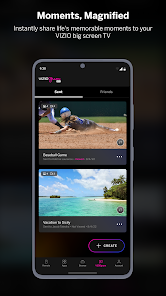
"Once connected, VIZIOgram allows all to share images or videos from their mobile phones to their contacts’ VIZIO TVs." -- this is very deliberate misrepresentation; Vizio arbitrarily limits the videos you can cast to 70 seconds and makes sure to bury notice of this severe limitation where most people won't see it to induce them to install an app that won't do what they expect. Thanks for wasting my time, Vizio! Garbage.
16 people found this review helpful

Levintry
- Flag inappropriate
April 15, 2024
Old version of the app was much better. New version has ads on the remote, lol. I also just got an ad for a new TV show through a notification. Instantly blocked notifications from this app easily, but it is pretty ridiculous. I also feel like the old version of the remote was better, but the notification ad is my main issue with this app. It really makes me second guess recommending Vizio products to my family.
What's new
What's new with VIZIO Mobile:
bug fixes and performance enhancements
bug fixes and performance enhancements


