
Files To SD Card, USB or Wi-Fi
Contains ads

star
383K reviews

Everyone
info
10M+
Downloads

Everyone
Learn more


About this app
Free up phone storage, back up files and transfer them over Wi-Fi 🚀
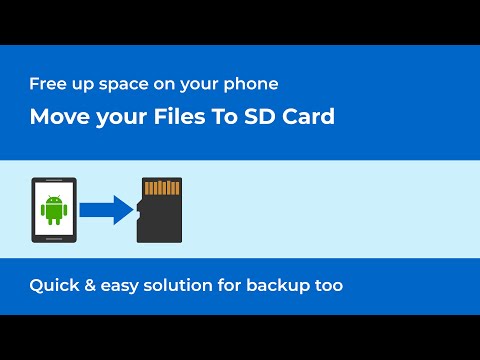
Files To SD Card makes it easy to move or copy photos, videos, music, documents, downloads and other files from your phone to an SD card or USB drive.
Need to send files to your computer instead? Transfer selected files from your phone to a computer over Wi-Fi — no cloud upload required.
📂 Move or copy files to an SD card or USB drive
Move files when you want to free up internal storage, or use Copy to keep the originals on your phone and create a backup on external storage.
You can transfer files to an SD card or connect a compatible USB flash drive using USB OTG.
📶 Transfer files to a computer over Wi-Fi
Send photos, videos, documents and other files directly from your phone to a computer over Wi-Fi.
Your phone and computer must be connected to the same Wi-Fi network. An internet connection is not required.
Choose Move to remove each file from your phone after it has been successfully transferred, or choose Copy to keep the original on your phone.
💾 Free up space or keep a backup
Running low on phone storage? Move large photos, videos, downloads and other files to external storage or your computer to make more room for apps and new files.
Want to keep the originals? Copy them instead and use your SD card, USB drive or computer as an additional backup location.
🔌 USB OTG support
Connect a compatible USB flash drive using USB OTG and move or copy files between your phone and external storage.
📁 Choose exactly what you want to transfer
Select folders or individual files, browse your files before transfer, and work with common file types:
• Photos
• Videos
• Music
• Documents
• Downloads
• Other files
When copying to external storage, files that already exist at the destination can be automatically skipped.
📴 No cloud required
SD card and USB transfers work directly with local storage. Wi-Fi transfer lets you send files to your computer without uploading them to cloud storage.
🚀 Simple file transfer tools
Move or copy files, transfer over Wi-Fi, select specific folders or files, skip existing files when copying, browse before transfer, receive optional reminders about new files and use dark mode.
Important
Files To SD Card is designed for personal files such as photos, videos, music, downloads and documents.
The app cannot move installed Android apps to an SD card. Moving apps depends on Android and device manufacturer support.
Files To SD Card helps you:
Free up internal storage, move files to an SD card or USB drive, copy files for backup and transfer files to a computer over Wi-Fi.
Simple. Fast. Reliable.
Files To SD Card makes it easy to move or copy photos, videos, music, documents, downloads and other files from your phone to an SD card or USB drive.
Need to send files to your computer instead? Transfer selected files from your phone to a computer over Wi-Fi — no cloud upload required.
📂 Move or copy files to an SD card or USB drive
Move files when you want to free up internal storage, or use Copy to keep the originals on your phone and create a backup on external storage.
You can transfer files to an SD card or connect a compatible USB flash drive using USB OTG.
📶 Transfer files to a computer over Wi-Fi
Send photos, videos, documents and other files directly from your phone to a computer over Wi-Fi.
Your phone and computer must be connected to the same Wi-Fi network. An internet connection is not required.
Choose Move to remove each file from your phone after it has been successfully transferred, or choose Copy to keep the original on your phone.
💾 Free up space or keep a backup
Running low on phone storage? Move large photos, videos, downloads and other files to external storage or your computer to make more room for apps and new files.
Want to keep the originals? Copy them instead and use your SD card, USB drive or computer as an additional backup location.
🔌 USB OTG support
Connect a compatible USB flash drive using USB OTG and move or copy files between your phone and external storage.
📁 Choose exactly what you want to transfer
Select folders or individual files, browse your files before transfer, and work with common file types:
• Photos
• Videos
• Music
• Documents
• Downloads
• Other files
When copying to external storage, files that already exist at the destination can be automatically skipped.
📴 No cloud required
SD card and USB transfers work directly with local storage. Wi-Fi transfer lets you send files to your computer without uploading them to cloud storage.
🚀 Simple file transfer tools
Move or copy files, transfer over Wi-Fi, select specific folders or files, skip existing files when copying, browse before transfer, receive optional reminders about new files and use dark mode.
Important
Files To SD Card is designed for personal files such as photos, videos, music, downloads and documents.
The app cannot move installed Android apps to an SD card. Moving apps depends on Android and device manufacturer support.
Files To SD Card helps you:
Free up internal storage, move files to an SD card or USB drive, copy files for backup and transfer files to a computer over Wi-Fi.
Simple. Fast. Reliable.
Move photos and videos to SD card, USB drive or over Wi-Fi. No cloud needed.
Updated on
Safety starts with understanding how developers collect and share your data. Data privacy and security practices may vary based on your use, region, and age. The developer provided this information and may update it over time.


Ratings and reviews
359K reviews

Larry Adams
- Flag inappropriate
June 23, 2026
Once I figured out how to operate the file system. it copied my files from the phone to a flash drive with no issues. I have had this app for several years but never used it until now, I no longer need gigabytes of work pictures in retirement but wished to keep them in storage just in case the factory needs help.
7 people found this review helpful

Edward Ormsby
- Flag inappropriate
October 29, 2021
This app worked as described. It's very easy to use, and works perfectly. The only other way to move more apps is to root your phone, and that has it's risks. So this is the best way to make more room in your internal storage without risking the chance of "bricking" your phone or losing your files. I recommend this app to all who are having storage issues with their android devices.
128 people found this review helpful

Amanda Hoskins
- Flag inappropriate
August 6, 2025
this app has been really useful for transferring the thousands of photos from my phone to a USB! the only reason why I'm giving it a 4 instead of a 5 is because it doesn't show me my pictures as they are in my separate albums, instead, I have to dig to find the ones that I'm looking for by their date. I'd rather see the options as my albums, and find them that way. also, I wish their was an option to delete after transferring over. right now, I have to go one by one and delete after transf.
76 people found this review helpful
What’s new
✅ Added file transfer over Wi-Fi.
✅ Fixed bugs and improved stability.
✅ Fixed bugs and improved stability.
Everyone
Learn moreApp support
About the developer
Michal Bukáček
michal@bukacek.cz
Alojzov 192
798 04 Alojzov
Czechia


