Home WiFi Alert
Contains ads
4.3star
43.8K reviews
10M+
Downloads

Everyone
info





About this app
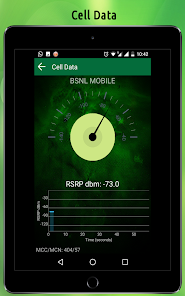
Wifi Analyzer- Home & Office Wifi Security has been called one of the most impressive router network utilities on the Google Play Store.
This FREE app is a must-have for users of all skill levels, from beginners to IT specialists and skilled network administrators.
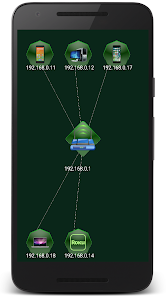
With Wifi Analyzer, you can check signal info, block unwanted connections, diagnose your wireless speed and strength, as well as map your network on a professional graphic display that is easy to understand!
Key Functions:
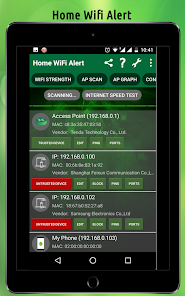
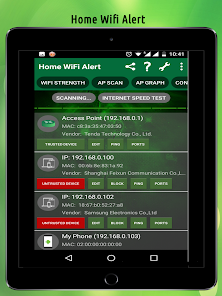
• Network Discovery - Displays public IP addresses, MAC addresses, Vendor Names, Wireless Access Points (WAP, AP) and more.
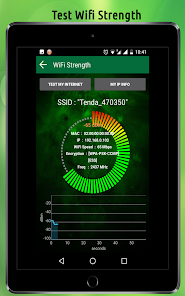
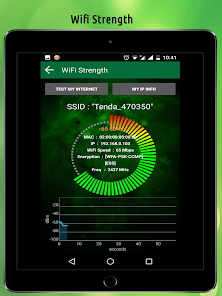
• Wifi Strength - Displays Wifi signal strength and Wifi speed, tests internet connections, provides encryption, frequency, MAC address, DHCP, and DHCP lease.
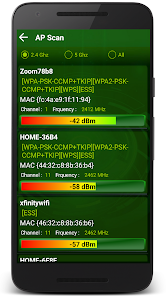
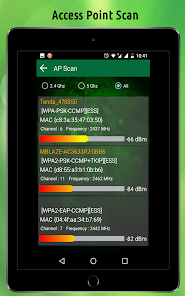
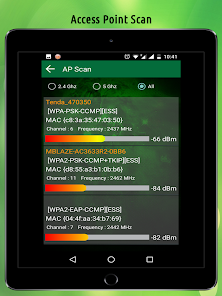
• Access Point Scan - Displays all router Access Points in range, including MAC addresses, channels, and dBm signal strength.
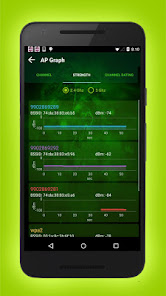
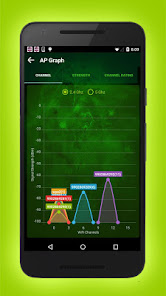
• Access Point Graphs - Displays the current channel your router is operating on and how many neighbors share the same channel.
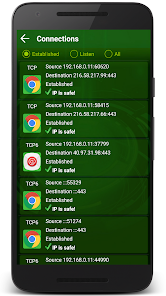
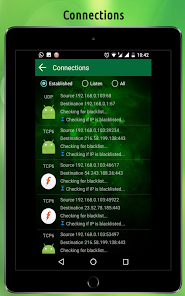
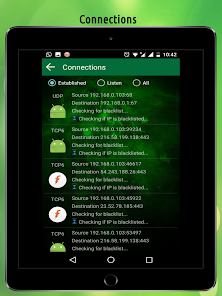
• Connections - Displays ALL current connections routed through your device, including established foreign connections, listening IP interfaces, and closed connections. Each established IP is checked against 35 blacklist databases to determine if the IPs are trusted or known threats!
• Device Blocking on Network - Block will bring you to your devices web interface so you can log in and blacklist unwanted MAC address to the router's MAC address filter list to block devices from using the network.
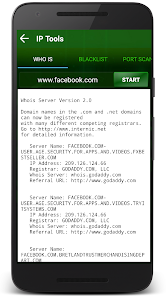
• IP Tools Options
1) DNS lookup
2) Whois data
3) Ping
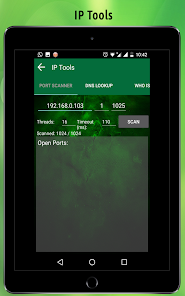
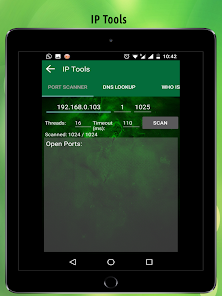
4) Port scan
5) Blacklist IP checker
6) Traceroute
7) MAC address lookup
8) Wifi passwords
This FREE app is a must-have for users of all skill levels, from beginners to IT specialists and skilled network administrators.
With Wifi Analyzer, you can check signal info, block unwanted connections, diagnose your wireless speed and strength, as well as map your network on a professional graphic display that is easy to understand!
Key Functions:
• Network Discovery - Displays public IP addresses, MAC addresses, Vendor Names, Wireless Access Points (WAP, AP) and more.
• Wifi Strength - Displays Wifi signal strength and Wifi speed, tests internet connections, provides encryption, frequency, MAC address, DHCP, and DHCP lease.
• Access Point Scan - Displays all router Access Points in range, including MAC addresses, channels, and dBm signal strength.
• Access Point Graphs - Displays the current channel your router is operating on and how many neighbors share the same channel.
• Connections - Displays ALL current connections routed through your device, including established foreign connections, listening IP interfaces, and closed connections. Each established IP is checked against 35 blacklist databases to determine if the IPs are trusted or known threats!
• Device Blocking on Network - Block will bring you to your devices web interface so you can log in and blacklist unwanted MAC address to the router's MAC address filter list to block devices from using the network.
• IP Tools Options
1) DNS lookup
2) Whois data
3) Ping
4) Port scan
5) Blacklist IP checker
6) Traceroute
7) MAC address lookup
8) Wifi passwords
Updated on
Safety starts with understanding how developers collect and share your data. Data privacy and security practices may vary based on your use, region, and age. The developer provided this information and may update it over time.

No data shared with third parties
Learn more about how developers declare sharing

This app may collect these data types
Location, Contacts and 3 others

Data is encrypted in transit

Data can’t be deleted
Ratings and reviews
4.3
41.7K reviews

Asad Ali
- Flag inappropriate
November 5, 2021
The best wifi protectiing app with outstanding unknown to us details for the first time I just experienced after downloading it for the first time ever.... So stylish, so easy, so smooth, so funky, so informative, so beautiful and awesome Grey 👽 alien greenish dark mode typed UI.... Absolutely amazing.... Awesome.... Thank you.... For users Highly recommended....
594 people found this review helpful

Lee Kerry
- Flag inappropriate
May 28, 2023
Been using this app for a number of years & would consider myself an ardent OAP blossoming beginner. But it always does what it says, easily, efficiently, without too many bells or whistles & most importantly, so well that even newbies we find it a wealth of info, help & with all the tools needed in one near place. Highly recommend.
726 people found this review helpful

A Google user
- Flag inappropriate
October 25, 2019
Program does more than I expected. Very easy to see and read charts. Extra tools like default passwords for routers. Only thing that did not work was the external speed check, probably the address has changed - not sure.
513 people found this review helpful
What's new
Bug fixes and performance improvements focused on services (e.g. blacklist, DNS lookups, and IP information). Please update as soon as possible. Access to these services will be removed in previous versions of the app.


