
MyJCB
In-app purchases


Everyone
info
1M+
Downloads

Everyone
Learn more


About this app
Packed with convenient features such as easy login and notifications for card usage!
MyJCB, the official app for JCB members
--- About using the app ---
Available to those with a MyJCB ID and a JCB Group card.
*Some cards are not compatible with the app. Please check the notes at the bottom of this page.
↓If you do not have a MyJCB ID or do not know it, click here:
https://my.jcb.co.jp/RegistUser
--- Recommended features unique to the app ---
1. Easy login
You can easily log in using fingerprint/facial recognition or an app-specific passcode.
2. Quickly check your usage status
Your most recent payment amount, payment date, and points balance are displayed on the top page.
Using the sorting and filtering functions for statements makes it easier to find the statement you are looking for.
Also, if you have multiple JCB cards, you can smoothly switch between cards by setting up consolidated login.
3. Supports safe and secure card usage!
The "Security Settings Status" notifies you of the registration status of various settings recommended by JCB.
You can quickly check your level of security in case of fraudulent use or other unforeseen circumstances.
It includes features such as notification of card usage and alert functions to prevent overspending! You can use your JCB card with greater peace of mind.
↓For more information about MyJCB, please click here:
https://www.jcb.co.jp/service/additional/myjcb/
--- Notes ---
■Cards that can be registered and used with MyJCB
https://www.jcb.co.jp/myjcb/pop/available-card-list.html
■Cards that cannot use the MyJCB app
Some cards, such as those from the following card issuers, cannot use the app.
* Seven Card Service Co., Ltd.
* Seven Bank, Ltd.
* West Japan Railway Company
* Life Financial Services Co., Ltd.
* au Jibun Bank Corporation
* Valor Financial Services Co., Ltd., etc.
■ When using the app for the first time
After downloading the app, when you log in for the first time, you will need to authenticate with a one-time password in addition to your MyJCB ID and password.
A one-time password will be sent to the email address or mobile phone number registered with MyJCB for authentication.
* Authentication methods may vary depending on your card.
■ Other Notes
* All images are for illustrative purposes only.
* The services available vary depending on your card.
* Please use the following link for inquiries.
https://www.jcb.co.jp/support/jcb_contact/
* We do not accept inquiries to the email address listed on this page.
* This app includes information (which may constitute solicitation) regarding cash advance services, regardless of whether a cash advance limit is set on the user's card or the user's intention to accept solicitations regarding loan agreements. Cash advance services incur interest. Please check the loan terms and conditions via the link below and be careful not to borrow too much. (Depending on your card and usage status, you may not be able to use this service.)
https://www.jcb.co.jp/cashing/
* Google Pay™ is a trademark of Google LLC.
--- Licenses ---
This app uses the following licenses:
https://www.apache.org/licenses/LICENSE-2.0
https://www.eclipse.org/legal/epl-2.0/
https://github.com/Adobe-Marketing-Cloud/acp-sdks/blob/master/LICENSE.md
https://developer.android.com/studio/terms.html
https://github.com/salesforce-marketingcloud/MarketingCloudSDK-Android/blob/master/LICENSE.txt
https://opensource.org/license/MIT
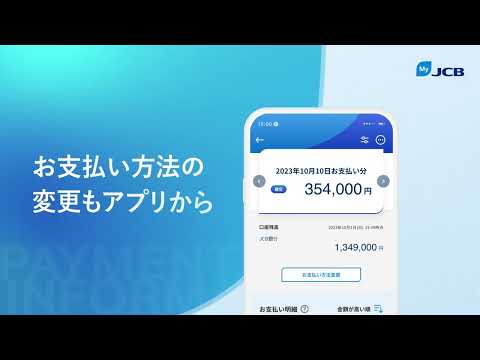
\Understand in 1 minute/A short movie introducing the appeal of the MyJCB app. Check now!
Updated on
Safety starts with understanding how developers collect and share your data. Data privacy and security practices may vary based on your use, region, and age. The developer provided this information and may update it over time.
- This app may share these data types with third partiesPersonal info, Photos and videos and 3 others
- No data collectedLearn more about how developers declare collection
- Data is encrypted in transit
- You can request that data be deleted


What’s new
■v3.12.1
軽微な修正を行いました。
■v3.11.1
・MyJCB Payのウィジェットで支払いをスマートに!お使いのスマートフォンにMyJCB Payのウィジェットを追加しました。
・その他、軽微な修正を行いました。
■v3.11.0
・着せ替え機能をカード単位で設定できるようになりました。
・JCBオリジナルシリーズなど一部のカードをお持ちのお客様を対象に、映画『トイ・ストーリー5』の期間限定着せ替えデザインをご用意しました。
・その他、軽微な修正を行いました。
■v3.10.0
・使い道がひと目でわかる。カラータグ×円グラフが新登場!利用金額の内訳が円グラフで見やすくなりました。
・その他、軽微な修正を行いました。
■v3.9.1
軽微な修正を行いました。
Everyone
Learn moreApp support
phone
Phone number
+81570666276
About the developer
JCB CO., LTD.
Ubukaisekigyomutanto@info.jcb.co.jp
5-1-22, MINAMIAOYAMA
AOYAMARAIZUSUKUEA
MINATO-KU, 東京都 107-0062
Japan
+81 3-5778-8430