
Just (Video) Player
4.1star
3.12K reviews

Everyone
info
10L+
Downloads

Everyone
Learn more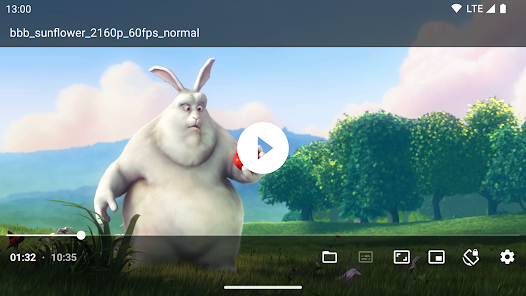
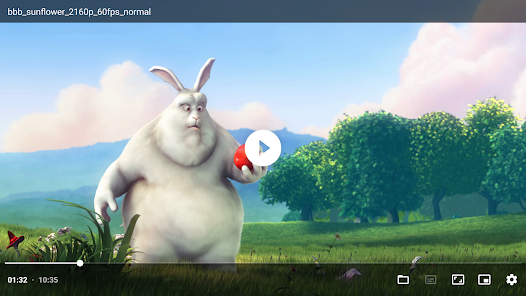
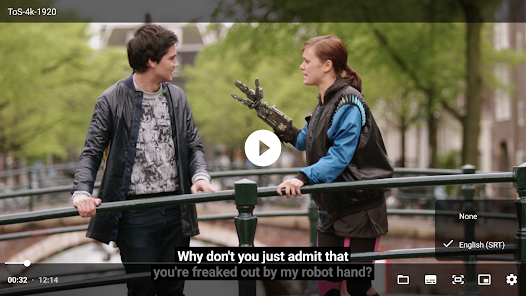
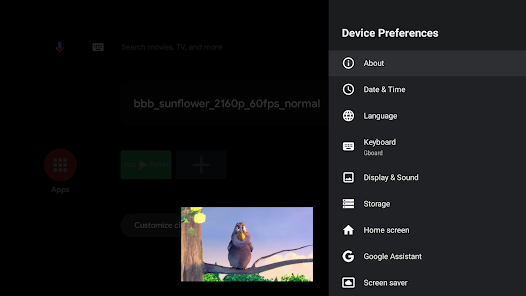
About this app
Android video player based on the ExoPlayer library. It uses ExoPlayer's ffmpeg extentsion with all its audio formats enabled (it can handle even special formats like AC3, EAC3, DTS, DTS HD, TrueHD etc.).
It properly syncs audio with the video track when using Bluetooth earphones/speaker.
Supported formats
* Audio: Vorbis, Opus, FLAC, ALAC, PCM/WAVE (μ-law, A-law), MP1, MP2, MP3, AMR (NB, WB), AAC (LC, ELD, HE; xHE on Android 9+), AC-3, E-AC-3, DTS, DTS-HD, TrueHD
* Video: H.263, H.264 AVC (Baseline Profile; Main Profile on Android 6+), H.265 HEVC, MPEG-4 SP, VP8, VP9, AV1
* Containers: MP4, MOV, WebM, MKV, Ogg, MPEG-TS, MPEG-PS, FLV
* Streaming: DASH, HLS, SmoothStreaming, RTSP
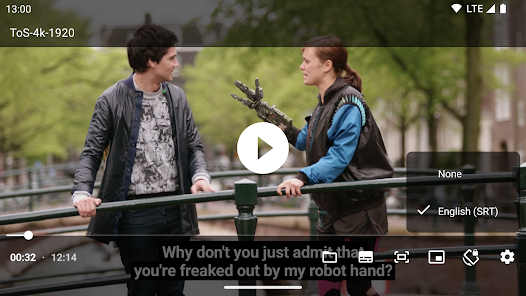
* Subtitles: SRT, SSA, TTML, VTT
HDR (HDR10+ and Dolby Vision) video playback on compatible/supported hardware.
Features
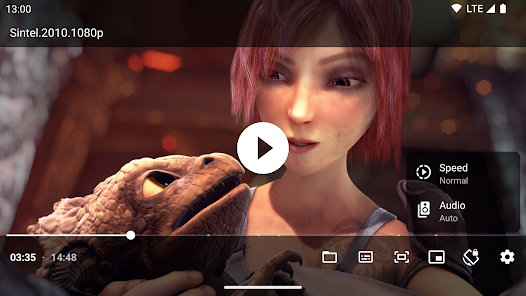
* Audio/subtitle track selection
* Playback speed control
* Horizontal swipe and double tap to quickly seek
* Vertical swipe to change brightness (left) / volume (right)
* Pinch to zoom (Android 7+)
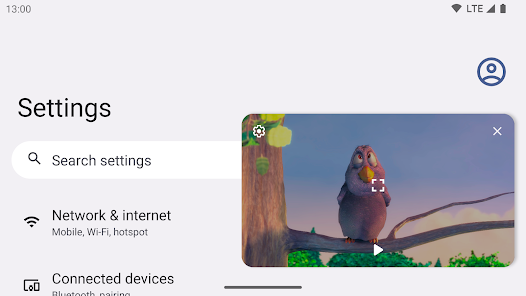
* PiP (Picture in Picture) on Android 8+ (resizable on Android 11+)
* Resize (fit/crop)
* Volume boost
* Auto frame rate matching on Android TV/boxes (Android 6+)
* Post-playback actions (delete file/skip to next)
* Touch lock (long tap)
* No ads, tracking or excessive permissions
To load external (non-embedded) subtitles, long press the file open action in the bottom bar. The first time you do that, you will be offered to select root video folder to enable automatic loading of external subtitles.
This app doesn't provide any video content by itself. It can only access and play content provided by the user.
Open source / source code available: https://github.com/moneytoo/Player
It properly syncs audio with the video track when using Bluetooth earphones/speaker.
Supported formats
* Audio: Vorbis, Opus, FLAC, ALAC, PCM/WAVE (μ-law, A-law), MP1, MP2, MP3, AMR (NB, WB), AAC (LC, ELD, HE; xHE on Android 9+), AC-3, E-AC-3, DTS, DTS-HD, TrueHD
* Video: H.263, H.264 AVC (Baseline Profile; Main Profile on Android 6+), H.265 HEVC, MPEG-4 SP, VP8, VP9, AV1
* Containers: MP4, MOV, WebM, MKV, Ogg, MPEG-TS, MPEG-PS, FLV
* Streaming: DASH, HLS, SmoothStreaming, RTSP
* Subtitles: SRT, SSA, TTML, VTT
HDR (HDR10+ and Dolby Vision) video playback on compatible/supported hardware.
Features
* Audio/subtitle track selection
* Playback speed control
* Horizontal swipe and double tap to quickly seek
* Vertical swipe to change brightness (left) / volume (right)
* Pinch to zoom (Android 7+)
* PiP (Picture in Picture) on Android 8+ (resizable on Android 11+)
* Resize (fit/crop)
* Volume boost
* Auto frame rate matching on Android TV/boxes (Android 6+)
* Post-playback actions (delete file/skip to next)
* Touch lock (long tap)
* No ads, tracking or excessive permissions
To load external (non-embedded) subtitles, long press the file open action in the bottom bar. The first time you do that, you will be offered to select root video folder to enable automatic loading of external subtitles.
This app doesn't provide any video content by itself. It can only access and play content provided by the user.
Open source / source code available: https://github.com/moneytoo/Player
Updated on
Safety starts with understanding how developers collect and share your data. Data privacy and security practices may vary based on your use, region and age. The developer provided this information and may update it over time.

No data shared with third parties
Learn more about how developers declare sharing

No data collected
Learn more about how developers declare collection

Committed to follow the Play Families policy
Ratings and reviews
3.9
2.35K reviews

Darrel Barnette
- Flag inappropriate
29 May 2023
Simple. The instructions for use are not on the main Google Play page and are non-existent on the app. No looping capability that I have found, and no easy way to scroll frame by frame through video if videos are short. Videos made with a high speed camera are about 4 seconds in length. It would be nice to scroll through them frame by frame, and loop through them while showing them. Overall nice, but I'll have to keep looking to find what I need. Best regards.
9 people found this review helpful

The Reaper
- Flag inappropriate
- Show review history
15 February 2026
Pros: Very lightweight and smooth performance. Cons: It feels too empty and there's no menu, No option to adjust subtitle position (at least I couldn't find any), Subtitles are stuck at the very bottom of the screen, Subtitle lines wrap upward instead of downward — which messes up the reading flow. For example, it shows: "to see you. It's good" instead of "It's good to see you."
2 people found this review helpful

Shazaman Butt
- Flag inappropriate
- Show review history
12 April 2026
I really like it.... it's light weight... and fast ⏩ results.... one wrong thing.... no video playback feature.... if its good they add music or video playback feature in this app.... and also add other features like show video playback in notification bar... but still good if they come in feature.... its Young lightest weight video player ever... I really like it. ✅🙂
What's new
• Update AndroidX Media to 1.10.0
Everyone
Learn moreApp support
About the developer
Marcel Dopita
m@rcel.cz
Ve Staré vsi 14
Liblice
28201 Český Brod
Czechia


