
Bitwar Text Scanner - CamScan
Achats via l'appli
500+
Téléchargements

Tout public
info




À propos de l'application
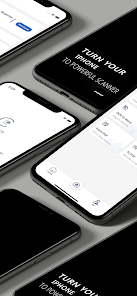
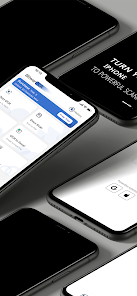
Bitwar Text Scanner can turn your Android Phone into a powerful portable scanner to handle your paperwork with ease, this all-in-one scanner app helps you batch extract text with OCR, scan, convert, watermark, sign, export or share any desired documents to speed up your work with pleasure in one single app, download this productivity scanner app and say goodbye to the vast and heavy scanning machines now!
● TEXT SCANNER
==========================
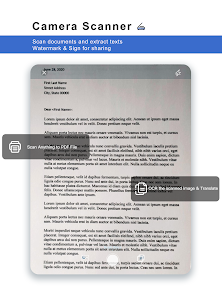
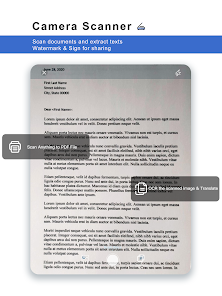
To access any text, URL, or phone number printed on an image and type them in via keyboard is quite a hassle, share your images with Bitwar Text Scanner to extract text, URLs, phone numbers, etc. quickly and easily. You can also translate the text into different languages and save it as a text file or PDF file.
● DOCUMENT SCANNER
==========================
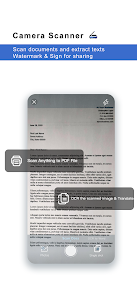
This document scanning feature allows you to make clear digital copies of any printed material, letters, forms, or personal documents such as ID cards, passports, or driver's licenses. Quickly auto-crop or manually angle images to output high-quality scanned documents as PDF files. Watermark to protect or add your signature and share them anywhere you like.
● OCR TO WORD/EXCEL
==========================
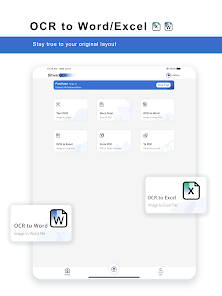
Use our powerful OCR to Word/Excel tool to instantly turn your images into
perfectly formatted Word documents or Excel spreadsheets that are easy to update and edit. You can even crop the image and select only the areas you need to extract.
● PDF CONVERTER
==========================
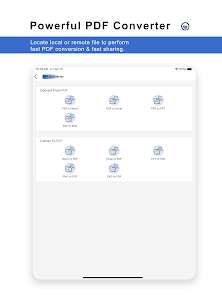
Bitwar Text Scanner lets you change any PDF (native, scanned, image-based, or password-protected) into another editable format such as Microsoft Word, Excel, PowerPoint, and images, and it is also very convenient to convert other files or images to PDF, especially for easy sharing, universal viewing and archiving.
● SHARE & SAVE
==========================
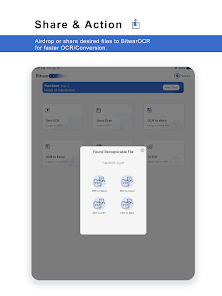
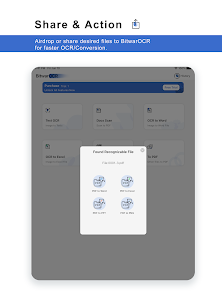
Share any of the processed Word document, excel, text, image, PDF, or PPT via Airdrop, email, message, WhatsApp, or save to your notes, Dropbox, Google Drive, iCloud, NAS, or the local storage.
● FEATURES
==========================
- Scan photos directly from the camera or from the gallery. Get the clearest image quality.
- Flashlight for scanning in low light.
- Quickly create PDF files while exporting or sharing scanned images.
- Rotate files to ensure proper positioning.
- Batch processing of images.
- Scan all types of documents - in color, gray, and grayscale.
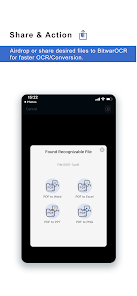
- Share to the app to perform faster OCR/conversions.
- Add local or remote files for PDF conversion.
- Automatically convert PDFs with OCR or general techniques.
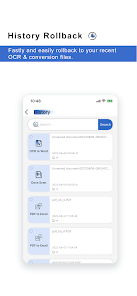
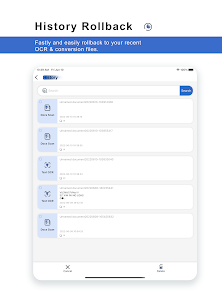
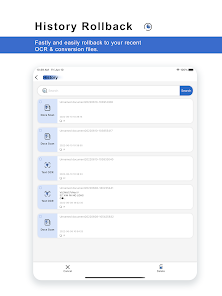
- History rollback.
● TECHNICAL SUPPORT
==========================
- Contact us directly on App
- Send an email to support@bitwar.net
Links
==========================
Terms of Use: https://www.deliocr.com/OCR/tou.html
Privacy Policy: https://www.deliocr.com/OCR/privacy.html
● TEXT SCANNER
==========================
To access any text, URL, or phone number printed on an image and type them in via keyboard is quite a hassle, share your images with Bitwar Text Scanner to extract text, URLs, phone numbers, etc. quickly and easily. You can also translate the text into different languages and save it as a text file or PDF file.
● DOCUMENT SCANNER
==========================
This document scanning feature allows you to make clear digital copies of any printed material, letters, forms, or personal documents such as ID cards, passports, or driver's licenses. Quickly auto-crop or manually angle images to output high-quality scanned documents as PDF files. Watermark to protect or add your signature and share them anywhere you like.
● OCR TO WORD/EXCEL
==========================
Use our powerful OCR to Word/Excel tool to instantly turn your images into
perfectly formatted Word documents or Excel spreadsheets that are easy to update and edit. You can even crop the image and select only the areas you need to extract.
● PDF CONVERTER
==========================
Bitwar Text Scanner lets you change any PDF (native, scanned, image-based, or password-protected) into another editable format such as Microsoft Word, Excel, PowerPoint, and images, and it is also very convenient to convert other files or images to PDF, especially for easy sharing, universal viewing and archiving.
● SHARE & SAVE
==========================
Share any of the processed Word document, excel, text, image, PDF, or PPT via Airdrop, email, message, WhatsApp, or save to your notes, Dropbox, Google Drive, iCloud, NAS, or the local storage.
● FEATURES
==========================
- Scan photos directly from the camera or from the gallery. Get the clearest image quality.
- Flashlight for scanning in low light.
- Quickly create PDF files while exporting or sharing scanned images.
- Rotate files to ensure proper positioning.
- Batch processing of images.
- Scan all types of documents - in color, gray, and grayscale.
- Share to the app to perform faster OCR/conversions.
- Add local or remote files for PDF conversion.
- Automatically convert PDFs with OCR or general techniques.
- History rollback.
● TECHNICAL SUPPORT
==========================
- Contact us directly on App
- Send an email to support@bitwar.net
Links
==========================
Terms of Use: https://www.deliocr.com/OCR/tou.html
Privacy Policy: https://www.deliocr.com/OCR/privacy.html
Date de mise à jour
La sécurité, c'est d'abord comprendre comment les développeurs collectent et partagent vos données. Les pratiques concernant leur confidentialité et leur protection peuvent varier selon votre utilisation, votre région et votre âge. Le développeur a fourni ces informations et peut les modifier ultérieurement.

Aucune donnée partagée avec des tiers
En savoir plus sur la manière dont les développeurs déclarent le partage

Cette appli peut recueillir ces types de données
Informations personnelles, Infos et performance des applis, Appareil ou autres ID

Les données sont chiffrées lors de leur transfert

Vous pouvez demander la suppression des données
Assistance de l'appli
À propos du développeur
厦门市百胜通软件技术有限公司
support@bitwar.net
中国
福建省厦门市
思明区软件园二期望海路63号之二7层C室
邮政编码: 361001
+86 180 1668 5750


