
InTime Scheduling
4.4star
1.64K reviews
10K+
Downloads

Everyone
info


About this app
Note: The app will only work if your organization is using InTime Scheduling & Workforce Management software.
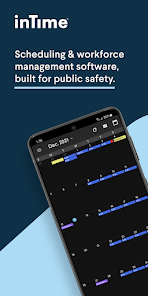
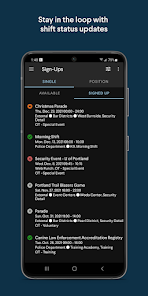
The InTime Scheduling App is ideal for law enforcement & public safety employees. With InTime, all employees get easy to use, on-the-go access to their shift schedules & details, as well as equal opportunity to sign up as soon as new shifts are posted.
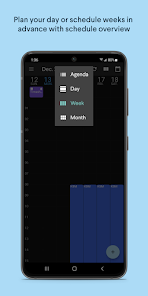
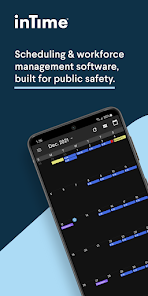
1.) View individual and team schedule
2.) Sign up for shifts, OT & extra-duty
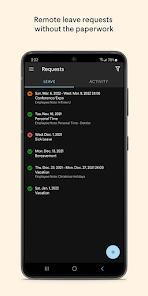
3.) Request time off
4.) Receive instant alerts
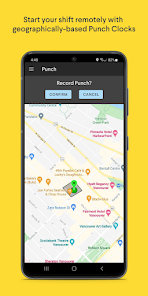
5.) Punch in & out
Visit our website for more information: https://bit.ly/2Pg7p0E
The InTime Scheduling App is ideal for law enforcement & public safety employees. With InTime, all employees get easy to use, on-the-go access to their shift schedules & details, as well as equal opportunity to sign up as soon as new shifts are posted.
1.) View individual and team schedule
2.) Sign up for shifts, OT & extra-duty
3.) Request time off
4.) Receive instant alerts
5.) Punch in & out
Visit our website for more information: https://bit.ly/2Pg7p0E
Updated on
Safety starts with understanding how developers collect and share your data. Data privacy and security practices may vary based on your use, region, and age. The developer provided this information and may update it over time.

No data shared with third parties
Learn more about how developers declare sharing

This app may collect these data types
Location

Data is encrypted in transit

Data can’t be deleted
Ratings and reviews
4.4
1.6K reviews

Farrukh Salim Khan
- Flag inappropriate
- Show review history
June 17, 2022
In general it is easy to use app. The frequent problem is that, it's get freeze any time... Sometimes not allowed to see weekly schedule. If you signed up for a shift, you cant see it's impact immediately. Need to close the app and then you see the shifts applied for
1 person found this review helpful

Marlene Pajon
- Flag inappropriate
February 16, 2023
I used to see my team schedule at a glance. I could everyone and that made it easier to make a decision for time off requests. Now wasting time putting in a request because I can't see if there is staff coverage.
2 people found this review helpful
InTime Solutions
September 20, 2023
Oh no! We sincerely apologize for the troubles you've had with the app. We'd be happy to take a look into this for you, please contact us at support@intimesoft.com. Thank you.

Adam Hart
- Flag inappropriate
- Show review history
July 2, 2021
Your response is pathetic; of course it requires a network connection to fetch data, it shouldn't need to maintain one! You should know that Android memory management will close your app the second it loses focus. Implement offline sync, rediculous. Other things you ignored: Non-reactive UI requires constant manual refreshing from the user, why? If you demand always online, make your UI report accurate information. STOP asking for a review in-app, the only people using it are work related
9 people found this review helpful
InTime Solutions
July 2, 2021
Like many apps, this one requires internet to stay updated and in sync with a Master Calendar. You can still see your Calendar without internet if the app is open but you won't see updates until an internet connection is established. This is the only way your Agency's Master Calendar can communicate with your own Calendar. This is fairly standard.
App support
About the developer
InTime Solutions Inc
support@intime.com
2140-745 Thurlow St
Vancouver, BC V6E 0C5
Canada
+1 877-603-2830