
WorkVis

适合所有人
info
10+
次下载

适合所有人
了解详情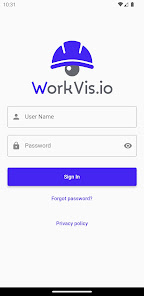


关于此应用
WorkVis 是一种视频分析解决方案,它使用工地监控摄像头来发现潜在危险并实时提醒工人和安全管理人员,从而提高工作场所的安全性和生产力,同时降低监控成本、时间和精力。
WorkVis 视频分析引擎可以检测许多常见的安全违规行为和潜在的不安全情况,例如 PPE(个人防护装备)不合规、进入禁区以及坠落物体或碰撞等险情。
WorkVis 应用程序提供您所有工作现场的 24/7 视频,其中包含视频分析引擎突出显示的感兴趣区域(例如潜在危险或违规)。来自每个工地的实时摄像头供安全管理人员定期检查工地。
该应用程序的用户可以...
• 通过查看实况摄像机提要定期检查工地。
• 查看过去的警报并播放记录的视频,显示导致每次警报的危险。
• 查看过去警报的分析。
WorkVis 视频分析引擎可以检测许多常见的安全违规行为和潜在的不安全情况,例如 PPE(个人防护装备)不合规、进入禁区以及坠落物体或碰撞等险情。
WorkVis 应用程序提供您所有工作现场的 24/7 视频,其中包含视频分析引擎突出显示的感兴趣区域(例如潜在危险或违规)。来自每个工地的实时摄像头供安全管理人员定期检查工地。
该应用程序的用户可以...
• 通过查看实况摄像机提要定期检查工地。
• 查看过去的警报并播放记录的视频,显示导致每次警报的危险。
• 查看过去警报的分析。
更新日期
安全始于了解开发者如何收集和分享数据。数据隐私保护和安全措施可能会因您的使用情况、所在地区和用户年龄而异。此类信息由开发者提供,可能会随时间更新。


新变化
• On the Analytics tab, tap any bar in an alert chart to see its exact value. Hover over the chart's title to get a grand total of all the bars.
• On the Alerts tab, selecting one or more alert types now filters the list to show only those types. All other alerts will be filtered out.
• On the Alerts tab, selecting one or more alert types now filters the list to show only those types. All other alerts will be filtered out.
适合所有人
了解详情应用支持
开发者信息
Workvis.io Inc.
dev@workvis.io
2740 Smallman St
Pittsburgh, PA 15222-4743
United States
+1 724-612-1553