
Wallpaper Engine
4.1star
17.4K reviewsinfo
5M+
Downloads

PEGI 3
info

About this app
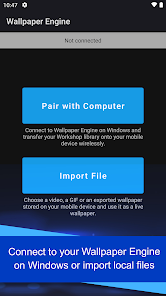
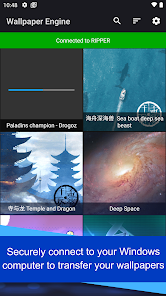
The Wallpaper Engine mobile companion app allows you to import your live wallpaper collection onto your Android device with ease. Connect to Wallpaper Engine on Windows and transfer your existing live wallpaper collection to the mobile app or import local videos and GIFs and use them as live wallpapers with ease!
• Supports videos, GIFs and interactive 2D / 3D scenes as wallpapers.
• Connect to Wallpaper Engine on Windows to transfer your desktop library onto your phone.
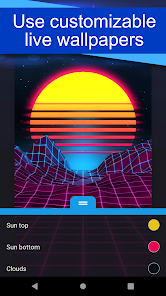
• Allows you to customize the look and feel of your wallpapers.
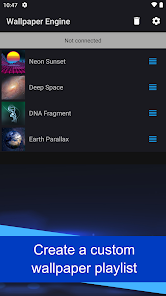
• You can set up a playlist that automatically cycles your wallpapers in regular intervals or depending on the time of day.
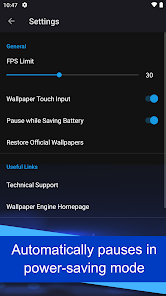
• Wallpapers automatically pause when power savings mode is activated on your phone.
• The app is completely ad-free and also does not track your behavior.
For support with the app, please visit the Android section on our help website:
• https://help.wallpaperengine.io
• Supports videos, GIFs and interactive 2D / 3D scenes as wallpapers.
• Connect to Wallpaper Engine on Windows to transfer your desktop library onto your phone.
• Allows you to customize the look and feel of your wallpapers.
• You can set up a playlist that automatically cycles your wallpapers in regular intervals or depending on the time of day.
• Wallpapers automatically pause when power savings mode is activated on your phone.
• The app is completely ad-free and also does not track your behavior.
For support with the app, please visit the Android section on our help website:
• https://help.wallpaperengine.io
Updated on
Safety starts with understanding how developers collect and share your data. Data privacy and security practices may vary based on your use, region, and age. The developer provided this information and may update it over time.

No data shared with third parties
Learn more about how developers declare sharing

No data collected
Learn more about how developers declare collection
Ratings and reviews
4.1
16.7K reviews

Edwin Tham
- Flag inappropriate
September 16, 2025
Pros: You can customise each wallpaper added according to how you like just like the desktop version. Cons: No audio. Only 1 playlist. Ever. (after recent update) Can't change timer, it crashes every time I try on my S24 Ultra. No option to change timer to 24 hours (tried on my OnePlus 7 Pro). Max 23:59 which means everyday I'm losing 1 minute and after 60 days it'll have lost 1 hour. Devs, pls fix the issues and give me back the option to enter whatever amount of minutes I like on the timer.
9 people found this review helpful

Andrea Villani
- Flag inappropriate
September 25, 2025
The app is almost as perfect as the PC version, BUT it has some problems. Precisely it has problems when you make a playlist (can't set the timer for changing the wallpapers because it keeps crashing, if you create a playlist the option of using a single wallpaper gets replaced with "add to playlist") and when you select a wallpaper, set it as home screen only and then after a little while change idea and want to set it as lock screen too the option doesn't appear again that said I still love it
15 people found this review helpful

Marc B
- Flag inappropriate
- Show review history
September 29, 2025
Wallpaper Engine app works great to put my own photos on the home screens of my Google Pixel 3a XL phone, and my Google Pixel 10 phone. If I try to put my own photos on the home screens of these two phones using the "Wallpaper and style" option feature that comes with the phones, it always crashes and doesn't work. However, Wallpaper Engine is dependable always allowing me to easily put my own photos on my home screens without any problems.
12 people found this review helpful
What’s new
Add support for Wallpaper Engine 2.7 features.
App support
About the developer
Skutta Software GmbH
support@wallpaperengine.io
Maybachstr. 8b
51381 Leverkusen
Germany
+49 1525 9412379


