Canon Mini Print
4.7star
22.7K reviews
1M+
Downloads

Everyone
info








About this app
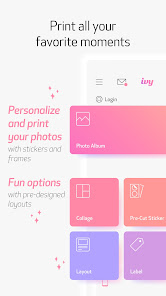
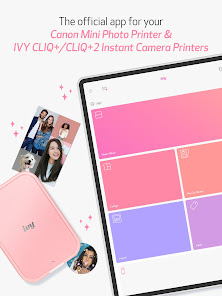
Get started using your Canon IVY Mini Photo Printer and IVY CLIQ+/CLIQ+2 Instant Camera Printers with the Canon Mini Print app. Personalize your photos with stickers, text, frames, filters, and more! Take photos to capture the moment, or access photos from your favorite social and cloud accounts to get creative with and share. When you’re ready, send your masterpiece to be printed and use the 2x3-inch sticker prints to dress up your room, notebook, locker, mirror, desk… well, almost anything!
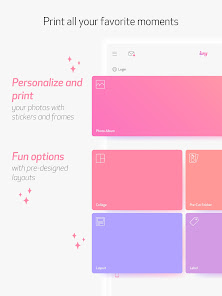
Enjoy these fun features with the Canon Mini Print app. Simply connect to your printer via Bluetooth to get started!
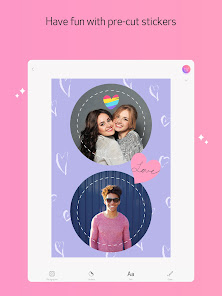
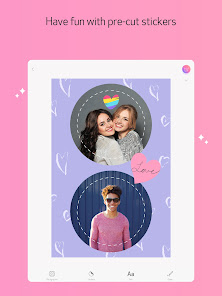
STICKERS
-Add stickers to your photos to share, send and print
FRAMES & FILTERS
-Turn your image into different scenes with filters and frames
TEXT & DRAWING
-Add text and drawings, so you can say exactly what you want
TILE PRINT
-Print your big moments with tile print, and turn one image into multiple photo tiles to assemble
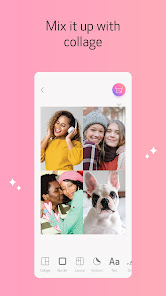
COLLAGE PRINT
-Mix and match multiple photos to capture your memories
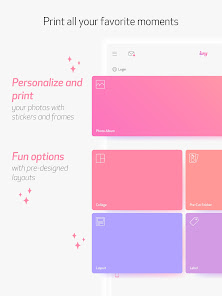
PRE-CUT LAYOUT PRINT
-Have fun printing on Canon pre-cut sticker paper
TAKE PHOTOS
-Get the perfect shot using Remote Live-view and Shutter
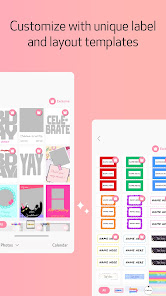
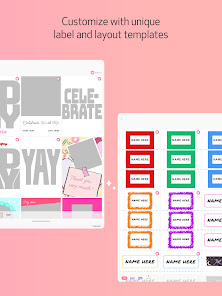
LAYOUTS & LABELS
-Choose from multiple Layout & Label options to make your creative projects easier and fun.
Enjoy these fun features with the Canon Mini Print app. Simply connect to your printer via Bluetooth to get started!
STICKERS
-Add stickers to your photos to share, send and print
FRAMES & FILTERS
-Turn your image into different scenes with filters and frames
TEXT & DRAWING
-Add text and drawings, so you can say exactly what you want
TILE PRINT
-Print your big moments with tile print, and turn one image into multiple photo tiles to assemble
COLLAGE PRINT
-Mix and match multiple photos to capture your memories
PRE-CUT LAYOUT PRINT
-Have fun printing on Canon pre-cut sticker paper
TAKE PHOTOS
-Get the perfect shot using Remote Live-view and Shutter
LAYOUTS & LABELS
-Choose from multiple Layout & Label options to make your creative projects easier and fun.
Updated on
Safety starts with understanding how developers collect and share your data. Data privacy and security practices may vary based on your use, region, and age. The developer provided this information and may update it over time.

No data shared with third parties
Learn more about how developers declare sharing

This app may collect these data types
Location, Personal info and 3 others

Data is encrypted in transit

You can request that data be deleted
Ratings and reviews
4.7
22.1K reviews

Jenna Seidel
- Flag inappropriate
January 5, 2026
this app was great until it stopped linking with Google photos. Now I have to save pictures to my phone and it's a huge pain because all the pictures and screen shots and anything else I've done are all mixed together, hard to find, and it's a pain to use the printer. I've spent hours of frustration. particularly when I got a new phone and couldn't to back to any pictures from my old phone without downloading them to my device. it's a HUGE disappointment.
1 person found this review helpful

Jaye L
- Flag inappropriate
August 18, 2025
In general, I love this mini printer. It allows me to visually illustrate my journal. The app was better before the recent update. I used to be able to click 'share' from my photo gallery, choose the printer, and print. Now, the app opens the main menu from the share button. I have to navigate through all of my folders to find the photo again. Since I don't use the stickers and other embellishments, this is a waste of my time. No comment from Canon when I sent feedback. 🤷♀️
4 people found this review helpful

Theresa S
- Flag inappropriate
August 24, 2025
I still love my actual printer, but the latest app for Android made the app next to useless. As other people have noted, the check mark at the top of the photo selection screen overlaps my battery percentage bar, etc., which makes it impossible to move on to the next screen. Not really sure what I can do about this, and I'm really disappointed.
13 people found this review helpful
What’s new
This new version of the Canon Mini Print App includes:
- Improved Collage UI deisgn.
- New Layout & Label options to make your creative projects easier and fun.
- Improved Collage UI deisgn.
- New Layout & Label options to make your creative projects easier and fun.
App support
About the developer
Canon U.S.A., Inc.
app-support@cusa.canon.com
1 Canon Park
Melville, NY 11747
United States
+1 949-652-7460


