

Boxcryptor

4.2star
6.08K reviewsinfo
100K+
Downloads

PEGI 3
info



About this app
Secure your files in the cloud the easy way! And the best: It's for free!
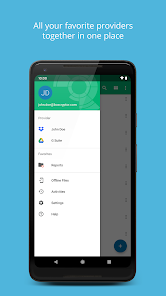
With Boxcryptor, you can encrypt your files before uploading them to Dropbox, Google Drive, Microsoft OneDrive and many other providers without sacrificing safety, privacy, or comfort. Easily encrypt your files locally and access them via your smartphone or tablet – anywhere and anytime. Your cloud provider only receives encrypted files and you keep control of your data!
NOTE: If you experience any problems with this app, please contact our support before leaving a 1-star review. You can submit a ticket here: http://support.boxcryptor.com - Thank you!
Features:
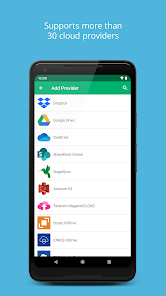
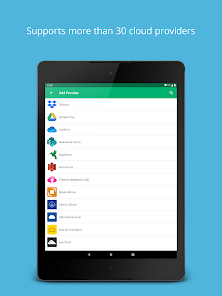
- Supports most cloud storage providers like Dropbox, Google Drive or Microsoft OneDrive. See below for a complete list of supported providers
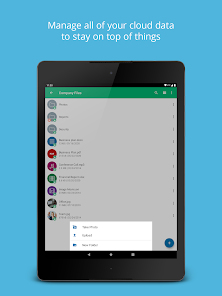
- Access your encrypted files (documents, photos, music, etc.) in your cloud anytime and have your sensitive files always with you
- Encryption and decryption is done directly on your device - your password is never transmitted
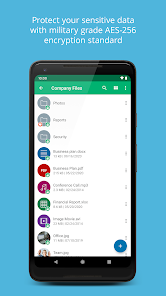
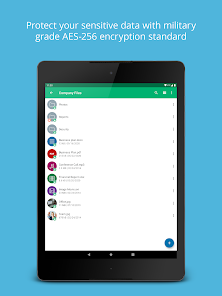
- Secure file encryption using the AES-256 standard
- Boxcryptor Unlimited users can also use filename encryption
Tip:
The Boxcryptor Company Package offers additional features for businesses:
- Use a master key to be able to decrypt every employee's files
- Set policies to enforce rules
- Central user management and billing
List of supported storage providers:
Dropbox, Google Drive, Microsoft OneDrive, Microsoft OneDrive for Business, Sharepoint Online, Box, SugarSync, Amazon S3, Telekom MagentaCLOUD, Strato HiDrive, IONOS HiDrive, GMX MediaCenter, Web.de Smartdrive, ownCloud, Nextcloud, LeitzCloud, hubiC, mail.ru Hotbox, Wasabi, Nutstore, mailbox.org Drive, CloudMe, Storegate, Egnyte, PSMail Cabinet, Livedrive, Yandex Disk and others using WebDAV. Additionally it is possible to encrypt files on your local device storage.
Go to www.boxcryptor.com to find product manuals and more information about Boxcryptor.
Boxcryptor requires the following permissions:
- Network communication: Required for Internet access
- Storage: Required to read/write files
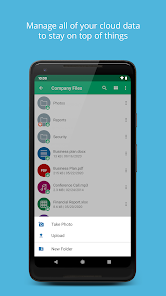
- Camera: Required to take photos directly in Boxcryptor
- Start: Required for automatic camera upload
- Vibrate: Required for haptic feedback
With Boxcryptor, you can encrypt your files before uploading them to Dropbox, Google Drive, Microsoft OneDrive and many other providers without sacrificing safety, privacy, or comfort. Easily encrypt your files locally and access them via your smartphone or tablet – anywhere and anytime. Your cloud provider only receives encrypted files and you keep control of your data!
NOTE: If you experience any problems with this app, please contact our support before leaving a 1-star review. You can submit a ticket here: http://support.boxcryptor.com - Thank you!
Features:
- Supports most cloud storage providers like Dropbox, Google Drive or Microsoft OneDrive. See below for a complete list of supported providers
- Access your encrypted files (documents, photos, music, etc.) in your cloud anytime and have your sensitive files always with you
- Encryption and decryption is done directly on your device - your password is never transmitted
- Secure file encryption using the AES-256 standard
- Boxcryptor Unlimited users can also use filename encryption
Tip:
The Boxcryptor Company Package offers additional features for businesses:
- Use a master key to be able to decrypt every employee's files
- Set policies to enforce rules
- Central user management and billing
List of supported storage providers:
Dropbox, Google Drive, Microsoft OneDrive, Microsoft OneDrive for Business, Sharepoint Online, Box, SugarSync, Amazon S3, Telekom MagentaCLOUD, Strato HiDrive, IONOS HiDrive, GMX MediaCenter, Web.de Smartdrive, ownCloud, Nextcloud, LeitzCloud, hubiC, mail.ru Hotbox, Wasabi, Nutstore, mailbox.org Drive, CloudMe, Storegate, Egnyte, PSMail Cabinet, Livedrive, Yandex Disk and others using WebDAV. Additionally it is possible to encrypt files on your local device storage.
Go to www.boxcryptor.com to find product manuals and more information about Boxcryptor.
Boxcryptor requires the following permissions:
- Network communication: Required for Internet access
- Storage: Required to read/write files
- Camera: Required to take photos directly in Boxcryptor
- Start: Required for automatic camera upload
- Vibrate: Required for haptic feedback
Updated on
Safety starts with understanding how developers collect and share your data. Data privacy and security practices may vary based on your use, region, and age. The developer provided this information and may update it over time.

No data shared with third parties
Learn more about how developers declare sharing

This app may collect these data types
Personal info, Photos and videos and 4 others

Data is encrypted in transit

You can request that data be deleted
Ratings and reviews
4.1
5.51K reviews

A Google user
- Flag inappropriate
February 8, 2020
The app works well. It can be a bit hard to get it to connect locally when using network storage. The app doesn't have network capabilities that are easy to use. Feb 8, 2020 After using the app for several years now, I'm satisfied with the features. But, the interface of the smartphone app is looking just a bit dated. Also, there is no support for Google Docs / Sheets / Slides files as is for Microsoft Office files. This is a drawback.
1 person found this review helpful
A Google user
- Flag inappropriate
August 9, 2019
Whilst I praised this app originally I have to say the latest version is a backwards step in terms of usability. Lost the ability to mark individual files as favourites (now only folders), doesn't seem to clear its cache properly on exit, every time a text file is opened its shown in a built-in viewer means not my previously selected editor (Jota), so it's less than straightforward to edit a file, uploading a file seems to use a different encryption method than the Windows version uses.
8 people found this review helpful
Secomba GmbH
August 16, 2019
Dear Andrew,
If there were any problems with Boxcryptor, please feel free to contact our support at support@boxcryptor.com.
Then we can try to reproduce your problem and find a solution
Best regards from Augsburg,
Kim
A Google user
- Flag inappropriate
- Show review history
April 28, 2020
Update: camera upload is working now, nice! However, only for the main camera roll. Other apps like OneDrive allow you to select other folders to be included for automatic photo upload. Maybe I should clarify that I suggest being able to pick one or more folders on my phone (!) for camera upload. Being able to pick where those photos are uploaded to in my Boxcryptor drive would be a nice feature, too, but less important to me.
18 people found this review helpful
Secomba GmbH
April 28, 2020
Hi,
Thank you for your feedback.
We have set the function to a predefined folder in order to make it more user-friendly and to avoid longer searches.
I am happy to pass on your concerns to our developers.
Best regards,
Kim
What’s new
- Added: Support for the new Dropbox filesystem
- Fixed: This app is blocked error when connecting Google Drive
- Fixed: Crash when uploading on Android 14
- Fixed: This app is blocked error when connecting Google Drive
- Fixed: Crash when uploading on Android 14
App support
About the developer
Secomba GmbH
info@secomba.com
Werner-von-Siemens-Str. 6
86159 Augsburg
Germany
+49 821 90786150