
Crop Image - Photo Editor App
Contains adsIn-app purchases
3.1star
5.01K reviews
1M+
Downloads

Everyone
info
About this app
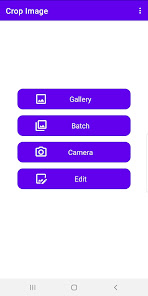
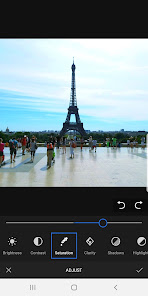
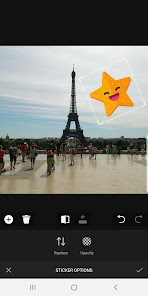
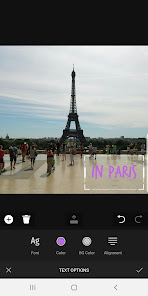
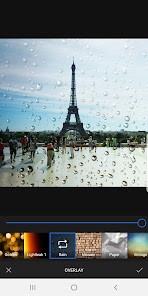
This photo cropping app helps you crop a picture or multiple pictures from Gallery or Camera. It also provides useful functions of editing pictures with a lot of features for enhancing photo images.
Supported features
• Crop a picture or batch image cropping from Gallery
• Crop an photo from Camera
• Edit pictures
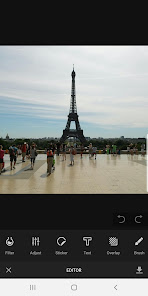
Supported features for image editor
• Transform (Crop a photo)
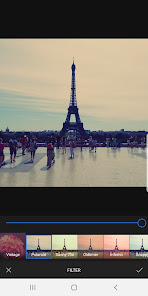
• Filter
• Adjust
• Focus
• Sticker
• Text
• Text Design
• Overlay
• Frame
• Brush
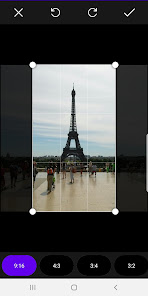
Supported aspect ratios for cropping
• Free
• Fit image
• Square (1:1)
• 16:9
• 9:16
• 4:3
• 3:4
• 3:2
• 2:3
• 2:1
• 1:2
Supported features
• Crop a picture or batch image cropping from Gallery
• Crop an photo from Camera
• Edit pictures
Supported features for image editor
• Transform (Crop a photo)
• Filter
• Adjust
• Focus
• Sticker
• Text
• Text Design
• Overlay
• Frame
• Brush
Supported aspect ratios for cropping
• Free
• Fit image
• Square (1:1)
• 16:9
• 9:16
• 4:3
• 3:4
• 3:2
• 2:3
• 2:1
• 1:2
Updated on
Safety starts with understanding how developers collect and share your data. Data privacy and security practices may vary based on your use, region, and age. The developer provided this information and may update it over time.


Ratings and reviews
3.3
4.76K reviews

Nathan Howe
- Flag inappropriate
November 16, 2025
Started off brilliantly but the latest update on my Pixel 7a means I can no longer choose multiple images to edit because of some interference in the top right hand corner of the screen. I can still edit single images but that's a pain! Please sort this otherwise great app out.
3 people found this review helpful

Sarah Poulin
- Flag inappropriate
- Show review history
September 10, 2021
Perfect! I was looking for something that would allow me to crop an image thin enough, because the stock app limited how thin I could go. This app does what I want for crop, and there's no watermark! A note about it showing in the gallery. I also had the same problem, but I figured out the image was located in a folder called "Crop Image" in the root of the main storage (internal "sdcard") where "Android," "DCIM," "Documents," "Download," etc are located.
207 people found this review helpful

Jesse Thoe
- Flag inappropriate
December 9, 2023
Why does this app randomly alert me to crop images? I use it strictly on-demand, in the rare event i need to crop a picture. This is not often, and certainly not often enough to warrant the notification on my lock screen. Since you don't provide an option to disable the reminder, i'm uninstalling your app.
17 people found this review helpful
What’s new
Supports Android 15.
App support
About the developer
(주)알음커뮤니케이션
developer@arumarum.com
금천구 범안로 1126, 4층 405호(가산동, 대륭21차)
금천구, 서울특별시 08595
South Korea
+82 10-8173-0405


