Adjust Brightness
Contains ads
1K+
Downloads

Everyone
info
About this app
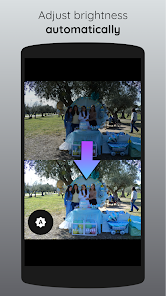
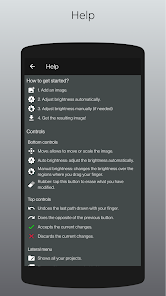
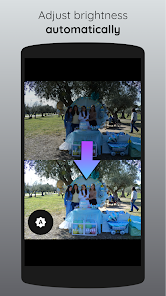
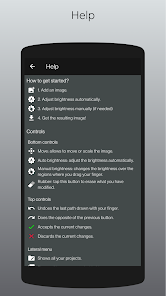
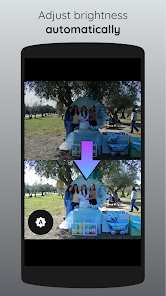
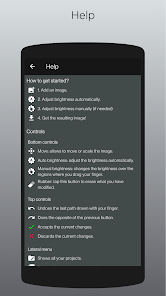
Optimize the brightness of your images. The app features both automatic and manual brightness adjustment tools to help you get the perfect level of light in your pictures.
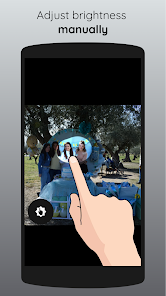
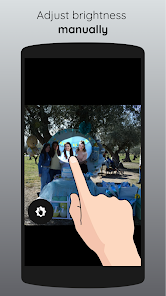
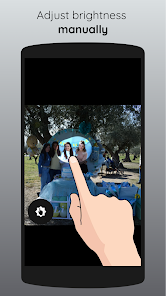
Use the manual mode for precise and customized brightness adjustments. The tool allows you to fine-tune the light levels in your photos with very high accuracy. You just have to zoom in the photo as much as needed.
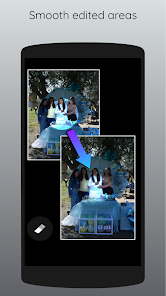
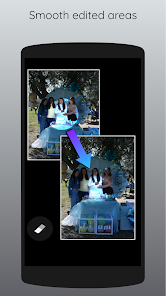
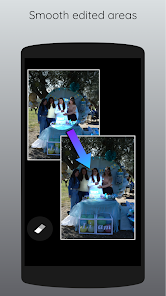
Use the eraser tool to blend the edited area with the rest of the image. Pass your finger as many times as you need until you get the desired results.
Whether you want to brighten shadowy areas, darken over saturated regions or bring out the natural colors in your shots, Adjust Brightness has you covered.
Use the manual mode for precise and customized brightness adjustments. The tool allows you to fine-tune the light levels in your photos with very high accuracy. You just have to zoom in the photo as much as needed.
Use the eraser tool to blend the edited area with the rest of the image. Pass your finger as many times as you need until you get the desired results.
Whether you want to brighten shadowy areas, darken over saturated regions or bring out the natural colors in your shots, Adjust Brightness has you covered.
Updated on
Safety starts with understanding how developers collect and share your data. Data privacy and security practices may vary based on your use, region, and age. The developer provided this information and may update it over time.

No data shared with third parties
Learn more about how developers declare sharing

This app may collect these data types
App activity, App info and performance, and Device or other IDs

Data is encrypted in transit

You can request that data be deleted
What’s new
- Bug fixes.
App support
phone
Phone number
+34639954479
About the developer
Fabricio Alexander Cordova Lucero
lunorm88@gmail.com
C. de los Manzanos, 18, Planta Piso 1, Puerta B
28703 San Sebastián de los Reyes
Spain


