
デジタル時計化計画
Contains ads
50K+
Downloads

Everyone
info



About this app
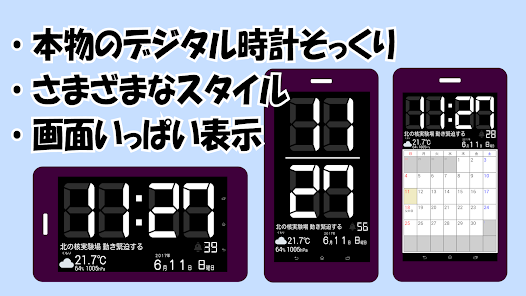
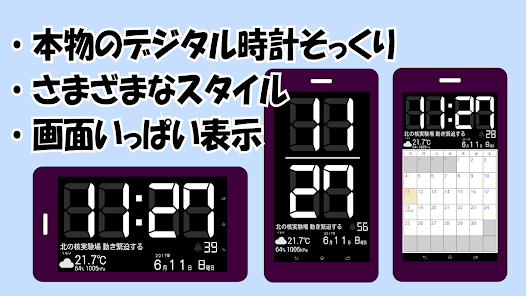
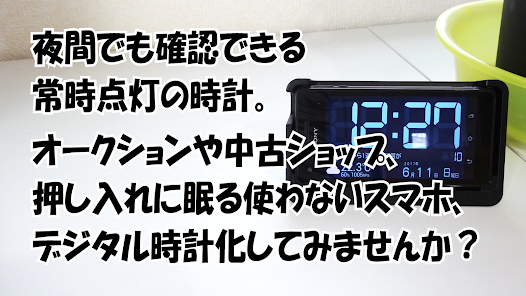
This digital clock app looks just like the real thing, filling the entire screen.
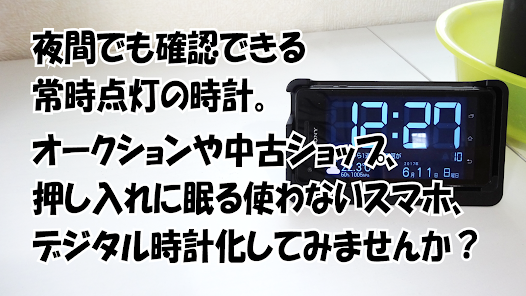
On smartphones, it can be set to stay on at night, making it easy to check the time while you sleep.
- Beginner-friendly design.
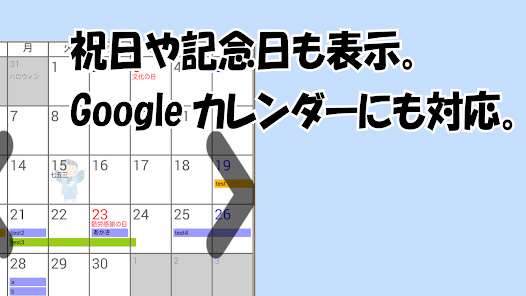
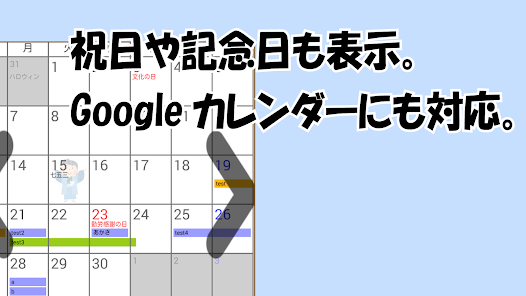
- Calendar function (displays holidays and anniversaries, and can display Google Calendar).
- Weather, temperature, humidity, and barometric pressure display (updated every 15 minutes).
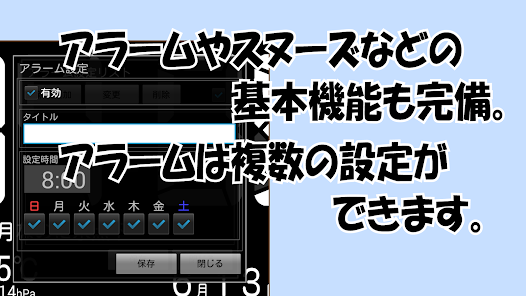
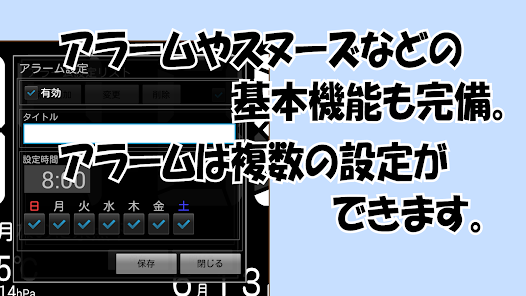
- Alarm and snooze functions.
- RSS feeds available.
- Supports both 24-hour and 12-hour AM/PM display.
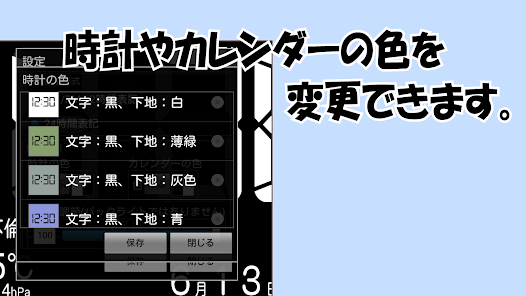
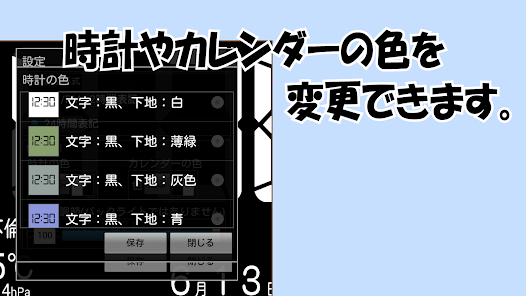
- Customizable color, style, and sound.
It's cheaper than buying an always-on digital clock or alarm clock, and it's highly functional.
Differences between the Pro and Standard Versions
- Pro Version: No ads. App transparency. Automatic startup upon charging. Automatic startup when device is turned on.
・Original version: Free, with ads.
〇How to Use
・Press and hold the screen = Display the menu.
・Tap Weather = Display the weekly forecast.
・Tap Calendar = Display another month.
・Swipe from top to bottom on Google Calendar
= Reload Google Calendar.
・Tap RSS = Display RSS details.
*To turn the alarm on, set it in the "Alarm Settings" menu, then tap "Alarm Off" in the menu to turn it on.
*On Android 6.0 and later, permission is required to read Google Calendar events and read and write files.
To review permissions, go to "Settings" → "Apps" on your device, select "Digital Clock Project XX Version," and tap "Permissions."
*As of version 5.0, devices older than Android 6.0 are no longer supported (the Pro version supports Android 5.0).
*As of version 4.8, devices older than Android 5.0 are no longer supported.
On smartphones, it can be set to stay on at night, making it easy to check the time while you sleep.
- Beginner-friendly design.
- Calendar function (displays holidays and anniversaries, and can display Google Calendar).
- Weather, temperature, humidity, and barometric pressure display (updated every 15 minutes).
- Alarm and snooze functions.
- RSS feeds available.
- Supports both 24-hour and 12-hour AM/PM display.
- Customizable color, style, and sound.
It's cheaper than buying an always-on digital clock or alarm clock, and it's highly functional.
Differences between the Pro and Standard Versions
- Pro Version: No ads. App transparency. Automatic startup upon charging. Automatic startup when device is turned on.
・Original version: Free, with ads.
〇How to Use
・Press and hold the screen = Display the menu.
・Tap Weather = Display the weekly forecast.
・Tap Calendar = Display another month.
・Swipe from top to bottom on Google Calendar
= Reload Google Calendar.
・Tap RSS = Display RSS details.
*To turn the alarm on, set it in the "Alarm Settings" menu, then tap "Alarm Off" in the menu to turn it on.
*On Android 6.0 and later, permission is required to read Google Calendar events and read and write files.
To review permissions, go to "Settings" → "Apps" on your device, select "Digital Clock Project XX Version," and tap "Permissions."
*As of version 5.0, devices older than Android 6.0 are no longer supported (the Pro version supports Android 5.0).
*As of version 4.8, devices older than Android 5.0 are no longer supported.
Updated on
Safety starts with understanding how developers collect and share your data. Data privacy and security practices may vary based on your use, region, and age. The developer provided this information and may update it over time.

This app may share these data types with third parties
App activity, Web browsing and 2 others

No data collected
Learn more about how developers declare collection

Data isn’t encrypted
Data can’t be deleted
What’s new
・安定性に関する修正。
App support
About the developer
坂本瑞己
goodcool127@yahoo.co.jp
南三咲4丁目19−21
船橋市, 千葉県 274-0813
Japan
undefined


