
AR VR Drawing- Sketch & Trace
Contains ads
10K+
Downloads

Everyone
info


About this app
🎨 AR Drawing – Sketch & Trace: AR VR Drawing App
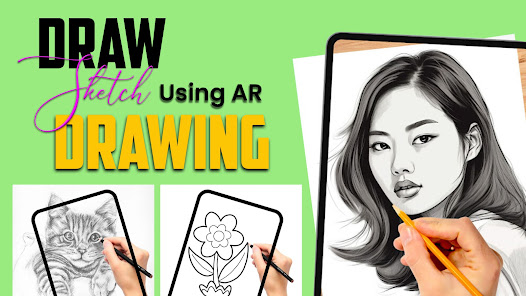
Learn to draw, sketch, and paint with your camera using AR Drawing – Sketch & Trace, the most creative AR VR Drawing app for artists of all levels! Whether you’re a beginner learning art or an advanced sketcher improving your skills, this app helps you trace and draw step by step using Augmented Reality (AR).
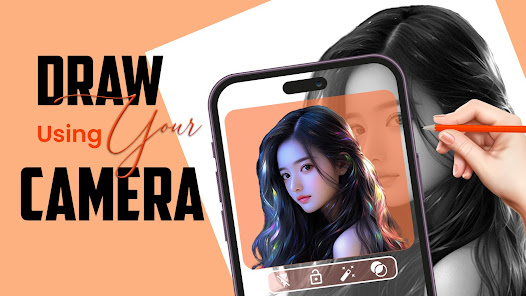
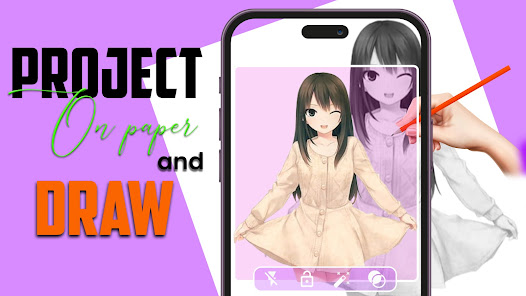
With AR Drawing, you can project any image on paper and trace it easily. Just open the AR camera, choose a photo or template, and start sketching. It’s like having a personal drawing tutor right on your phone!
🖌️ Key Features
✅ AR Drawing Camera – Project any image or photo on paper using your camera and trace with perfect accuracy.
✅ AR VR Drawing Mode – Experience 3D sketching with Augmented and Virtual Reality for better perspective and control.
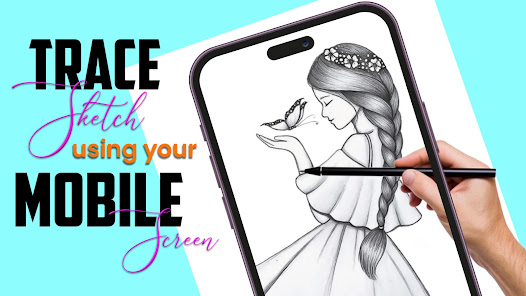
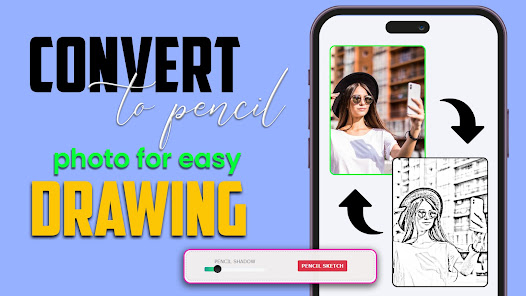
✅ Trace from Photos – Import any picture or select from templates and start tracing instantly.
✅ Learn to Draw Step by Step – Follow outlines and shapes to create professional sketches.
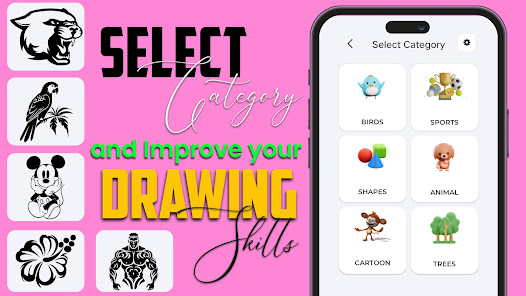
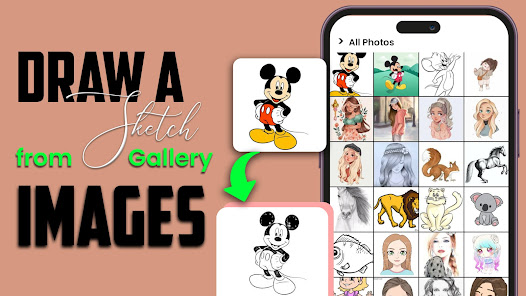
✅ Templates Library – Choose from animals, portraits, cartoons, flowers, cars, anime, and more.
✅ Adjustable Tools – Change size, rotation, and transparency for accurate tracing.
✅ Paint & Color Tools – Add shades, tones, and effects to complete your drawing.
✅ Save & Share – Save your artwork or share directly on social media.
🌟 Why You’ll Love AR Drawing – Sketch & Trace
Learn how to draw using AR and VR easily.
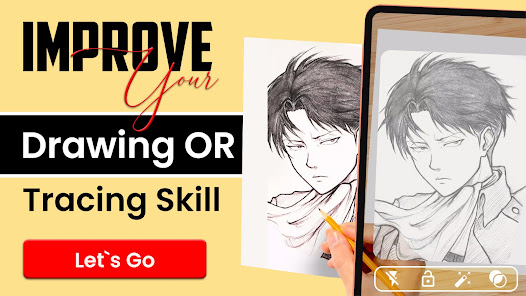
Improve your hand-drawing accuracy and tracing skills.
Best AR Drawing app for kids, beginners, and artists.
Works offline after setup – draw anywhere, anytime.
Friendly design with smooth camera AR tools.
🧠 Perfect For
🎯 Beginners learning sketching or painting.
🎯 Artists and tattoo designers who need tracing help.
🎯 Students practicing line art and proportions.
🎯 Kids exploring fun drawing experiences.
🎯 Anyone who loves AR, VR, and digital creativity.
🚀 How It Works
Open the AR Drawing camera.
Choose or upload your favorite image.
Adjust position and transparency.
Place your phone over paper.
Start tracing and painting your art!
Your phone becomes a smart drawing projector — ideal for realistic sketching and AR learning.
🎨 Creative Possibilities
With AR Drawing you can create portraits, landscapes, cartoons, logos, tattoos, and custom designs. Use the camera tracing mode to draw real objects, photos, or art references. It’s perfect for digital artists, art teachers, and anyone who loves experimenting with 3D AR drawing.
Make art tutorials, trace famous sketches, or create your own art book — all from your mobile! The app’s AR VR Drawing feature helps visualize every shape, angle, and proportion like never before.
💡 Pro Tips for Artists
Adjust brightness and size of your AR guide for better visibility.
Use transparent paper for cleaner results.
Practice tracing small details before full portraits.
Try AR VR Drawing mode for more realistic 3D sketching practice.
Combine tracing and freehand sketching for best results.
🏆 What Makes It Different
Unlike simple sketch apps, AR Drawing – Sketch & Trace uses real-time AR camera technology to teach you drawing through experience. It blends Augmented Reality, Virtual Reality, and creative learning, making it one of the most innovative AR drawing apps on Google Play.
Discover why users love our AR VR Drawing tools, realistic tracing system, and easy learning steps. Whether you want to draw faces, art scenes, or custom tattoo outlines — this app makes drawing simple and exciting
Start your creative journey today!
Download AR Drawing – Sketch & Trace, the best AR VR Drawing app, and experience a smarter, more fun way to draw, sketch, and paint with Augmented Reality.
Learn to draw, sketch, and paint with your camera using AR Drawing – Sketch & Trace, the most creative AR VR Drawing app for artists of all levels! Whether you’re a beginner learning art or an advanced sketcher improving your skills, this app helps you trace and draw step by step using Augmented Reality (AR).
With AR Drawing, you can project any image on paper and trace it easily. Just open the AR camera, choose a photo or template, and start sketching. It’s like having a personal drawing tutor right on your phone!
🖌️ Key Features
✅ AR Drawing Camera – Project any image or photo on paper using your camera and trace with perfect accuracy.
✅ AR VR Drawing Mode – Experience 3D sketching with Augmented and Virtual Reality for better perspective and control.
✅ Trace from Photos – Import any picture or select from templates and start tracing instantly.
✅ Learn to Draw Step by Step – Follow outlines and shapes to create professional sketches.
✅ Templates Library – Choose from animals, portraits, cartoons, flowers, cars, anime, and more.
✅ Adjustable Tools – Change size, rotation, and transparency for accurate tracing.
✅ Paint & Color Tools – Add shades, tones, and effects to complete your drawing.
✅ Save & Share – Save your artwork or share directly on social media.
🌟 Why You’ll Love AR Drawing – Sketch & Trace
Learn how to draw using AR and VR easily.
Improve your hand-drawing accuracy and tracing skills.
Best AR Drawing app for kids, beginners, and artists.
Works offline after setup – draw anywhere, anytime.
Friendly design with smooth camera AR tools.
🧠 Perfect For
🎯 Beginners learning sketching or painting.
🎯 Artists and tattoo designers who need tracing help.
🎯 Students practicing line art and proportions.
🎯 Kids exploring fun drawing experiences.
🎯 Anyone who loves AR, VR, and digital creativity.
🚀 How It Works
Open the AR Drawing camera.
Choose or upload your favorite image.
Adjust position and transparency.
Place your phone over paper.
Start tracing and painting your art!
Your phone becomes a smart drawing projector — ideal for realistic sketching and AR learning.
🎨 Creative Possibilities
With AR Drawing you can create portraits, landscapes, cartoons, logos, tattoos, and custom designs. Use the camera tracing mode to draw real objects, photos, or art references. It’s perfect for digital artists, art teachers, and anyone who loves experimenting with 3D AR drawing.
Make art tutorials, trace famous sketches, or create your own art book — all from your mobile! The app’s AR VR Drawing feature helps visualize every shape, angle, and proportion like never before.
💡 Pro Tips for Artists
Adjust brightness and size of your AR guide for better visibility.
Use transparent paper for cleaner results.
Practice tracing small details before full portraits.
Try AR VR Drawing mode for more realistic 3D sketching practice.
Combine tracing and freehand sketching for best results.
🏆 What Makes It Different
Unlike simple sketch apps, AR Drawing – Sketch & Trace uses real-time AR camera technology to teach you drawing through experience. It blends Augmented Reality, Virtual Reality, and creative learning, making it one of the most innovative AR drawing apps on Google Play.
Discover why users love our AR VR Drawing tools, realistic tracing system, and easy learning steps. Whether you want to draw faces, art scenes, or custom tattoo outlines — this app makes drawing simple and exciting
Start your creative journey today!
Download AR Drawing – Sketch & Trace, the best AR VR Drawing app, and experience a smarter, more fun way to draw, sketch, and paint with Augmented Reality.
Updated on
Safety starts with understanding how developers collect and share your data. Data privacy and security practices may vary based on your use, region, and age. The developer provided this information and may update it over time.

This app may share these data types with third parties
App activity, App info and performance, and Device or other IDs

No data collected
Learn more about how developers declare collection

Data is encrypted in transit

Data can’t be deleted
App support
About the developer
Mahmood Rehman
tatjana.kochflashweb@gmail.com
Village & P/O chokara tehsil takhti Nasrati District karak KPK
Karak, 27000
Pakistan


