Colorful Nbg Icon Pack
Contains adsIn-app purchases
4.4star
823 reviews
100K+
Downloads

Mature 17+
info
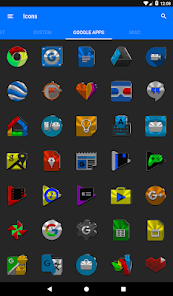
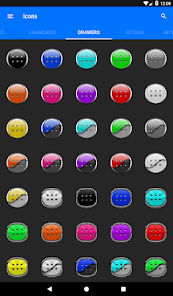
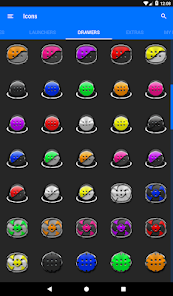
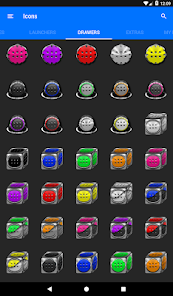
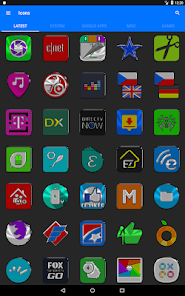
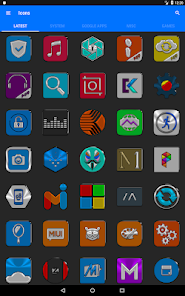
About this app
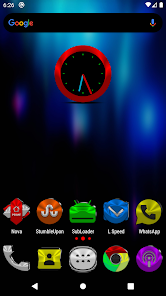
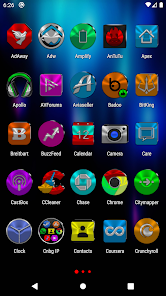
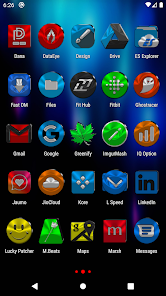
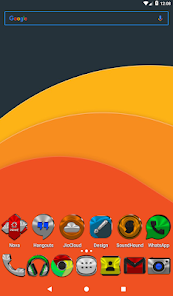
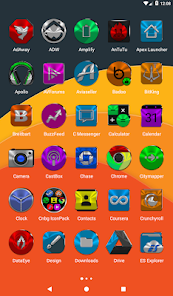
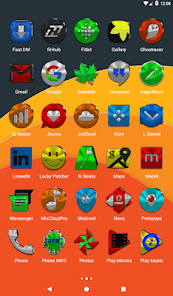
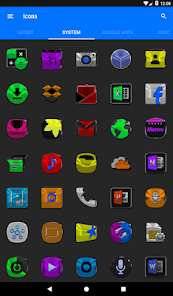
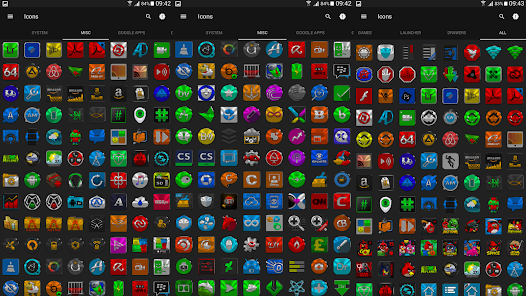
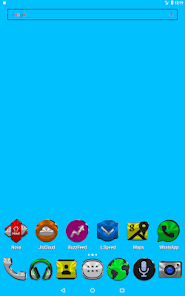
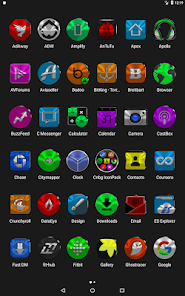
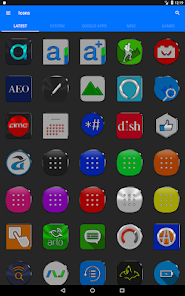
Icon Pack contains 10 500+ Colorful HD Icons for mobile phones and tablets, Tap on "See More" at the bottom of the page or search for "Ronald Dwk" for more icon packs, there are over 300 icon packs both free & paid to choose from in different colors, shapes and designs. Enjoy
Website:✨✨✨
https://ronalddwk.com
Please feel free to contact me if you have any questions.😊😊😊
ronalddwk@gmail.com
info@ronalddwk.com
Check out Colorful Nbg Icon Pack 💢Paid💢 version here: NO ADS etc...
https://play.google.com/store/apps/details?id=com.ronald.colorful.nbg.iconpack.paid
Features:
---------------
• Icon Masking
• Tutorial in app
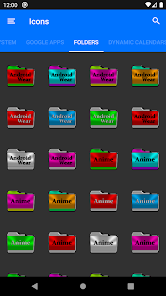
• 540 Folder Icons
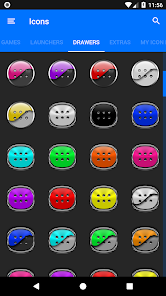
• 157 App Drawers
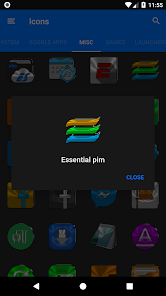
• 10 500+ HD Icons
• Analog Clock (Widget)
• Color & Gradient Picker
• 448 Dynamic Calendars
• Wallpaper save location
• App Light and Dark theme
• FAQs with search function
• Option To Bookmark Icons
• Option To Search Wallpapers
• 350 HD cloud based wallpapers
• Icon previews with search function
• Localization: Supports 19 languages
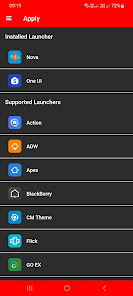
• Quick apply for your default launcher
• Regular & Premium Icon Request Options
• Firebase Cloud Messaging (Update Notifications)
• EXTRAS-1700+ System, WhatsApp etc... Icons to choose from
• Supports 42 launchers, there might be more supported launchers which I haven't tested yet.
👍Compatible with the following Launchers:👍
Action, ADW, Apex, Blackberry, CM Theme Engine, Flick, GO, Holo, Holo HD, Hyperion, Kiss, Lawnchair, Lg Home, Lucid, Microsoft, Neo, Niagara, Nougat, Nova, One UI, Pixel, Poco, Posidon, Smart , Solo, Square & ZenUI.
Fully Compatible but not Included in Apply Section: 👍Apply via your Launcher👍
ABC, Arrow, ASAP, Apolo, Atom, Aviate, Cobo, Computer Launcher Win 10 Gold, Evie, GO-EX, Launch by Quixey Launcher, Line, M, Mesh, Mini, Next, Novel, Open, Peek, V, Windows Launcher X Prime, Z & Zero.
N.B: I have tested on the above launchers, there might be more supported launchers which hasn't been tested yet.
STOCK PHONE LAUNCHERS 🤷♂️DO NOT SUPPORT custom Icon Packs🤷♂️ , you can try 👌Awesome Icons👌 or 👌Unicon-Icon Themer👌 to change icons manually on your stock launcher.
N.B: Some Launchers require to change some icons Individually
How To Change Icons Individually
-----------------------------------------------------
1.Tap and Hold down on the icon then release it, then a small pop-up will appear.
2.It will allow you to change the icon and the name.
3.Select the icon, this will show your icon packs, select Cnbg IP and choose your favourite icon, Built-in Search Feature within the App.
Website:✨✨✨
https://ronalddwk.com
Please feel free to contact me if you have any questions.😊😊😊
ronalddwk@gmail.com
info@ronalddwk.com
Check out Colorful Nbg Icon Pack 💢Paid💢 version here: NO ADS etc...
https://play.google.com/store/apps/details?id=com.ronald.colorful.nbg.iconpack.paid
Features:
---------------
• Icon Masking
• Tutorial in app
• 540 Folder Icons
• 157 App Drawers
• 10 500+ HD Icons
• Analog Clock (Widget)
• Color & Gradient Picker
• 448 Dynamic Calendars
• Wallpaper save location
• App Light and Dark theme
• FAQs with search function
• Option To Bookmark Icons
• Option To Search Wallpapers
• 350 HD cloud based wallpapers
• Icon previews with search function
• Localization: Supports 19 languages
• Quick apply for your default launcher
• Regular & Premium Icon Request Options
• Firebase Cloud Messaging (Update Notifications)
• EXTRAS-1700+ System, WhatsApp etc... Icons to choose from
• Supports 42 launchers, there might be more supported launchers which I haven't tested yet.
👍Compatible with the following Launchers:👍
Action, ADW, Apex, Blackberry, CM Theme Engine, Flick, GO, Holo, Holo HD, Hyperion, Kiss, Lawnchair, Lg Home, Lucid, Microsoft, Neo, Niagara, Nougat, Nova, One UI, Pixel, Poco, Posidon, Smart , Solo, Square & ZenUI.
Fully Compatible but not Included in Apply Section: 👍Apply via your Launcher👍
ABC, Arrow, ASAP, Apolo, Atom, Aviate, Cobo, Computer Launcher Win 10 Gold, Evie, GO-EX, Launch by Quixey Launcher, Line, M, Mesh, Mini, Next, Novel, Open, Peek, V, Windows Launcher X Prime, Z & Zero.
N.B: I have tested on the above launchers, there might be more supported launchers which hasn't been tested yet.
STOCK PHONE LAUNCHERS 🤷♂️DO NOT SUPPORT custom Icon Packs🤷♂️ , you can try 👌Awesome Icons👌 or 👌Unicon-Icon Themer👌 to change icons manually on your stock launcher.
N.B: Some Launchers require to change some icons Individually
How To Change Icons Individually
-----------------------------------------------------
1.Tap and Hold down on the icon then release it, then a small pop-up will appear.
2.It will allow you to change the icon and the name.
3.Select the icon, this will show your icon packs, select Cnbg IP and choose your favourite icon, Built-in Search Feature within the App.
Updated on
Safety starts with understanding how developers collect and share your data. Data privacy and security practices may vary based on your use, region, and age. The developer provided this information and may update it over time.

This app may share these data types with third parties
Location and Device or other IDs

No data collected
Learn more about how developers declare collection

Data isn’t encrypted
Data can’t be deleted
Ratings and reviews
4.5
778 reviews

A Google user
- Flag inappropriate
- Show review history
July 29, 2019
Great icom pack! Only complaint I have is that existing icons sometimes dissappear when updates are applied. I use Nova Launcher, which you say is fully compatible. So, how do I fix this, because there are several icons that are either lost or you removed them or something strange is happening.
7 people found this review helpful
Ronald Dwk
July 29, 2019
I as well use Nova, it works 100%. I don't remove icons, if the app has a new icon then the old icon goes under "EXTRAS" tab and YES 😁something strange is happening in your phone.
Try this:
1.Open Cnbg, tap on "Settings", tap on "CLEAR CACHE".
2.Open Nova, at the bottom tap on "Advanced" tap on "Restart Nova Launcher".
3.Restart your phone
A Google user
- Flag inappropriate
January 4, 2019
By the looks of these icons I want to rate them five stars. However, I use Microsoft launcher which the description clearly states is compatible. Neither by applying the icons directly or by trying to pull them through Microsoft launcher am I able to use them. Very disappointed.
7 people found this review helpful
Ronald Dwk
January 4, 2019
try clearing ur cache, i always test and just did it works fine, i have many users works on many different launchers, email me maybe i can help u
A Google user
- Flag inappropriate
- Show review history
July 6, 2019
icons are really, really great. So good in fact I bought the paid version. If you're having issues contact the dev, he's extremely helpful and quick to respond!
2 people found this review helpful
Ronald Dwk
July 6, 2019
Temporarily disable any adblocker apps like adaway etc... then open the app, it works perfectly.
What’s new
Added Requested Icons
App support
phone
Phone number
+27826156463
About the developer
Ronald Duwarkah
ronalddwk@gmail.com
Redwood Manor 21
967 Grand Prix St
Weltevreden Park X 134
Roodepoort
1709
South Africa


