
Screenshot stamper
Contains adsIn-app purchases

2.2star
190 reviews
10K+
Downloads

Everyone
info


About this app
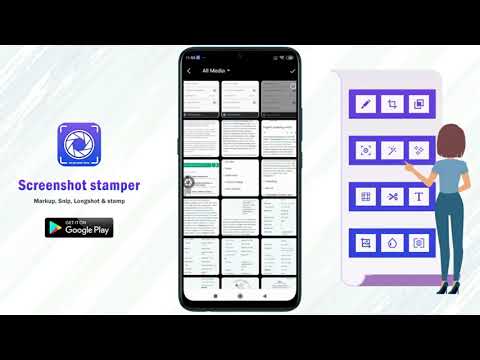
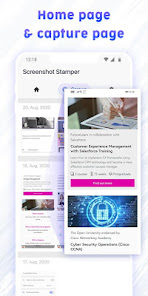
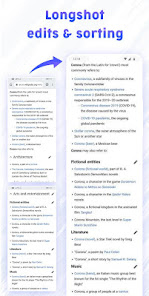
Screenshot stamper is a simple but multiple solution based Application, which gives you options to capture screenshot, click longshots, add markup, stitch picture and to add date timestamp on screenshot.
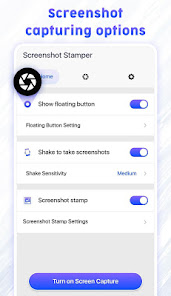
This stamping on screenshot app provides a floating button or shaking device options to capture screenshots. App also allows cropping, editing, stitching on screenshots. To add device info and datetime stamps are among interesting features of the app.
It can be widely used by Quality analysis developers and manual testers as a QA testing tool to check and record any functions and programs operating on mobile phones, tablet or any other android devices. As the app makes sure to provide Date time, App details, Device details on screenshot itself.
Key features of Screenshot stamper Application:
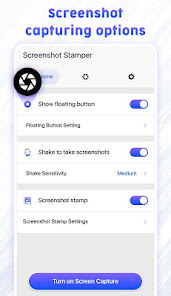
Floating button:
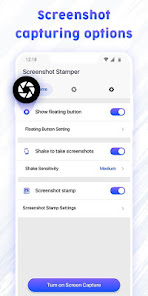
Easy button to capture a screenshot just by one click, the button is called floating as it can be moved anywhere on screen and it stays on screen above everything. Easy screenshot capture tool.
💫 Background color
💫 Opacity
💫 Floating button Size
💫 Auto-hide to the side
💫 Lock screenshot floater position
Shake to take screenshots:
Shake sensitive Feature to take a screenshot by simply shaking device
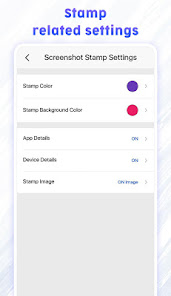
Screenshot stamp:
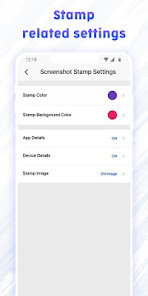
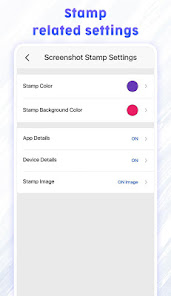
Get App details, Device details and date time stamp on screenshot with formatting options.
💫 Stamp color
💫 Stamp background Color
💫 App details
💫 Device details
💫 Stamp image
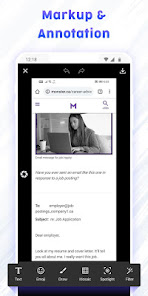
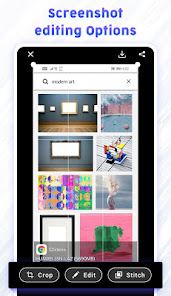
Screenshot Markup:
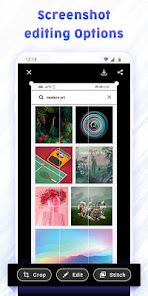
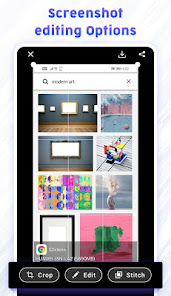
🕀 Crop
→Ratio - fit image, 3:4, 4:3, 9:16, 7:5, or free
→Shape - square, circle, circle-square
→Rotation- rotate left or rotate right
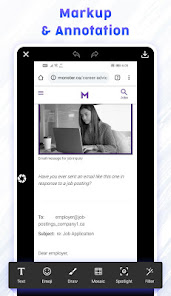
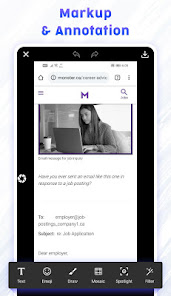
🕀 Edit & Annotate
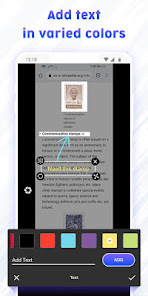
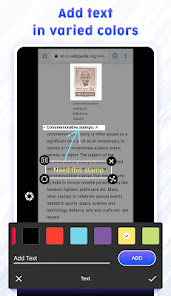
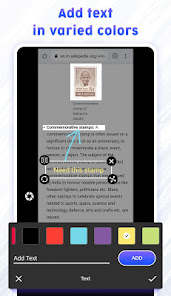
→Text - Add text on photo with vivid color options
→Emoji - Add Emojis on screenshot
→Draw - Draw with colorful brush having changeable size and opacity
→Mosaic - blur the area which you don’t want to show with rearranged pixels
→Spotlight - Highlight the area with spotlight of different shapes
→Filter - various filter options to glorify screenshot
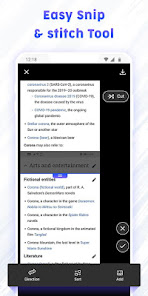
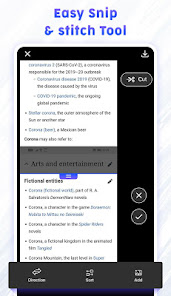
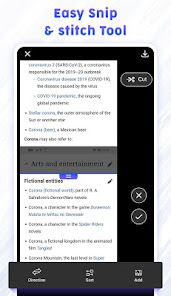
🕀 Stitch:
fine tune the seam for pixel perfect
Configuration:
→Direction: Vertical or horizontal Directions
→Sort: sort out the screen captures
→Add image: You can stitch any image from gallery along with the screenshot
Extra features:
💠 Image File format : JPG/ PNG formats available
💠 Image file quality: Scale out the quality of image you desire
💠 Filename prefix: Save files with prefix for easy sorting
💠 Sound of capture: Turn ON/OFF the sound of capturing screenshot
Why to have Screenshot Stamper Application?
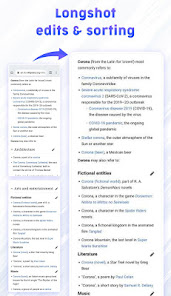
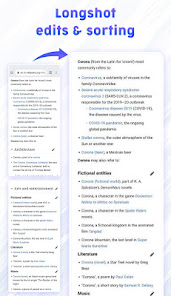
→ Supports longshot and gives stitching options
→ Easy annotation with multiple tools
→ Photo Markup facilities like photo editor
→ High quality Screenshot images
→ Snipping tools for screen grabber
→ Free screen capture with ample of editing options
→ First time ever app to add date timestamp on screenshot
→ capture a longshot. if you have a scrolling page, then it will capture the whole page, you can stitch the shot as required.
→ Get device info & App info on screenshot
Screenshot stamper is safe to use as No privacy will be harmed, and no secured pages will get screen captured. If you have any feedback or suggestions, feel free to contact us on allexcellentapps@gmail.com.
This stamping on screenshot app provides a floating button or shaking device options to capture screenshots. App also allows cropping, editing, stitching on screenshots. To add device info and datetime stamps are among interesting features of the app.
It can be widely used by Quality analysis developers and manual testers as a QA testing tool to check and record any functions and programs operating on mobile phones, tablet or any other android devices. As the app makes sure to provide Date time, App details, Device details on screenshot itself.
Key features of Screenshot stamper Application:
Floating button:
Easy button to capture a screenshot just by one click, the button is called floating as it can be moved anywhere on screen and it stays on screen above everything. Easy screenshot capture tool.
💫 Background color
💫 Opacity
💫 Floating button Size
💫 Auto-hide to the side
💫 Lock screenshot floater position
Shake to take screenshots:
Shake sensitive Feature to take a screenshot by simply shaking device
Screenshot stamp:
Get App details, Device details and date time stamp on screenshot with formatting options.
💫 Stamp color
💫 Stamp background Color
💫 App details
💫 Device details
💫 Stamp image
Screenshot Markup:
🕀 Crop
→Ratio - fit image, 3:4, 4:3, 9:16, 7:5, or free
→Shape - square, circle, circle-square
→Rotation- rotate left or rotate right
🕀 Edit & Annotate
→Text - Add text on photo with vivid color options
→Emoji - Add Emojis on screenshot
→Draw - Draw with colorful brush having changeable size and opacity
→Mosaic - blur the area which you don’t want to show with rearranged pixels
→Spotlight - Highlight the area with spotlight of different shapes
→Filter - various filter options to glorify screenshot
🕀 Stitch:
fine tune the seam for pixel perfect
Configuration:
→Direction: Vertical or horizontal Directions
→Sort: sort out the screen captures
→Add image: You can stitch any image from gallery along with the screenshot
Extra features:
💠 Image File format : JPG/ PNG formats available
💠 Image file quality: Scale out the quality of image you desire
💠 Filename prefix: Save files with prefix for easy sorting
💠 Sound of capture: Turn ON/OFF the sound of capturing screenshot
Why to have Screenshot Stamper Application?
→ Supports longshot and gives stitching options
→ Easy annotation with multiple tools
→ Photo Markup facilities like photo editor
→ High quality Screenshot images
→ Snipping tools for screen grabber
→ Free screen capture with ample of editing options
→ First time ever app to add date timestamp on screenshot
→ capture a longshot. if you have a scrolling page, then it will capture the whole page, you can stitch the shot as required.
→ Get device info & App info on screenshot
Screenshot stamper is safe to use as No privacy will be harmed, and no secured pages will get screen captured. If you have any feedback or suggestions, feel free to contact us on allexcellentapps@gmail.com.
Updated on
Safety starts with understanding how developers collect and share your data. Data privacy and security practices may vary based on your use, region, and age. The developer provided this information and may update it over time.

No data shared with third parties
Learn more about how developers declare sharing

No data collected
Learn more about how developers declare collection

Data is encrypted in transit

Data can’t be deleted
Ratings and reviews
2.2
184 reviews

Richard Bishop Jr
- Flag inappropriate
August 10, 2025
Missing Features & Clunky Auto Stamper works as advertised, successfully adding a timestamp to photos. However, the app feels clunky and is not very user-friendly, making it a challenge to get started. The biggest drawback is the lack of customization. There are no options to change the position, size, color, or font of the timestamp, which limits its utility. For content creators, a feature to add a custom watermark alongside the timestamp would be a huge benefit for branding.

Mohd Hymad
- Flag inappropriate
December 7, 2025
The app force-crashes on Android 14/15 due to missing mediaProjection foreground-service permissions. Reinstalling and granting all access doesn’t help—the issue is in the app’s code. Needs an urgent update to SDK 35 requirements. Good tool, but unusable until fixed. regards Pro subscription user

eevee Aspiedextrous
- Flag inappropriate
- Show review history
November 11, 2025
I can't turn on the "stamper" because the turn off app button is in the way ! got that working now but there are PORN ads ,a woman with no underwear on her lower half ,is that for real 😡 what if children were using this
App support
About the developer
SUSAMP INFOTECH
appsupport@susampinfotech.com
4th Floor, Shop No. 412 To 421, Parle Square, Ved Gurukul Road
Opp. Akshar Wadi, Dabholi
Surat, Gujarat 395004
India
+91 94996 35045


