
Recover Deleted Messages
Contains adsIn-app purchases

3.6star
374 reviews
100K+
Downloads

Everyone
info


About this app
Never Miss a WhatsApp Message Again!
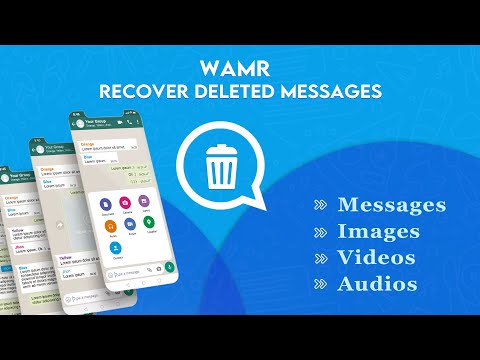
Ever had that frustrating moment when someone deletes a WhatsApp message before you see it? WAWR – Recover Deleted Messages helps you restore deleted WhatsApp chats in an instant. It works by reading your phone’s notification history, since “message notifications often record all received WhatsApp messages even if you later delete them”. This means any incoming text, photo caption or media is saved before it can vanish. Everything runs locally on your device (no root needed and no data is uploaded), so your privacy is protected. Note: WAWR is a third-party app and is not affiliated with WhatsApp.
🔔 How Deleted Messages Recovery Works
Notification Capture: Grant WAWR permission to access your notifications. Every new WhatsApp message triggers a notification and WAWR immediately logs the content (text, sender, timestamp, etc.).
Message Logging: As soon as a message arrives, Recover Deleted Messages app stores it in your app. If the sender deletes the message in WhatsApp, WAWR still shows what was in the original notification.
Post-Install Only: WAWR only starts logging notifications after you install it and enable permissions. It cannot recover messages deleted before it was installed.
No Root Required: All features use Android’s built-in Notification Access API. There’s no need to root your phone or do any complicated setup – just install and grant access.
💥 Key Features
Recover Deleted WhatsApp Messages: Retrieve deleted texts, photos, videos and even voice notes from your WhatsApp chats. If WhatsApp says “This message was deleted”, WAWR will show you the original content from the notification.
Restore Chats Instantly: As long as you had notifications on, WAWR captures every message in real time. You can browse a list of recovered messages and tap to view the full chat context.
No Root or Backup Needed: Works on any modern Android phone without rooting or requiring a WhatsApp backup. Everything is automatic once permissions are granted.
Easy User Interface: Friendly chat-like interface shows recovered messages sorted by contact. Quickly find and restore the messages you need without any hassle.
🔕 When Recovery Doesn’t Work
Before Installation: WAWR only captures messages after you install it. Any WhatsApp messages deleted before WAWR was set up cannot be retrieved.
Notifications Off: If you’ve disabled WhatsApp notifications or muted a chat, WAWR won’t receive that message to save. Make sure notifications are enabled for real-time logging.
Active Chats: If you’re currently viewing the chat when the message arrives, the system might not post a notification, so WAWR might miss it.
Media Not Downloaded: Photos or videos can only be recovered if WhatsApp had auto-downloaded them. If media wasn’t downloaded before deletion, WAWR can only show text or placeholders.
Permissions Denied: WAWR needs notification access permission to work. If permissions are revoked or not granted, no recovery is possible.
📢 Privacy First
Your privacy matters. WAWR only reads WhatsApp notifications already on your device — nothing is uploaded, shared, or stored in the cloud. All recovered messages stay local on your phone. There’s no login, no accounts, and no data collection. Everything is processed on-device to keep your deleted messages private.
📢 Disclaimer
WAWR is an independent app and is not affiliated with WhatsApp or Meta Platforms. WhatsApp™ and its logo are trademarks of Meta Platforms, Inc. WAWR simply uses your Android notification history to show deleted content. Use it responsibly — it’s designed to recover your own deleted messages, not to monitor others.
Ready to get back those missing messages? Download Recover Deleted Messages now and start recovering your deleted WhatsApp chats instantly!
Ever had that frustrating moment when someone deletes a WhatsApp message before you see it? WAWR – Recover Deleted Messages helps you restore deleted WhatsApp chats in an instant. It works by reading your phone’s notification history, since “message notifications often record all received WhatsApp messages even if you later delete them”. This means any incoming text, photo caption or media is saved before it can vanish. Everything runs locally on your device (no root needed and no data is uploaded), so your privacy is protected. Note: WAWR is a third-party app and is not affiliated with WhatsApp.
🔔 How Deleted Messages Recovery Works
Notification Capture: Grant WAWR permission to access your notifications. Every new WhatsApp message triggers a notification and WAWR immediately logs the content (text, sender, timestamp, etc.).
Message Logging: As soon as a message arrives, Recover Deleted Messages app stores it in your app. If the sender deletes the message in WhatsApp, WAWR still shows what was in the original notification.
Post-Install Only: WAWR only starts logging notifications after you install it and enable permissions. It cannot recover messages deleted before it was installed.
No Root Required: All features use Android’s built-in Notification Access API. There’s no need to root your phone or do any complicated setup – just install and grant access.
💥 Key Features
Recover Deleted WhatsApp Messages: Retrieve deleted texts, photos, videos and even voice notes from your WhatsApp chats. If WhatsApp says “This message was deleted”, WAWR will show you the original content from the notification.
Restore Chats Instantly: As long as you had notifications on, WAWR captures every message in real time. You can browse a list of recovered messages and tap to view the full chat context.
No Root or Backup Needed: Works on any modern Android phone without rooting or requiring a WhatsApp backup. Everything is automatic once permissions are granted.
Easy User Interface: Friendly chat-like interface shows recovered messages sorted by contact. Quickly find and restore the messages you need without any hassle.
🔕 When Recovery Doesn’t Work
Before Installation: WAWR only captures messages after you install it. Any WhatsApp messages deleted before WAWR was set up cannot be retrieved.
Notifications Off: If you’ve disabled WhatsApp notifications or muted a chat, WAWR won’t receive that message to save. Make sure notifications are enabled for real-time logging.
Active Chats: If you’re currently viewing the chat when the message arrives, the system might not post a notification, so WAWR might miss it.
Media Not Downloaded: Photos or videos can only be recovered if WhatsApp had auto-downloaded them. If media wasn’t downloaded before deletion, WAWR can only show text or placeholders.
Permissions Denied: WAWR needs notification access permission to work. If permissions are revoked or not granted, no recovery is possible.
📢 Privacy First
Your privacy matters. WAWR only reads WhatsApp notifications already on your device — nothing is uploaded, shared, or stored in the cloud. All recovered messages stay local on your phone. There’s no login, no accounts, and no data collection. Everything is processed on-device to keep your deleted messages private.
📢 Disclaimer
WAWR is an independent app and is not affiliated with WhatsApp or Meta Platforms. WhatsApp™ and its logo are trademarks of Meta Platforms, Inc. WAWR simply uses your Android notification history to show deleted content. Use it responsibly — it’s designed to recover your own deleted messages, not to monitor others.
Ready to get back those missing messages? Download Recover Deleted Messages now and start recovering your deleted WhatsApp chats instantly!
Updated on
Safety starts with understanding how developers collect and share your data. Data privacy and security practices may vary based on your use, region, and age. The developer provided this information and may update it over time.

This app may share these data types with third parties
App info and performance and Device or other IDs

No data collected
Learn more about how developers declare collection

Data is encrypted in transit

Data can’t be deleted
Ratings and reviews
3.6
369 reviews

S Shakoor
- Flag inappropriate
- Show review history
July 23, 2024
Not what was expected at all! Good reviews are all old! Got this because it presented itself as a WAMR app addition. It is not that, it's not as good and you have to pay for it to save any deleted media. But it never saved a single video even though it paid to have that capability. I quickly saw that it was a scam to get you to pay for additional functions, that they never provide. Stick with WAMR, the ads are annoying, but at least you get what you expect from it. This is just a tricky scam!

Escuadro Aevonie Glecenia
- Flag inappropriate
August 10, 2024
it's good to use, you can't hide anything, especially if you have an enemy and you want to record what you talked about but your enemy deleted it, you can still record it again if you use these apps
1 person found this review helpful

Sanjeev Chaurasiya
- Flag inappropriate
October 5, 2024
I accidentally deleted important work messages, but WAWR recovered them instantly! The app's scanning algorithm is impressive.
1 person found this review helpful
What’s new
* API for the level upgraded.
* Upload long videos to status.
* Functionality enhanced.
* Fixed small bugs
* Upload long videos to status.
* Functionality enhanced.
* Fixed small bugs
App support
About the developer
Syed Raza Shah Bukhari
scan4document@gmail.com
Post Office Lachi Banda Fateh Khan
Tehsil Lachi, District Kohat
Kohat, 26000
Pakistan


