
MNML Thin Watch face
4.4star
13.4K reviews
500K+
Downloads

Everyone
info
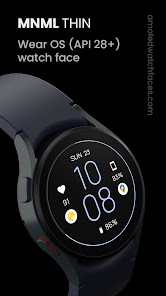
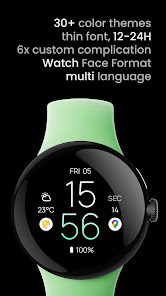
About this app
Only for Wear OS devices - API 28+
// Not suitable for rectangular watches
Powered by Watch Face Format
amoledwatchfaces.com
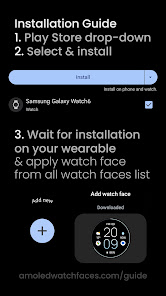
HOW TO INSTALL?
amoledwatchfaces.com/guide
BUY ONE GET ONE OFFER!
amoledwatchfaces.com/bogo
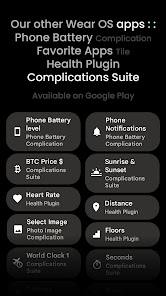
CUSTOM COMPLICATION APPS
amoledwatchfaces.com/apps
FEATURES
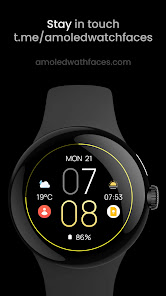
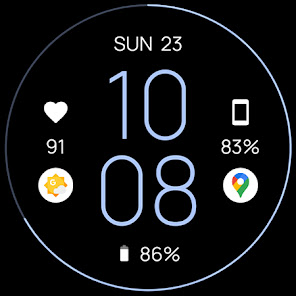
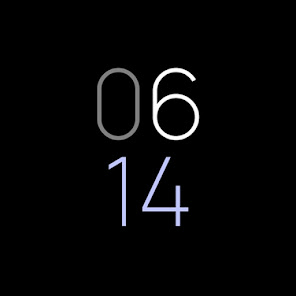
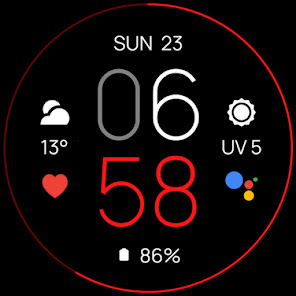
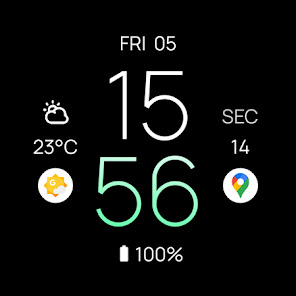
• minimal look
• true black background
• thin & highly readable font
• high resolution
• PNGQuant optimized layers > battery friendly
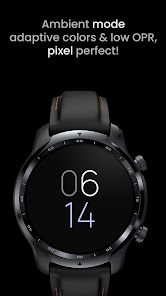
• ambient mode with low OPR & adaptive color & two styles
• multilanguage
• 12/24 H
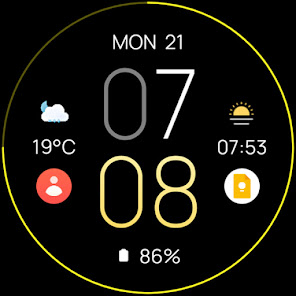
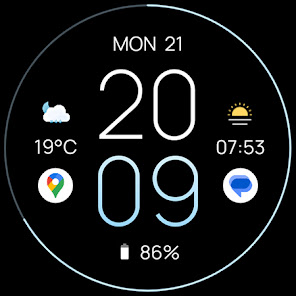
• 6x SHORT_TEXT complications (API 33+)
• 2x ICON, SMALL_IMAGE complications
• new GRADIENT colors!
NOTE: Complications shown in the description of the application are of a promotional nature only. Custom complications you can set depends on your installed applications and watch manufacturer software.
CUSTOMIZATION
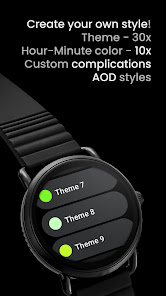
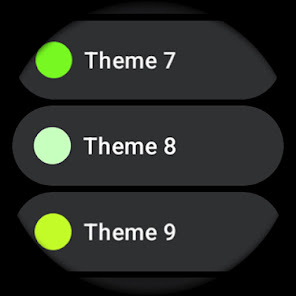
• Color (30x)
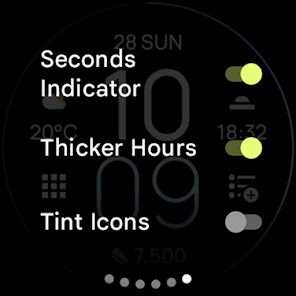
• Seconds Indicator (Toggle)
• Hour Color (10x)
• Minute Color (10x)
• Thicker Hours (Toggle - API 33+)
• Badge Indicator (None, Am-Pm, Unread Notification Count)
• AOD (Style - Time only / Dimmed Down)
• Complications / app shortcuts
Installation and troubleshooting guide
amoledwatchfaces.com/guide
Please send any issues reports or help requests to our support address
support@amoledwatchfaces.com
Join our Telegram group for live support and discussion
t.me/amoledwatchfaces
Newsletter
amoledwatchfaces.com/contact#newsletter
amoledwatchfaces™ - Awf
// Not suitable for rectangular watches
Powered by Watch Face Format
amoledwatchfaces.com
HOW TO INSTALL?
amoledwatchfaces.com/guide
BUY ONE GET ONE OFFER!
amoledwatchfaces.com/bogo
CUSTOM COMPLICATION APPS
amoledwatchfaces.com/apps
FEATURES
• minimal look
• true black background
• thin & highly readable font
• high resolution
• PNGQuant optimized layers > battery friendly
• ambient mode with low OPR & adaptive color & two styles
• multilanguage
• 12/24 H
• 6x SHORT_TEXT complications (API 33+)
• 2x ICON, SMALL_IMAGE complications
• new GRADIENT colors!
NOTE: Complications shown in the description of the application are of a promotional nature only. Custom complications you can set depends on your installed applications and watch manufacturer software.
CUSTOMIZATION
• Color (30x)
• Seconds Indicator (Toggle)
• Hour Color (10x)
• Minute Color (10x)
• Thicker Hours (Toggle - API 33+)
• Badge Indicator (None, Am-Pm, Unread Notification Count)
• AOD (Style - Time only / Dimmed Down)
• Complications / app shortcuts
Installation and troubleshooting guide
amoledwatchfaces.com/guide
Please send any issues reports or help requests to our support address
support@amoledwatchfaces.com
Join our Telegram group for live support and discussion
t.me/amoledwatchfaces
Newsletter
amoledwatchfaces.com/contact#newsletter
amoledwatchfaces™ - Awf
Updated on
Safety starts with understanding how developers collect and share your data. Data privacy and security practices may vary based on your use, region, and age. The developer provided this information and may update it over time.

No data shared with third parties
Learn more about how developers declare sharing

No data collected
Learn more about how developers declare collection
Ratings and reviews
4.2
6.78K reviews

Susan Records
- Flag inappropriate
November 28, 2025
Love this app but haven't figured out how to load the photos that it mentions. I like to have subtle background photos like maybe a star field or something like that.
amoledwatchfaces™
November 28, 2025
Hi. This feature is part of the companion app (Pixel devices). It's built-in WFF4 feature. Regards, Tomas | amoledwatchfaces.com

Andrew Hoose
- Flag inappropriate
November 17, 2025
absolutely my favorite face, but the complications either keep dimming to almost unseeable, or completely disappearing until I change the face, then change it back.
1 person found this review helpful

Jim Souchek
- Flag inappropriate
September 18, 2025
the app shows a 24 hour military time face, which is why I downloaded it. I can't find an option to set if from 12 hour to 24 hour display. Has anyone found a way to do that?
amoledwatchfaces™
September 18, 2025
Hello, please change your phone time settings to 24h mode. Watch face will adapt to this setting automatically. Regards, Tomas | amoledwatchfaces.com
What’s new
v1.6.7
• added wff4 version with background photo configuration
v1.6.6
• added wff3 version with text isAutoSize
• some small fixes and improvements
v1.6.5
• added WFF 2 compatible version with Flavors
v1.6.4
• improved customization previews
...
NOTE: Remove watch face from favorites and add it back to ensure watch face runs smoothly after update.
Visit our developer portfolio here:
https://play.google.com/store/apps/dev?id=5591589606735981545
• added wff4 version with background photo configuration
v1.6.6
• added wff3 version with text isAutoSize
• some small fixes and improvements
v1.6.5
• added WFF 2 compatible version with Flavors
v1.6.4
• improved customization previews
...
NOTE: Remove watch face from favorites and add it back to ensure watch face runs smoothly after update.
Visit our developer portfolio here:
https://play.google.com/store/apps/dev?id=5591589606735981545
App support
About the developer
Tomáš Marcinčin - amoledwatchfaces™
support@amoledwatchfaces.com
51 Nižný Kručov
09301 Nižný Kručov
Slovakia
+421 952 033 959


