
ExpressTime Mobile
3.1star
103 reviews
10K+
Downloads

Everyone
info


About this app
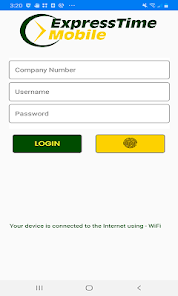
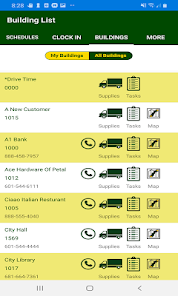
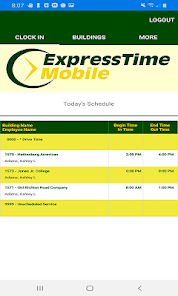
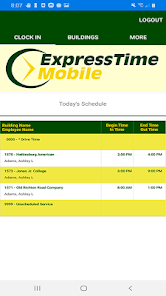
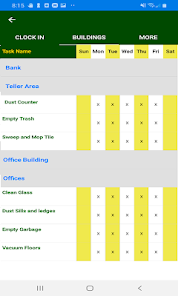
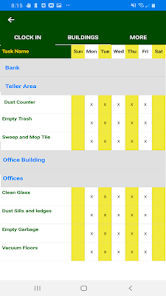
An application for the Android platform, which allows employees to clock in/out, view schedules, view hours worked, view building information, order supplies, request an open shift, request time off and much more. ExpressTime Mobile is an industry standard when it comes to managing employees clocking in and out of locations. Employees will be able to clock in to and out of a particular schedule or unscheduled service by building number. The GPS coordinates are captured upon clocking in or out of a location, facility or service.
Updated on
Safety starts with understanding how developers collect and share your data. Data privacy and security practices may vary based on your use, region, and age. The developer provided this information and may update it over time.

No data shared with third parties
Learn more about how developers declare sharing

This app may collect these data types
Location, Personal info and 2 others

Data isn’t encrypted
Data can’t be deleted
Ratings and reviews
3.1
103 reviews

j f
- Flag inappropriate
- Show review history
November 15, 2025
Put it back to previous version. This version is impossible to understand the clock in and clock out. Nobody asked for this update. Nobody asked for all these changes. Yeah and the time is hard to understand when clocking out. Thanks for the amazing replies and the apologies for making this more difficult. This app is glitchy now. But thanks for replying back.
3 people found this review helpful
ExpressTime Developer
November 17, 2025
We're sorry to hear that you have experienced an issue using the app. We are careful in the process of making changes to the functionality which affects users and regret any inconvenience. If you experience any issues, a crash or problem please call 1-888-457-7978 and our team will be happy to assist you. Thanks for taking the time to let us know.

Dezzy (D3zzyD4Br4t)
- Flag inappropriate
July 25, 2025
Just use the website or phone. Every time I try to log in, I get an "authentication failure" even when using the right password. Sometimes, if you delete and reinstall, it might work. Doesn't recognize a change in password, etc etc.
2 people found this review helpful

Crystal Goble
- Flag inappropriate
- Show review history
March 26, 2025
I can't even find where on the app I'm SUPPOSED to clock in! No where on my app is there a page that says "CLOCK IN". LIKE SERIOUSLY.. ? Ok, so after looking at the photos of what the app is SUPPOSED to look like if my employer wants me to use it to clock in, I discovered they did not set something up right. The version I have does not read "clock in" ANYWHERE on it. The only options on my screen are Buildings and More... So guess I'll just keep calling the express time phone number to clock in.
1 person found this review helpful
ExpressTime Developer
March 25, 2025
Your employer most likely doesn't have you turned on to use Mobile Clock-In. Let your supervisor know and they can work with you to show you how to clock in. there is a Click In Button on the menu when you are turned on for this feature. Contact us at 888-457-7978 for more help.
What’s new
This update addresses an issue that fails to show all approved supplies in a building for legacy App users. The issue has been addresses and also gives an approved supply count at the bottom of the window.
App support
phone
Phone number
+18884577978
About the developer
DAVID H LEE ENTERPRISES INC
hgriffin@expresstime.net
216 W Fifth Ave
Petal, MS 39465-2004
United States
+1 901-359-4136