
قرآن حکیم بی Quran Hakim B

1K+
Downloads

Everyone
info






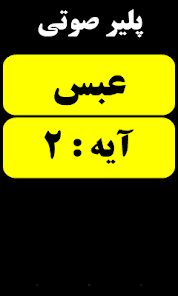





About this app
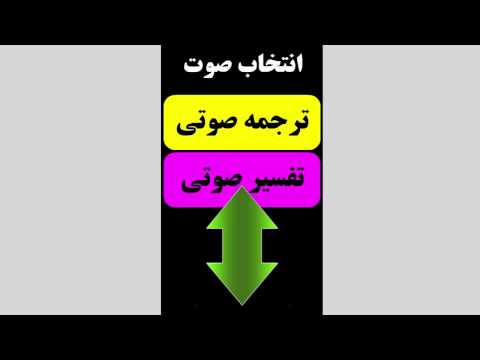
Wise Qur'an is the first software for the blind Quran Persian-language audio with easy access to translation and interpretation of the Quran Audio
The easiest method of access to translation and interpretation audio
Access to all parts of the program with just three easy methods such as swipe to four, double click, shake the phone
Completely independent usable by blind users
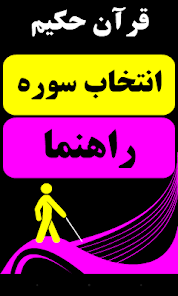
Large menu and high-frequency colors to visually impaired users
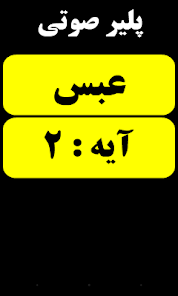
The ability to forward and rewind the tape with the fingers after the download is complete
The sound all the way step by step
Audio commentary volume for download in Iran
Voice guidance applications
* Note: The prerequisite for installing this application, Adobe AIR is installed free.
Quran Hakim B (Blind version) is the first Quran Application in Persian Language developed for Blind and visual impaired users allowing them to listen to Audio translations and Interpretations of the whole Quran in Farsi.
- Ease of access with simple methods for blind users to utilize the App independently.
- Access to all sections with 3 simple methods: Swipe finger in four directions (Navigation), Double Tap (Selection), and Shaking the device (Return Back).
- Large menus with hot colors for visually impaired users
- Ability to fast forward and backward while listening to audio files by swiping fingers in four directions.
- Optimized Audio file for easy downloads in Iran with minimum network overhead.
- All steps are announced by a voice over.
- Audio help file to explain all Application features is included and accessible at the launch of the Application.
The easiest method of access to translation and interpretation audio
Access to all parts of the program with just three easy methods such as swipe to four, double click, shake the phone
Completely independent usable by blind users
Large menu and high-frequency colors to visually impaired users
The ability to forward and rewind the tape with the fingers after the download is complete
The sound all the way step by step
Audio commentary volume for download in Iran
Voice guidance applications
* Note: The prerequisite for installing this application, Adobe AIR is installed free.
Quran Hakim B (Blind version) is the first Quran Application in Persian Language developed for Blind and visual impaired users allowing them to listen to Audio translations and Interpretations of the whole Quran in Farsi.
- Ease of access with simple methods for blind users to utilize the App independently.
- Access to all sections with 3 simple methods: Swipe finger in four directions (Navigation), Double Tap (Selection), and Shaking the device (Return Back).
- Large menus with hot colors for visually impaired users
- Ability to fast forward and backward while listening to audio files by swiping fingers in four directions.
- Optimized Audio file for easy downloads in Iran with minimum network overhead.
- All steps are announced by a voice over.
- Audio help file to explain all Application features is included and accessible at the launch of the Application.
Updated on
Safety starts with understanding how developers collect and share your data. Data privacy and security practices may vary based on your use, region, and age. The developer provided this information and may update it over time.

No data shared with third parties
Learn more about how developers declare sharing

No data collected
Learn more about how developers declare collection
What’s new
Updated to target and support Android 15 and improved memory optimization
Important Note:
On newer Android phones (15, 14, 13…), a new restriction has been introduced to conserve battery power. This causes audio playback to stop when the phone goes to sleep.
To fix this issue, go to your phone’s Settings, then to Apps, find Quran Hakim for the Blind, and tap on Battery. Then select the Unrestricted option to prevent the audio from being interrupted.
Important Note:
On newer Android phones (15, 14, 13…), a new restriction has been introduced to conserve battery power. This causes audio playback to stop when the phone goes to sleep.
To fix this issue, go to your phone’s Settings, then to Apps, find Quran Hakim for the Blind, and tap on Battery. Then select the Unrestricted option to prevent the audio from being interrupted.
App support
About the developer
Abdolali Bazargan
info@epayam.org
United States
undefined


