
ComposePDF Pro : Pdf Utilities
Contains ads
5.0star
77 reviews
5K+
Downloads

Everyone
info








About this app
ComposePDF Pro: The Ultimate FREE Offline PDF Tools.
Looking for a powerful, free PDF utility that works offline and leaves no watermarks? ComposePDF Pro is your all-in-one solution for seamless PDF management directly on your device. Easily merge, convert, protect, organize, and manipulate your PDF documents without needing an internet connection or worrying about hidden costs.
Why Choose ComposePDF Pro?
Completely FREE: Access all premium PDF tools without any subscription or in-app purchases.
Privacy Focused: This app works completely offline, all your pdfs and images will be processed locally within your device and no information regarding your files will be collected for any purpose.
No Watermarks: Your created and manipulated PDFs remain clean and professional without watermarks and we will not force you to buy premium to remove watermarks.
Comprehensive PDF Tools at Your Fingertips:
Merge PDFs: Combine multiple PDF files into a single, cohesive document. Perfect for reports, presentations, and archives.
Combine PDFs and Images: Create comprehensive documents by merging both PDF files and image files together.
Image to PDF Converter: Instantly transform images (JPG, PNG, etc.) into high-quality PDF documents.
PDF to Image Converter: Extract and save any PDF page as an image file with adjustable quality.
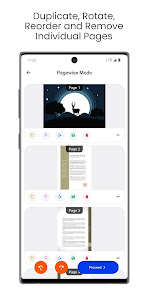
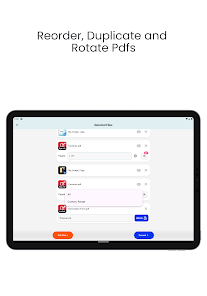
Reorder & Organize PDF Pages: Effortlessly rearrange, delete, and duplicate pages within your PDF document.
Password Protect PDFs: Enhance security by adding passwords to your sensitive PDFs. Creates a new, secured PDF file.
Unlock Password Protected PDFs: Quickly remove passwords from secured PDFs to access and manage your content. Saves as a new, unprotected PDF file.
Compress PDFs (Beta): Reduce PDF file size by optimizing images (currently supports JPEG images within the PDF). Ideal for sharing and saving space.
Rotate PDF Pages: Easily rotate all pages or specific pages within your PDF document for perfect viewing.
Extract Images: Extract specific images within a PDF page and save them as PNG files.
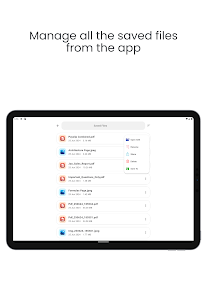
Manage Saved Files: Keep all your converted and manipulated PDFs and image files neatly organized within the app.
ComposePDF Pro is designed for anyone needing a reliable, efficient, and versatile PDF solution on the go. Whether for work, study, or personal use, simplify your document management with this powerful offline PDF tool.
Download ComposePDF Pro today and take control of your PDF files!
Looking for a powerful, free PDF utility that works offline and leaves no watermarks? ComposePDF Pro is your all-in-one solution for seamless PDF management directly on your device. Easily merge, convert, protect, organize, and manipulate your PDF documents without needing an internet connection or worrying about hidden costs.
Why Choose ComposePDF Pro?
Completely FREE: Access all premium PDF tools without any subscription or in-app purchases.
Privacy Focused: This app works completely offline, all your pdfs and images will be processed locally within your device and no information regarding your files will be collected for any purpose.
No Watermarks: Your created and manipulated PDFs remain clean and professional without watermarks and we will not force you to buy premium to remove watermarks.
Comprehensive PDF Tools at Your Fingertips:
Merge PDFs: Combine multiple PDF files into a single, cohesive document. Perfect for reports, presentations, and archives.
Combine PDFs and Images: Create comprehensive documents by merging both PDF files and image files together.
Image to PDF Converter: Instantly transform images (JPG, PNG, etc.) into high-quality PDF documents.
PDF to Image Converter: Extract and save any PDF page as an image file with adjustable quality.
Reorder & Organize PDF Pages: Effortlessly rearrange, delete, and duplicate pages within your PDF document.
Password Protect PDFs: Enhance security by adding passwords to your sensitive PDFs. Creates a new, secured PDF file.
Unlock Password Protected PDFs: Quickly remove passwords from secured PDFs to access and manage your content. Saves as a new, unprotected PDF file.
Compress PDFs (Beta): Reduce PDF file size by optimizing images (currently supports JPEG images within the PDF). Ideal for sharing and saving space.
Rotate PDF Pages: Easily rotate all pages or specific pages within your PDF document for perfect viewing.
Extract Images: Extract specific images within a PDF page and save them as PNG files.
Manage Saved Files: Keep all your converted and manipulated PDFs and image files neatly organized within the app.
ComposePDF Pro is designed for anyone needing a reliable, efficient, and versatile PDF solution on the go. Whether for work, study, or personal use, simplify your document management with this powerful offline PDF tool.
Download ComposePDF Pro today and take control of your PDF files!
Updated on
Safety starts with understanding how developers collect and share your data. Data privacy and security practices may vary based on your use, region, and age. The developer provided this information and may update it over time.


Ratings and reviews
5.0
75 reviews

Bhaskar Sharma
- Flag inappropriate
December 4, 2025
The compression algorithm really helps. Very useful app.
Aggressive Codings
December 4, 2025
Dear User, Thank you so much for taking out time to review our app. We are really happy that our app is useful to you. Please share our app to your friends and family and help us reach more users. Thanks a lot :)

Roberto Hassell
- Flag inappropriate
October 5, 2025
Incredible useful. Even better than desktop software.
Aggressive Codings
October 5, 2025
Dear User, Thank you so much for your awesome feedback. We are really glad that you found our app useful. Please recommend our app to your friends and family and help us grow. Have a wonderful day :)

Adriel De Leon
- Flag inappropriate
September 14, 2025
Thank you. This tool is nice. I would like to make a suggestion if you could add an option to change saved location.
1 person found this review helpful
Aggressive Codings
September 15, 2025
Dear User, really appreciate your suggestion, we will consider it. In the mean time if you want to save individual files to your desired location you can click the three dot icon near the file and click "Save To" option. There are many challenges in implementing the option you suggested we will try our best. Thanks a lot :)
What’s new
Version 1.10.0
1. New Compact Tiles layout in Pagewise Mode.
2. Users can also switch to the classic tiles.
3. Stability and Performance optimizations.
Version 1.10.1
1. Fixed app crashing when converting huge quantity of images due to insufficient RAM issues.
1. New Compact Tiles layout in Pagewise Mode.
2. Users can also switch to the classic tiles.
3. Stability and Performance optimizations.
Version 1.10.1
1. Fixed app crashing when converting huge quantity of images due to insufficient RAM issues.
App support
About the developer
MS ELEKTRONIK INDUSTRIES
aggressivecodings@gmail.com
164, Gopalapuram Village, Kattukottai, Attur Tk
Salem, Tamil Nadu 636107
India
+91 96290 22333


