Analog and Digital Clock-7
Contains ads

4.1star
1.45K reviews
100K+
Downloads

Everyone
info
About this app
App modes:
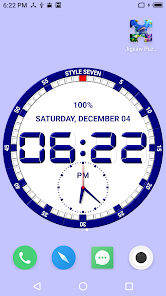
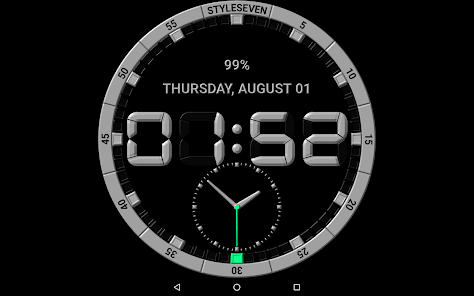
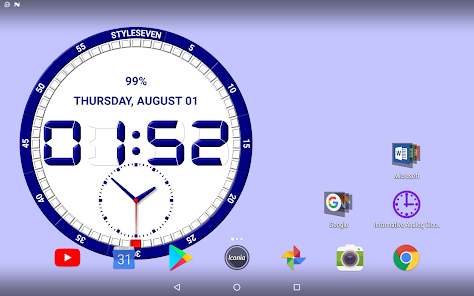
* Clock Live Wallpaper;
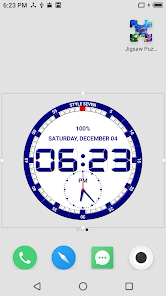
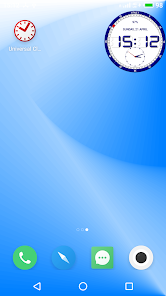
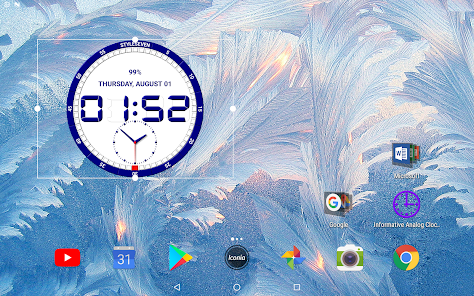
* Clock app widget;
* Topmost clock or floating clock or overlay clock (above all device windows);
* Fullscreen clock;
* Clock screensaver;
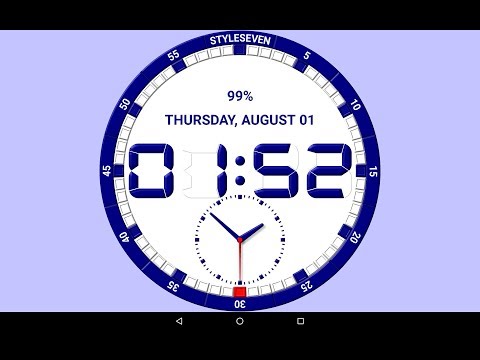
* Regualr clock for view the current time, date, day of the week, month, battery charge.
The clock can hint the current time by voice by double tap and periodically, for example every one hour.
Settings of appearance:
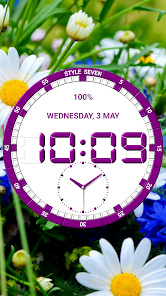
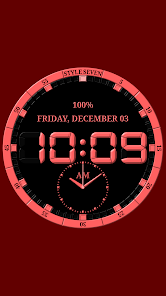
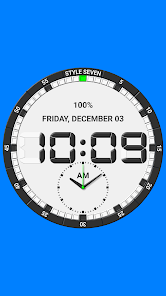
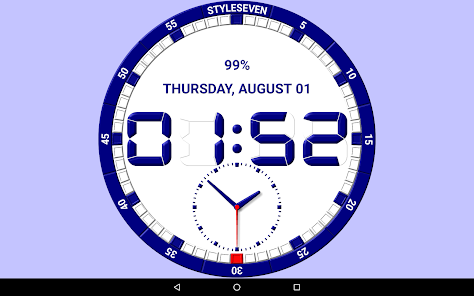
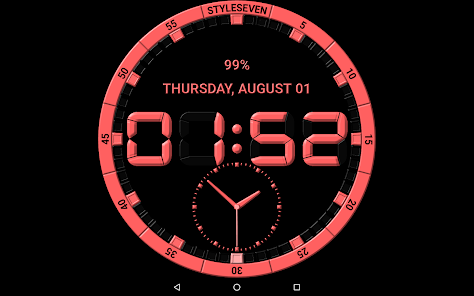
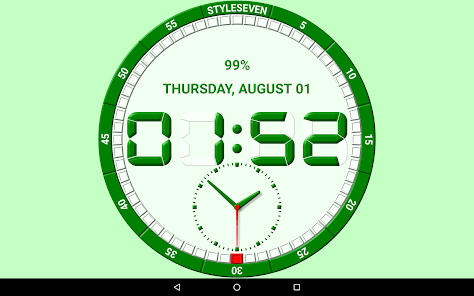
* Seven color themes;
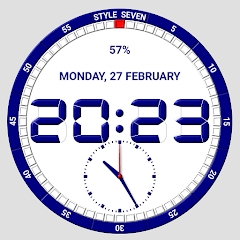
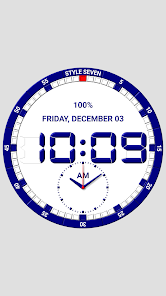
* Show battery charge, the current date;
* Show additional analog clock.
You can choose any solid color or any image from your device for the background.
🕒 Use analog clocks as “Night Clock” — a calm mode with economy style (black background and dark‑gray hands) that saves battery.
Random position change every minute protects the screen from burn‑in.
All options work in Fullscreen mode, Live Wallpaper, and Screensaver.
🌙 Use analog clocks as “Always on Screen” — the clock remains visible even when the screen is turned off. ⚠ Important: the function does not start automatically, you need to launch it manually in Fullscreen mode.
“Always on Display” emulation works through additional options: 🔆 brightness control and Auto‑lock on exit.
Learn more about application modes.
* You can select the size of the analog clock and its position on the Home screen for Live Wallpaper;
* The analog clock app widget can be moved and resized on the Home screen. For Android 12 or high, the second hand is shown. You can install multiple widgets. Use tap on the app widget for open this application;
* You can set size for the topmost clock. Use "drag and drop" method for change clock position on the screen without entering the settings. Use long touch for open this application;
* You can add an additional icon on the desktop for quick launch the app in full screen mode. The screen will remain on. Use swipe for close the window.
Technical restrictions for the app widget:
* Battery charge is not shown;
* Shadows and 3D effects for hands are not shown;
* Double tap and periodic talk of the current time do not work.
* Digital font is not shown (app uses standard font);
* Additional restrictions for Android 11 and below: only seven standard color themes are available and the second hand is not shown.
* Clock Live Wallpaper;
* Clock app widget;
* Topmost clock or floating clock or overlay clock (above all device windows);
* Fullscreen clock;
* Clock screensaver;
* Regualr clock for view the current time, date, day of the week, month, battery charge.
The clock can hint the current time by voice by double tap and periodically, for example every one hour.
Settings of appearance:
* Seven color themes;
* Show battery charge, the current date;
* Show additional analog clock.
You can choose any solid color or any image from your device for the background.
🕒 Use analog clocks as “Night Clock” — a calm mode with economy style (black background and dark‑gray hands) that saves battery.
Random position change every minute protects the screen from burn‑in.
All options work in Fullscreen mode, Live Wallpaper, and Screensaver.
🌙 Use analog clocks as “Always on Screen” — the clock remains visible even when the screen is turned off. ⚠ Important: the function does not start automatically, you need to launch it manually in Fullscreen mode.
“Always on Display” emulation works through additional options: 🔆 brightness control and Auto‑lock on exit.
Learn more about application modes.
* You can select the size of the analog clock and its position on the Home screen for Live Wallpaper;
* The analog clock app widget can be moved and resized on the Home screen. For Android 12 or high, the second hand is shown. You can install multiple widgets. Use tap on the app widget for open this application;
* You can set size for the topmost clock. Use "drag and drop" method for change clock position on the screen without entering the settings. Use long touch for open this application;
* You can add an additional icon on the desktop for quick launch the app in full screen mode. The screen will remain on. Use swipe for close the window.
Technical restrictions for the app widget:
* Battery charge is not shown;
* Shadows and 3D effects for hands are not shown;
* Double tap and periodic talk of the current time do not work.
* Digital font is not shown (app uses standard font);
* Additional restrictions for Android 11 and below: only seven standard color themes are available and the second hand is not shown.
Updated on
Safety starts with understanding how developers collect and share your data. Data privacy and security practices may vary based on your use, region, and age. The developer provided this information and may update it over time.

No data shared with third parties
Learn more about how developers declare sharing

This app may collect these data types
Device or other IDs

Data is encrypted in transit

Data can’t be deleted
Ratings and reviews
4.0
1.38K reviews

V H O
- Flag inappropriate
November 22, 2025
Unable to restore the Pro Version of this App, BUMMER!!!!

Muhammad rafeek Rafeek
- Flag inappropriate
April 4, 2024
Ad Kolkata dj song downloads folder use your place to live with you do the best for your place to be able and willing to hear from u soon as you like so you do the same thing in progress designs are absolutely right as well as a whole of the day you will have the same as well as you like so you do.ĥ
5 people found this review helpful

A Google user
- Flag inappropriate
December 24, 2019
It's very cool, except I can't get it to display the time on Home Screen. Any ideas on how to get the Actual clock to display,,?!
45 people found this review helpful
StyleSeven.com
December 30, 2019
Press the second button on the app title. Thank you.
What’s new
⚙️ Settings → Night Mode
🕒 Economy style (black background and dark‑gray hands) helps save battery
🔄 Random position change every minute protects the screen from burn‑in
📱 All options work in Fullscreen mode, Live Wallpaper, and Screensaver
🌙 In Fullscreen mode you can enable Always on Display emulation through options: brightness control and Auto‑lock on exit. ⚠ Important: the function does not start automatically, you need to launch it manually
🕒 Economy style (black background and dark‑gray hands) helps save battery
🔄 Random position change every minute protects the screen from burn‑in
📱 All options work in Fullscreen mode, Live Wallpaper, and Screensaver
🌙 In Fullscreen mode you can enable Always on Display emulation through options: brightness control and Auto‑lock on exit. ⚠ Important: the function does not start automatically, you need to launch it manually
App support
About the developer
Сизенко Алексей Алексеевич
info@style7.website
Волгоградская область, Светлоярский район, ул. Заречная д.37
с. Дубовый Овраг
Волгоградская область
Russia
404175


