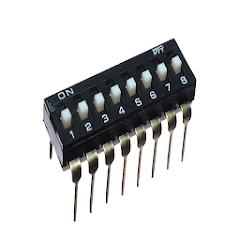
DIP Switch Calc
5 hilj.+
Preuzimanja

Svako
info
O aplikaciji
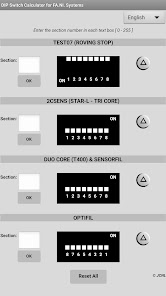
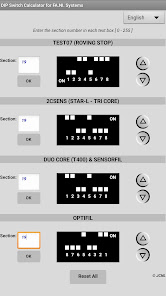
This App was created for Pinter Group's Technicians, in order to assist them during the installation of FA.NI. systems (Test07, 2CSens, Sensorfil, Optifil, etc.) by letting them visualize the DIP Switch code of the section(s) they are working on.
Instructions:
- Select the language (English or Spanish).
- Enter a section number (only values between 0 and 255) in any text box and press the "OK" button. It is also possible to enter the section number using the UP/DOWN arrows next to the DIP Switch.
- The DIP Switch code will be displayed according to the section number entered.
- "Reset All" button deletes all data of text boxes and DIP Switches.
Instructions:
- Select the language (English or Spanish).
- Enter a section number (only values between 0 and 255) in any text box and press the "OK" button. It is also possible to enter the section number using the UP/DOWN arrows next to the DIP Switch.
- The DIP Switch code will be displayed according to the section number entered.
- "Reset All" button deletes all data of text boxes and DIP Switches.
Ažurirano dana
Sigurnost počinje razumijevanjem na koji način programeri prikupljaju i dijele vaše podatke. Privatnost podataka i sigurnosne prakse se mogu razlikovati ovisno o korištenju, regiji i dobi. Programer je naveo ove informacije i može ih s vremenom ažurirati.

Podaci se ne dijele s trećim stranama
Saznajte više o načinu na koji programeri pružaju izjavu o dijeljenju

Podaci se ne prikupljaju
Saznajte više o načinu na koji programeri pružaju izjavu o prikupljanju
Podrška za aplikaciju
Informacije o programeru
JUAN CARLOS NIETO LUCERO
nietolucero.juan@gmail.com
Ecuador

