
ArgyllPRO ColorMeter

star
56 recenzija

Svako
info
500+
Preuzimanja

Svako
Saznajte više


O aplikaciji
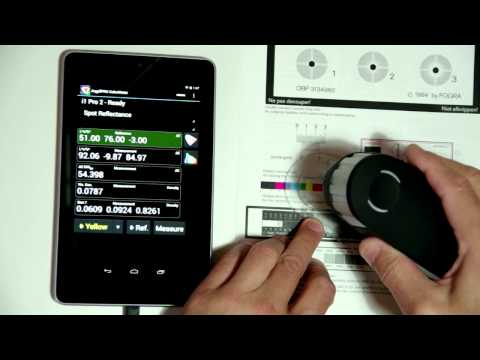
The ArgyllPRO ColorMeter is an innovative Android application designed for both Tablets and Phones, that lets you use your USB connected color measurement instruments on the go, as well as save them for use later. The popular color instruments supported can be used for a wide range of common light and color measurement tasks, so ColorMeter provides a great deal of flexibility and configurability, allowing you to customize it to the task at hand and switch tasks rapidly.
Of interest to Designers, Graphic Artists, Photographers, Architectural and Theater Lighting Designers, Printing Professionals, Colorists, Film professionals and TV & Digital Cinema calibrators.
Before purchasing ArgyllPRO ColorMeter, it is Highly Recommended that you install and try out the free ArgyllPRO ColorMeterDemo application, to make sure that your device and instrument will work.
For more details about ColorMeter, including full application documentation, see http://www.argyllpro.com.au/index.html, as well as the Guided Tour Video.
The EULA is here https://www.argyllcms.com/pro/eula.html
The Privacy Policy is here: https://www.argyllcms.com/pro/PrivacyPolicy.html
Of interest to Designers, Graphic Artists, Photographers, Architectural and Theater Lighting Designers, Printing Professionals, Colorists, Film professionals and TV & Digital Cinema calibrators.
Before purchasing ArgyllPRO ColorMeter, it is Highly Recommended that you install and try out the free ArgyllPRO ColorMeterDemo application, to make sure that your device and instrument will work.
For more details about ColorMeter, including full application documentation, see http://www.argyllpro.com.au/index.html, as well as the Guided Tour Video.
The EULA is here https://www.argyllcms.com/pro/eula.html
The Privacy Policy is here: https://www.argyllcms.com/pro/PrivacyPolicy.html
Color Measurement application for USB color measurement instruments.
Ažurirano dana
Istaknute priče

Sigurnost počinje razumijevanjem na koji način programeri prikupljaju i dijele vaše podatke. Privatnost podataka i sigurnosne prakse se mogu razlikovati ovisno o korištenju, regiji i dobi. Programer je naveo ove informacije i može ih s vremenom ažurirati.
- Podaci se ne dijele s trećim stranamaSaznajte više o načinu na koji programeri pružaju izjavu o dijeljenju
- Podaci se ne prikupljajuSaznajte više o načinu na koji programeri pružaju izjavu o prikupljanju


Ocjene i recenzije
47 recenzija
Šta je novo
Added "Find Note" entry to the navigation menu.
Attempted to fix XmlBlock$Parser.getStyleAttribute Null Pointer crash on startup.
Fix problem of display type CCMX/CCSS not being selected properly.
Fix problem with latest SDK versions that debug logs are not viewable.
Fix problem with IES TM-30-15 plot not reliably updating when stepping through measurement log.
Updated instrument drivers.
Attempted to fix XmlBlock$Parser.getStyleAttribute Null Pointer crash on startup.
Fix problem of display type CCMX/CCSS not being selected properly.
Fix problem with latest SDK versions that debug logs are not viewable.
Fix problem with IES TM-30-15 plot not reliably updating when stepping through measurement log.
Updated instrument drivers.
Svako
Saznajte višePodrška za aplikaciju
Informacije o programeru
Graeme W Gill
cgtpl3145@gmail.com
P.O. Box 67
Holmesglen VIC 3148
Australia