eLiteMap
500+
Preuzimanja

Svako
info
O aplikaciji
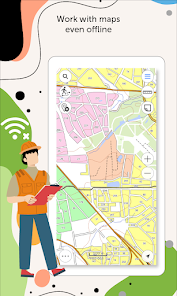
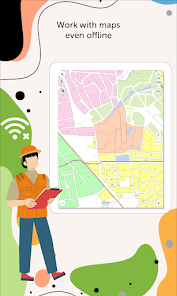
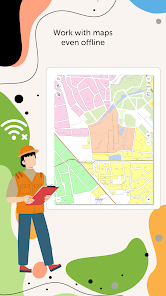
eLiteMap is a universal application with an extensive set of tools for full-fledged work with interactive maps offline.
It is designed to work with maps in a special mobile format CMF2. To export your maps from other formats to this one, use the desktop application for creating CMF2 files from geodata and geolocated images of territories - eLiteMap Creator.
The application is accessible to a wide range of users, regardless of GIS skills, and can be used in various fields, including electrical energy industry, agriculture, geology and geodesy, housing and utility, environmental protection, water and land resources management, ecology and incident management, urban management, etc.
eLiteMap app offers a comprehensive set of tools for collecting, processing and analyzing spatial geodata without authorization, payments and in-app purchases.
Maps management
- Work in the app without authorization, payments and in-app purchases.
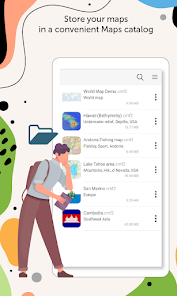
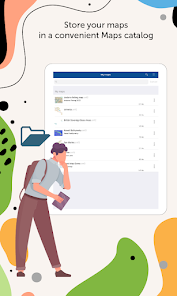
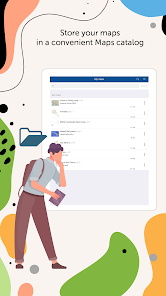
- Store your maps in a convenient catalog.
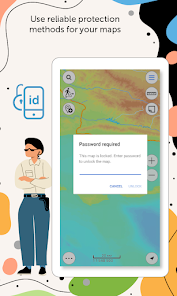
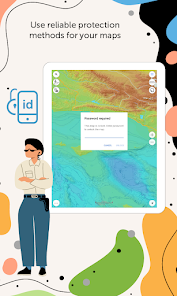
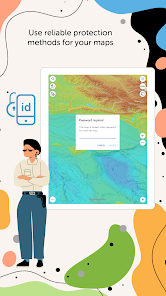
- Use reliable methods for your maps protection.
- Create fully functional projects for work with all the needed information.
- Save selected map areas as bookmarks.
Working with objects
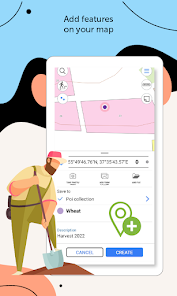
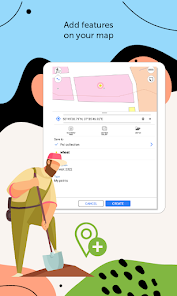
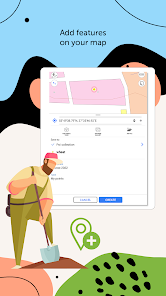
- Create and edit point, line, and polygon features on the map.
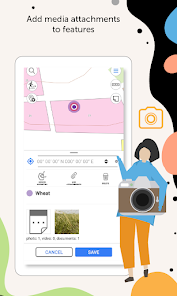
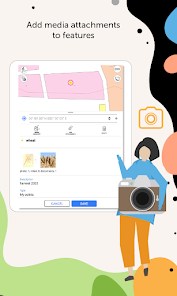
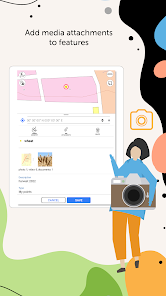
- Add media attachments (photo, video and documents) to features.
- Record voice comments when creating and describing features on the map.
- Create points on-the-fly using your device camera.
- Create points on the map with a single tap while moving, add description later if needed.
- Add graphic marks as text, arrows or free hand graphic.
GPS tracks and navigation
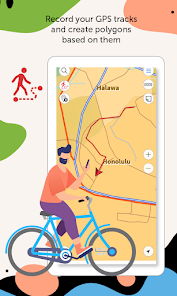
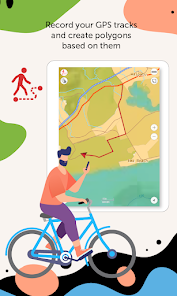
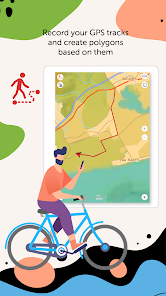
- Record your GPS tracks and create polygons based on them.
- Save tracks automatically without being distracted by editing them as you go.
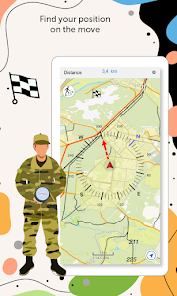
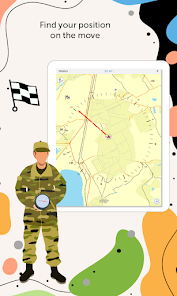
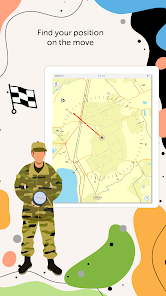
- Use features on the map as landmarks or destination points on your route.
- Search and identify features offline.
- Measure distances and areas.
Data export
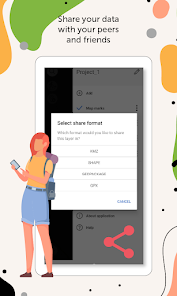
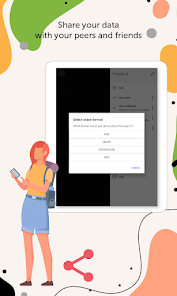
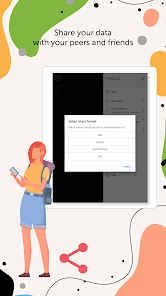
- Share coordinates of features on the map by sending a file or a link.
- Upload maps in MBTILES* formats.
- Share collected data in GPKG (GeoPackage), GPX, KML/KMZ and SHP formats.
*Maps in MBTILES format with raster tile type only are supported.
Take the opportunity to create your own branded application for viewing and working with mobile maps based on eLiteMap for your company. Read more: https://elitemap.ru/en/resources/news/elmblog/elitemap/white-label/
Read more about all the capabilities of eLiteMap Creator extension https://elitemap.ru/en/elitemap-creator/overview/
To learn more about eLiteMap application, visit https://elitemap.ru/en/elitemap-app/overview/
Your questions or comments are welcome at support@dataeast.com
It is designed to work with maps in a special mobile format CMF2. To export your maps from other formats to this one, use the desktop application for creating CMF2 files from geodata and geolocated images of territories - eLiteMap Creator.
The application is accessible to a wide range of users, regardless of GIS skills, and can be used in various fields, including electrical energy industry, agriculture, geology and geodesy, housing and utility, environmental protection, water and land resources management, ecology and incident management, urban management, etc.
eLiteMap app offers a comprehensive set of tools for collecting, processing and analyzing spatial geodata without authorization, payments and in-app purchases.
Maps management
- Work in the app without authorization, payments and in-app purchases.
- Store your maps in a convenient catalog.
- Use reliable methods for your maps protection.
- Create fully functional projects for work with all the needed information.
- Save selected map areas as bookmarks.
Working with objects
- Create and edit point, line, and polygon features on the map.
- Add media attachments (photo, video and documents) to features.
- Record voice comments when creating and describing features on the map.
- Create points on-the-fly using your device camera.
- Create points on the map with a single tap while moving, add description later if needed.
- Add graphic marks as text, arrows or free hand graphic.
GPS tracks and navigation
- Record your GPS tracks and create polygons based on them.
- Save tracks automatically without being distracted by editing them as you go.
- Use features on the map as landmarks or destination points on your route.
- Search and identify features offline.
- Measure distances and areas.
Data export
- Share coordinates of features on the map by sending a file or a link.
- Upload maps in MBTILES* formats.
- Share collected data in GPKG (GeoPackage), GPX, KML/KMZ and SHP formats.
*Maps in MBTILES format with raster tile type only are supported.
Take the opportunity to create your own branded application for viewing and working with mobile maps based on eLiteMap for your company. Read more: https://elitemap.ru/en/resources/news/elmblog/elitemap/white-label/
Read more about all the capabilities of eLiteMap Creator extension https://elitemap.ru/en/elitemap-creator/overview/
To learn more about eLiteMap application, visit https://elitemap.ru/en/elitemap-app/overview/
Your questions or comments are welcome at support@dataeast.com
Ažurirano dana
Sigurnost počinje razumijevanjem na koji način programeri prikupljaju i dijele vaše podatke. Privatnost podataka i sigurnosne prakse se mogu razlikovati ovisno o korištenju, regiji i dobi. Programer je naveo ove informacije i može ih s vremenom ažurirati.

Podaci se ne dijele s trećim stranama
Saznajte više o načinu na koji programeri pružaju izjavu o dijeljenju

Podaci se ne prikupljaju
Saznajte više o načinu na koji programeri pružaju izjavu o prikupljanju
Što je novo
Thank you for using eLiteMap!
The new version introduces improved tools for working with the map and some minor fixes related to overall stability and performance.
The new version introduces improved tools for working with the map and some minor fixes related to overall stability and performance.
Podrška za aplikaciju
Informacije o programeru
DATA IST, OOO
developer@dataeast.com
d. 2/2 prospekt Akademika Lavrenteva
Novosibirsk
Новосибирская область
Russia
630090
+7 913 753-17-29