Moa Stocktaking (Premium)
10+
Preuzimanja

Svako
info
O aplikaciji
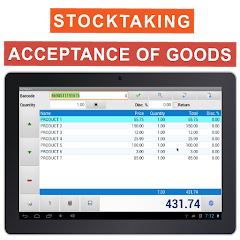
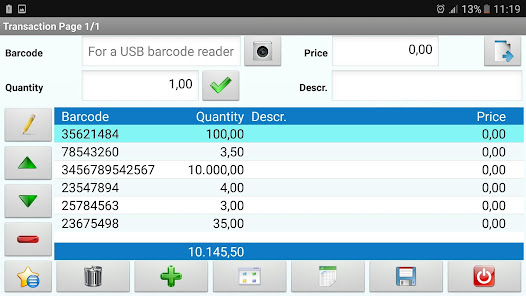
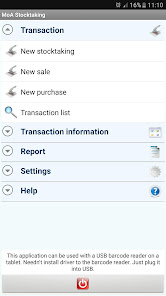
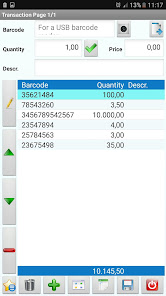
●1. step: Create stocktaking,sales,acceptance-of-goods list
●2. step: Read the barcode of the products by device camera or the external barcode reader.
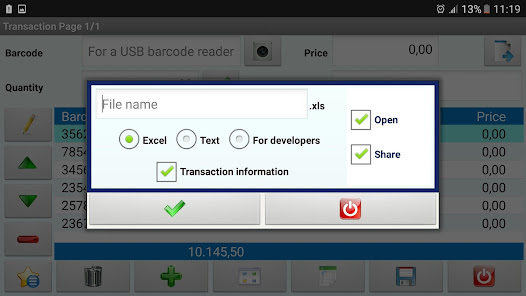
●3. step: Save list to device and export to excel, csv and txt file.
●4. step: Share the file or send e-mail.
●5. step: You can import the file to own software.
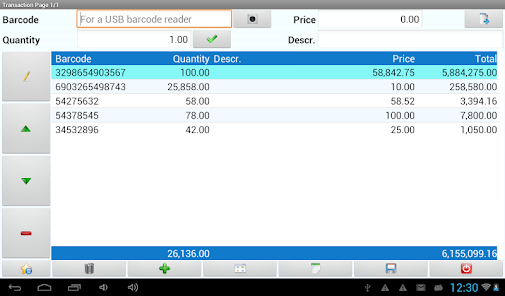
●You can calculate total value of products.
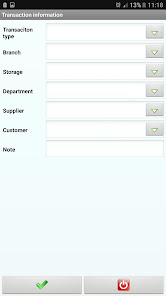
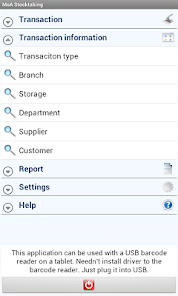
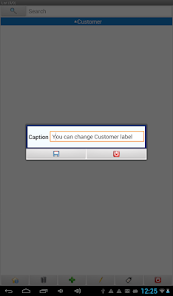
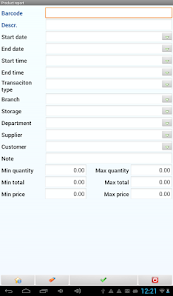
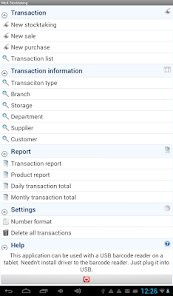
●You can classify the stocktaking or other transaciton in five different groups (transaction type, branch, storage, department, supplier, customer). You can customize the labels of the classification. For instance, you can rename Department as Rack. All the Departments in the application will be changed as Rack.
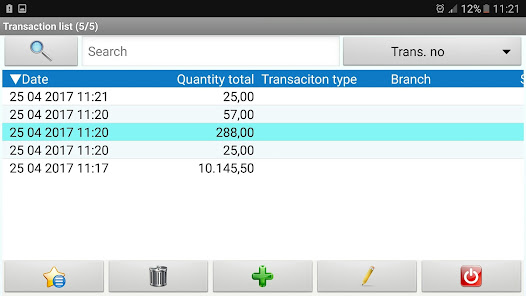
●You can open more than one stocktaking displays at the same time.
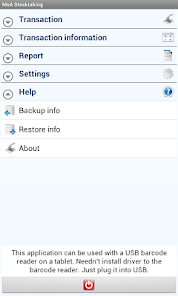
●This application can be used together with Bluetooth or USB barcode reader on the tablets.
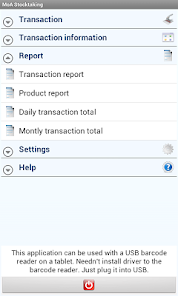
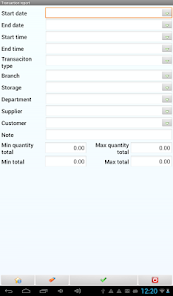
●You can take report result of stocktaking as daily, weekly, monthly.
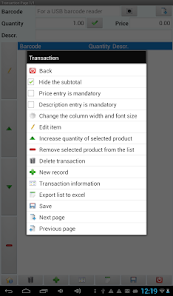
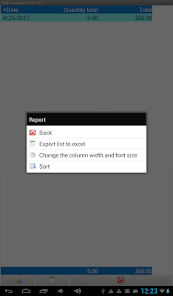
●You can export lists and reports to excel, csv and txt formats.
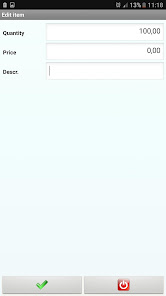
●You can make price entry and description entry mandatory.
●You can use this application regardless to the inches of your phone or tablet.
●Your data is stored on the device.
●There is no need for internet to run this application.
●You do not need to install the USB barcode reader, when you plug the USB it will work immediately. In addition, the barcode reader can be connected to the tablet via OTG.
●To read the barcode of the products you may use either the device camera or the external barcode reader.
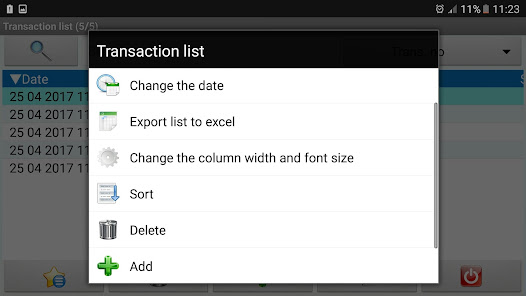
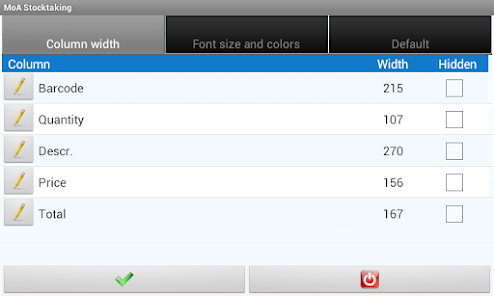
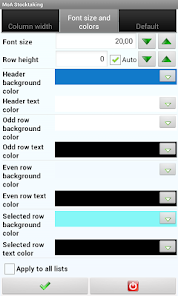
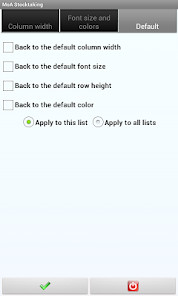
●You can customize all lists. You can change font size, font color, row height and background of the lists. Besides, you can also change column width or you can hide columns.
●QR code EAN-13, EAN-8, UPC-A, UPC-E and many other barcode types are supported.
●You can make search according to the field you specified and filter the records.You can change the sort order by tapping the column headers.
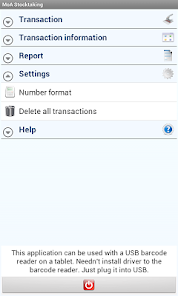
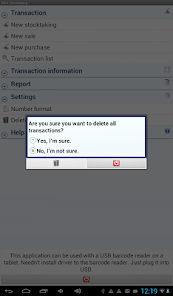
●When you wish, you can delete all records by a single tab.
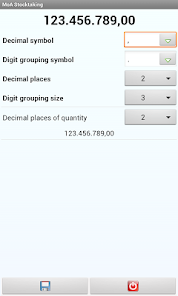
●You can set decimal places for price and quatity separately. You can customize decimal symbol, digit grouping symbol and digit grouping size settings. According to the settings you have done the numbers are formatted as they are input and displayed.
●If you want to translate to your own language we can mail the english language file.
●2. step: Read the barcode of the products by device camera or the external barcode reader.
●3. step: Save list to device and export to excel, csv and txt file.
●4. step: Share the file or send e-mail.
●5. step: You can import the file to own software.
●You can calculate total value of products.
●You can classify the stocktaking or other transaciton in five different groups (transaction type, branch, storage, department, supplier, customer). You can customize the labels of the classification. For instance, you can rename Department as Rack. All the Departments in the application will be changed as Rack.
●You can open more than one stocktaking displays at the same time.
●This application can be used together with Bluetooth or USB barcode reader on the tablets.
●You can take report result of stocktaking as daily, weekly, monthly.
●You can export lists and reports to excel, csv and txt formats.
●You can make price entry and description entry mandatory.
●You can use this application regardless to the inches of your phone or tablet.
●Your data is stored on the device.
●There is no need for internet to run this application.
●You do not need to install the USB barcode reader, when you plug the USB it will work immediately. In addition, the barcode reader can be connected to the tablet via OTG.
●To read the barcode of the products you may use either the device camera or the external barcode reader.
●You can customize all lists. You can change font size, font color, row height and background of the lists. Besides, you can also change column width or you can hide columns.
●QR code EAN-13, EAN-8, UPC-A, UPC-E and many other barcode types are supported.
●You can make search according to the field you specified and filter the records.You can change the sort order by tapping the column headers.
●When you wish, you can delete all records by a single tab.
●You can set decimal places for price and quatity separately. You can customize decimal symbol, digit grouping symbol and digit grouping size settings. According to the settings you have done the numbers are formatted as they are input and displayed.
●If you want to translate to your own language we can mail the english language file.
Ažurirano dana
Sigurnost počinje razumijevanjem na koji način programeri prikupljaju i dijele vaše podatke. Privatnost podataka i sigurnosne prakse se mogu razlikovati ovisno o korištenju, regiji i dobi. Programer je naveo ove informacije i može ih s vremenom ažurirati.

Podaci se ne dijele s trećim stranama
Saznajte više o načinu na koji programeri pružaju izjavu o dijeljenju

Podaci se ne prikupljaju
Saznajte više o načinu na koji programeri pružaju izjavu o prikupljanju
Podrška za aplikaciju
Informacije o programeru
MUHLİS ONUR ASKER
moapos1@gmail.com
DEMİRCİKARA MAH. 1431 SOK. NO:12 ANTALYA/MURAPAŞA
07100 Muratpaşa/Antalya
Türkiye


