Timestamp Camera
Contains adsIn-app purchases
4.8star
43.9K reviews
1M+
Downloads

Everyone
info



About this app
Know exactly when your photos were taken.
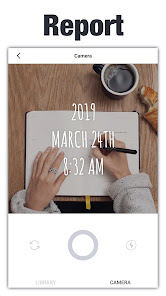
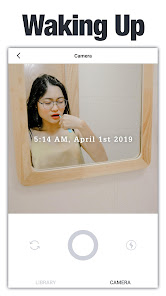
Timestamp Camera lets you add a clear date and time to new photos or images from your gallery so your memories never get mixed up.
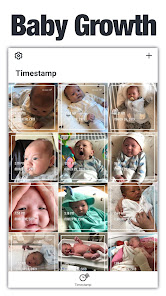
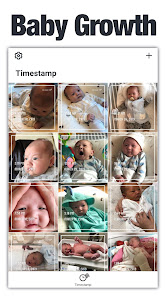
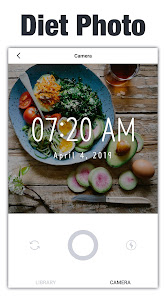
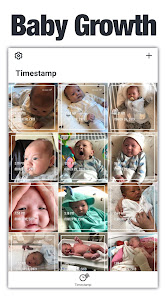
Whether you’re tracking your diet, workouts, study routine, baby’s growth, or project progress, a simple timestamp makes every photo easier to remember and compare.
What you can do
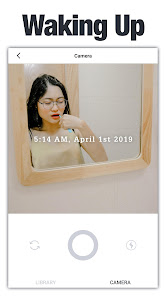
• Place a date & time stamp anywhere on your photo
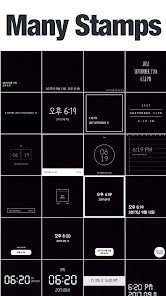
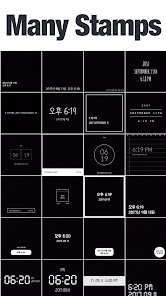
• Pick from different timestamp styles
• Change font color to match your photo
• Import photos from your gallery and stamp them
• Save and share directly to social media
How it works
1. Take a photo or choose one from your gallery
2. Select the timestamp style you like
3. Adjust the color and position
4. Save
5. Share if you want!
That’s it.
Why use a timestamp?
When you move or back up photos, the file date can change.
You might see “2025” on a photo you actually took in 2022.
With Timestamp Camera, the date and time are written on the photo itself, so you always know when that moment happened.
Who uses Timestamp Camera?
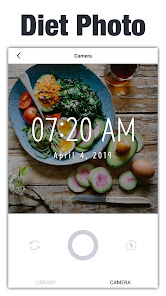
• Diet & fitness – Track body changes, workouts, and meals over time
• Moms & dads – Capture baby growth and create a timeline of memories
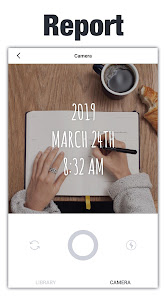
• Students – Mark daily study sessions or note-taking for easier review
• Event & project work – Record stages of events, construction, or projects to share with clients
• Photographers & travelers – Show how the same place looks at different seasons or times
Camera features
• Clear, bright photos using front or back camera
• High-resolution zoom
• Flash support
• Basic white balance control
Other details
• Light, simple design that’s easy to use
• Few ads
• Does not reduce your photo quality
• Free to use for most features
• Stable and responsive during normal use
Download Timestamp Camera and start putting real dates on real moments.
Timestamp Camera lets you add a clear date and time to new photos or images from your gallery so your memories never get mixed up.
Whether you’re tracking your diet, workouts, study routine, baby’s growth, or project progress, a simple timestamp makes every photo easier to remember and compare.
What you can do
• Place a date & time stamp anywhere on your photo
• Pick from different timestamp styles
• Change font color to match your photo
• Import photos from your gallery and stamp them
• Save and share directly to social media
How it works
1. Take a photo or choose one from your gallery
2. Select the timestamp style you like
3. Adjust the color and position
4. Save
5. Share if you want!
That’s it.
Why use a timestamp?
When you move or back up photos, the file date can change.
You might see “2025” on a photo you actually took in 2022.
With Timestamp Camera, the date and time are written on the photo itself, so you always know when that moment happened.
Who uses Timestamp Camera?
• Diet & fitness – Track body changes, workouts, and meals over time
• Moms & dads – Capture baby growth and create a timeline of memories
• Students – Mark daily study sessions or note-taking for easier review
• Event & project work – Record stages of events, construction, or projects to share with clients
• Photographers & travelers – Show how the same place looks at different seasons or times
Camera features
• Clear, bright photos using front or back camera
• High-resolution zoom
• Flash support
• Basic white balance control
Other details
• Light, simple design that’s easy to use
• Few ads
• Does not reduce your photo quality
• Free to use for most features
• Stable and responsive during normal use
Download Timestamp Camera and start putting real dates on real moments.
Updated on
Safety starts with understanding how developers collect and share your data. Data privacy and security practices may vary based on your use, region, and age. The developer provided this information and may update it over time.


Ratings and reviews
4.8
43.3K reviews

A Google user
- Flag inappropriate
- Show review history
February 17, 2020
Great app. But only allows adding timestamps to square photos which is quite irritating as all the photos get cropped. Useful for instagram post, but not suitable for uploading to stories. Variety of timestamps is good nevertheless. A major Pro is that it allows adding timestamps to old pictures which most other similar apps do not allow.
56 people found this review helpful

Benedicta
- Flag inappropriate
March 4, 2021
For me it's terrible. First, you can only take a pic in square. Second, you need to watch ads to only remove the watermark. Third, it only gives the date and time, there are plenty of timestamp apps who can put location AND not giving annoying watermark for FREE. There I said it, uninstall
31 people found this review helpful

Suellen Bundy
- Flag inappropriate
January 23, 2023
I was trying to use this app to help me with my timesheet at work because I work from home. But I was never confident that I was saving the picture after I took it and when you're in a hurry the app could do better to be sensitive to that basic need from a phone camera app. Why wouldn't saving be a given?
What’s new
We've added the 2025 year-end closing feature!
App support
About the developer
(주)아티파이
hc@artifyapp.com
대한민국 서울특별시 강남구
강남구 도곡로 404, 102동 18층 1801호(대치동, 롯데캐슬리베)
06278
+82 10-9004-8407
