
AX-Edge Editor
2.1star
143 reviews
10K+
Downloads

Everyone
info


About this app
AX-Edge Editor is a free app that lets you take full advantage of your AX-Edge by customizing it to your taste.
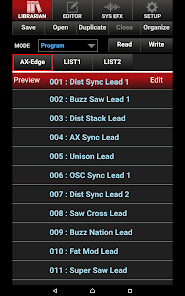
AX-Edge Editor provides editing functionality that lets you create original sounds and librarian functionality that lets you organize lists of sounds as needed for different performance situations. It also provides numerous other useful functions, such as system effect editing that lets you customize the output sound appropriately for each live performance venue.The AX-Edge features a distinctive external appearance, and now you can also customize its sound to give it even more of your own personality.
Main features:
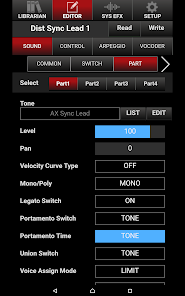
- Program editing and tone editing let you create your own original sounds (programs and tones).
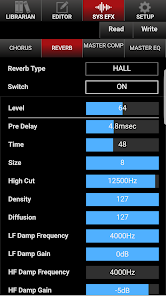
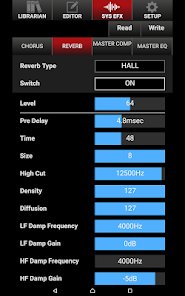
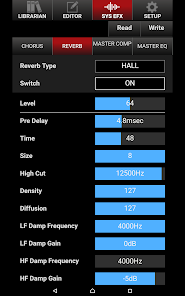
- System effect editing lets you adjust effects such as EQ and reverb as appropriate for your live performance venue.
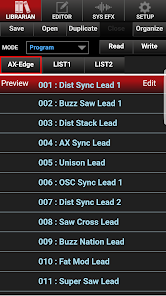
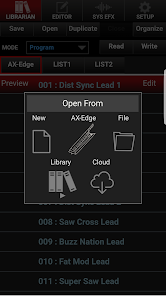
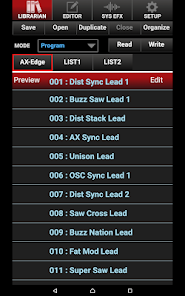
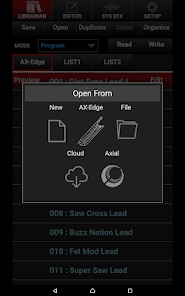
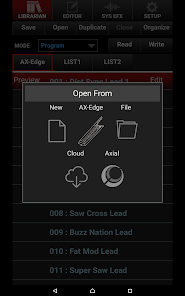
- Librarian lets you create, save, and recall program lists and tone lists as needed for different performance situations.
- The app connects to your AX-Edge wirelessly via Bluetooth.
* When using on Android 6.0 or later, please turn Android Location mode on.
AX-Edge Editor provides editing functionality that lets you create original sounds and librarian functionality that lets you organize lists of sounds as needed for different performance situations. It also provides numerous other useful functions, such as system effect editing that lets you customize the output sound appropriately for each live performance venue.The AX-Edge features a distinctive external appearance, and now you can also customize its sound to give it even more of your own personality.
Main features:
- Program editing and tone editing let you create your own original sounds (programs and tones).
- System effect editing lets you adjust effects such as EQ and reverb as appropriate for your live performance venue.
- Librarian lets you create, save, and recall program lists and tone lists as needed for different performance situations.
- The app connects to your AX-Edge wirelessly via Bluetooth.
* When using on Android 6.0 or later, please turn Android Location mode on.
Updated on
Safety starts with understanding how developers collect and share your data. Data privacy and security practices may vary based on your use, region, and age. The developer provided this information and may update it over time.

No data shared with third parties
Learn more about how developers declare sharing

No data collected
Learn more about how developers declare collection
Ratings and reviews
2.1
131 reviews

Gabe Giacomo
- Flag inappropriate
December 12, 2025
Bluetooth is SUPER buggy, but I was able to finally troubleshoot. Like other users, I was able to use it once before being unable to reconnect. Initially, I would just need to go into Bluetooth devices on my phone (Motorola 2024 RAZR+) and "Forget Device". That worked for reconnecting the AX-Edge BT to the phone. After Android updates, I was getting "Version Mismatch" on the app, and even the prior solution didn't work. I did a full app uninstall/reinstall and that worked. Hope that helps

Jt Williams
- Flag inappropriate
- Show review history
September 27, 2023
I was able to connect it ONCE, as another user had spoken... Again, the Axe Edge, itself, is incredible!!!!! But the app, not so much!!! It worked beautifully the only time I was able to use it, but it just will not synch up, any more!!! So, after many attempts, I finally thought to try it with my old pre 5g phone, and sure enough, it worked!!! It synced up nice and easy... Odd that I would have to regress like that, but it worked... If you're having trouble, dust off one of your old phones...
3 people found this review helpful

Agata
- Flag inappropriate
September 16, 2025
Was incompatible with my phone for a year. Thought maybe they'd update it to support Android 15, but it still gives me an error when selecting the AX Edge for input/output which rendered the app useless even after finagling with BT settings and restarting. You'd imagine that with a $1,000 instrument, they'd make a viable application on desktop/mobile. I've since been using another editor on my PC for the AX Edge which works flawlessly but can't edit the aftertouch. Here's to another year!
What’s new
Support for the latest Android version.
App support
About the developer
ROLAND CORPORATION
App-GooglePlay@roland.com
2036-1, HOSOECHONAKAGAWA, HAMANA-KU
HAMAMATSU, 静岡県 431-1304
Japan
+81 50-3514-6432


