
Document Reader PDF Word & XLS
Contains adsIn-app purchases
4.4star
21.3K reviews
1M+
Downloads

Everyone
info




About this app
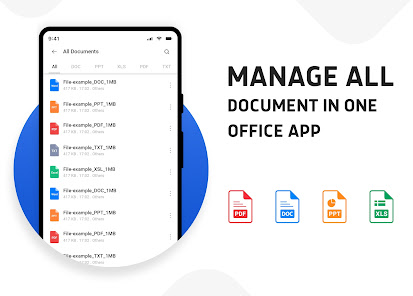
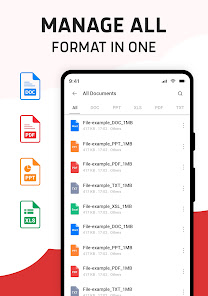
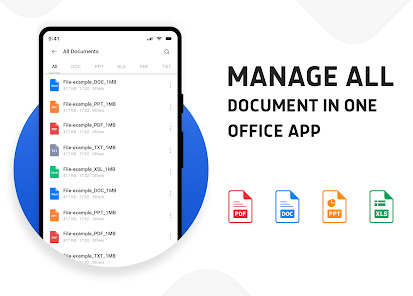
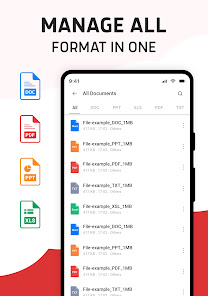
All Document Reader - PDF Reader, Word, Excel, PPT Viewer is the ultimate document management tool that allows you to open, read, view, and manage all types of files directly on your mobile device. Whether you want to read PDF files, open Word documents, view Excel spreadsheets, check PowerPoint slides, or manage text files, this app provides a fast, smooth, and reliable reading experience. With built-in document scanning, image-to-PDF conversion, and file management features, it is the perfect all-in-one office and productivity app.
Key Features of Document Reader PDF Word & XLS
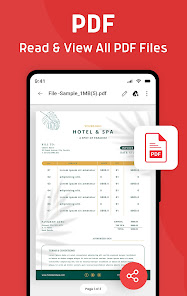
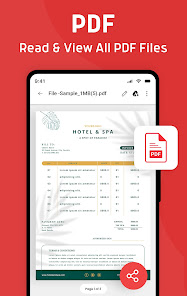
PDF Reader & PDF Viewer
Quickly open, read, and scroll through any PDF file with a smooth and easy-to-use interface. Use bookmarks, zoom in/out, and night mode for a comfortable reading experience.
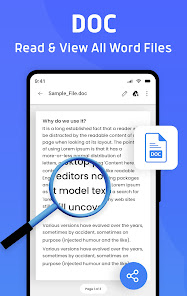
Word Document Reader (DOC, DOCX)
Open and read Word files directly without needing additional apps. Perfect for students, professionals, and anyone who needs to check reports, resumes, or notes on the go.
Excel Viewer (XLS, XLSX)
View and manage spreadsheets easily. Whether it’s financial data, reports, or tables, the app allows you to open Excel files quickly and efficiently.
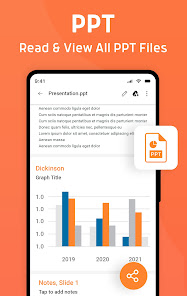
PPT Reader - PowerPoint Viewer (PPT, PPTX)
Check your presentations, slides, and lecture notes anytime. Ideal for students and professionals who need to review or present content directly from their phones.
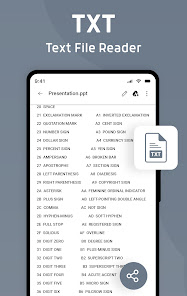
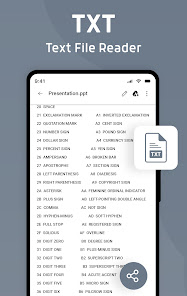
Text File Reader (TXT)
Easily open and read text files with a clean and simple reading interface.
Document Scanner - Scan to PDF
Turn your phone into a smart scanner. Scan receipts, books, invoices, ID cards, contracts, or notes and save them as high-quality PDF files with edge detection and clarity enhancement.
Image to PDF Converter
Instantly convert photos, images, and scanned papers into PDF format. A must-have feature for business, academic, or personal use.
File Manager & Document Organizer
Manage all your files in one place. Rename, move, delete, and share documents with just one tap. Built-in smart search helps you find documents instantly.
Offline & Secure
No internet connection required. All documents remain private and safe on your device. Access your files anytime, anywhere.
Why Choose All Document Reader?
All-in-one solution for PDF reader, Word viewer, Excel viewer, PPT reader, and TXT file reader.
Save storage by eliminating the need for multiple apps.
Fast, lightweight, and secure designed for students, professionals, and everyday users.
Perfect for reading eBooks, assignments, reports, contracts, office documents, and more.
Download Now
Simplify your life with Document Reader PDF Word & XLS, PPT Viewer. Manage, view, and organize all your documents in one smart and powerful app. Download now and experience the fastest, most reliable document reader for Android.
Key Features of Document Reader PDF Word & XLS
PDF Reader & PDF Viewer
Quickly open, read, and scroll through any PDF file with a smooth and easy-to-use interface. Use bookmarks, zoom in/out, and night mode for a comfortable reading experience.
Word Document Reader (DOC, DOCX)
Open and read Word files directly without needing additional apps. Perfect for students, professionals, and anyone who needs to check reports, resumes, or notes on the go.
Excel Viewer (XLS, XLSX)
View and manage spreadsheets easily. Whether it’s financial data, reports, or tables, the app allows you to open Excel files quickly and efficiently.
PPT Reader - PowerPoint Viewer (PPT, PPTX)
Check your presentations, slides, and lecture notes anytime. Ideal for students and professionals who need to review or present content directly from their phones.
Text File Reader (TXT)
Easily open and read text files with a clean and simple reading interface.
Document Scanner - Scan to PDF
Turn your phone into a smart scanner. Scan receipts, books, invoices, ID cards, contracts, or notes and save them as high-quality PDF files with edge detection and clarity enhancement.
Image to PDF Converter
Instantly convert photos, images, and scanned papers into PDF format. A must-have feature for business, academic, or personal use.
File Manager & Document Organizer
Manage all your files in one place. Rename, move, delete, and share documents with just one tap. Built-in smart search helps you find documents instantly.
Offline & Secure
No internet connection required. All documents remain private and safe on your device. Access your files anytime, anywhere.
Why Choose All Document Reader?
All-in-one solution for PDF reader, Word viewer, Excel viewer, PPT reader, and TXT file reader.
Save storage by eliminating the need for multiple apps.
Fast, lightweight, and secure designed for students, professionals, and everyday users.
Perfect for reading eBooks, assignments, reports, contracts, office documents, and more.
Download Now
Simplify your life with Document Reader PDF Word & XLS, PPT Viewer. Manage, view, and organize all your documents in one smart and powerful app. Download now and experience the fastest, most reliable document reader for Android.
Updated on
Safety starts with understanding how developers collect and share your data. Data privacy and security practices may vary based on your use, region, and age. The developer provided this information and may update it over time.

No data shared with third parties
Learn more about how developers declare sharing

No data collected
Learn more about how developers declare collection

Data is encrypted in transit

Data can’t be deleted
Ratings and reviews
4.3
20.5K reviews

Chris Rodgers
- Flag inappropriate
August 18, 2022
So far so good. All types of documents accessible. Would like to be able to view file details (size, file path etc) Also the option for document conversion does not appear to function. Ads do not show in a dominant fashion.
214 people found this review helpful

Dorthy Emmanuel
- Flag inappropriate
July 20, 2022
It's good app but I have facing a problem with this there is no sequence in it. I don't set a set on any file but whenever I tried to open a PDF file they ask me for a password very tired but I can't open the file. Please fixed this issue... Otherwise it's a good for all documents in one file. Thanks
131 people found this review helpful

R Gress
- Flag inappropriate
September 19, 2024
I could not get past the ads. I was never able to actually view my document. I uninstalled the app found one that actually let me view my document and wrote a negative review. Then the review was deleted so now I'm back and deleting another star.
5 people found this review helpful
App support
About the developer
HELIOSOFT LTD
officetools360@gmail.com
Al Khatem Tower,WeWork Hub71, Abu Dhabi Global Market Square
أبو ظبي
United Arab Emirates
+971 56 243 3521


