
glinet
3.2star
440 reviews
100K+
Downloads

Everyone
info
About this app
Setup GL.iNet routers with version 3.201 and above.
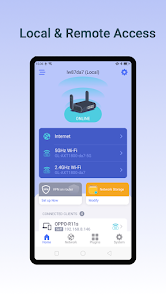
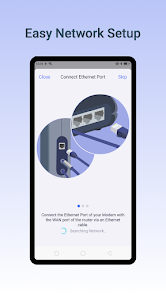
The GL.iNet Mobile app gives you convenient access to your router’s features anywhere and anytime:
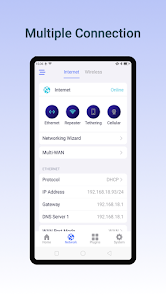
Basic Setup: Setup and change the password of your devices. Discover the real-time traffic in both mesh & guest network. Block unwanted users that share your WiFi network.
Mesh Network: Build up your home mesh network. Step-by-step guidelines for setting up sub-nodes within your house.
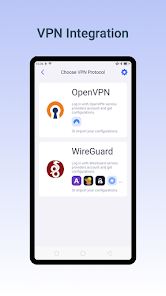
VPN Setup: Easily configure selected OpenVPN and WireGuard VPN for your private home network.
Live Router Status: Real-time performance checklist of your devices, including memory storage and CPU load data.
Easily pause WiFi, update firmware, turn off LED lights on the router, and more!
Compatible GL.iNet Devices (Model No.):
GL-B2200 / Velica
GL-AR750S / Slate
GL-MT1300 / Beryl
GL-MT300N-V2 / Mango
GL-AR150 / White
GL-AR300M / Shadow
GL-AR750 / Creta
GL-E750 / Mudi
GL-MiFi
GL-USB150 / Microuter
GL-X300B / Collie
GL-X750 / Spitz
GL-XE300 / Puli
GL-MV1000W / Brume-W
microuter-N300
GL-AX1800/Flint
GL-SF1200
GL-SFT1200/Opal
GL-AXT1800/Slate AX
GL-A1300/Slate Plus
GL-MT3000/Beryl AX
GL-MT2500/Brume 2
GL-X3000/Spitz AX
GL-XE3000/Puli AX
GL-MT6000/Flint 2
GL-B3000/Marble
GL-BE3600/Slate 7
GL-BE9300/Flint 3
GL-BE6500/Flint 3e
GL-MT3600BE/Beryl 7
The GL.iNet Mobile app gives you convenient access to your router’s features anywhere and anytime:
Basic Setup: Setup and change the password of your devices. Discover the real-time traffic in both mesh & guest network. Block unwanted users that share your WiFi network.
Mesh Network: Build up your home mesh network. Step-by-step guidelines for setting up sub-nodes within your house.
VPN Setup: Easily configure selected OpenVPN and WireGuard VPN for your private home network.
Live Router Status: Real-time performance checklist of your devices, including memory storage and CPU load data.
Easily pause WiFi, update firmware, turn off LED lights on the router, and more!
Compatible GL.iNet Devices (Model No.):
GL-B2200 / Velica
GL-AR750S / Slate
GL-MT1300 / Beryl
GL-MT300N-V2 / Mango
GL-AR150 / White
GL-AR300M / Shadow
GL-AR750 / Creta
GL-E750 / Mudi
GL-MiFi
GL-USB150 / Microuter
GL-X300B / Collie
GL-X750 / Spitz
GL-XE300 / Puli
GL-MV1000W / Brume-W
microuter-N300
GL-AX1800/Flint
GL-SF1200
GL-SFT1200/Opal
GL-AXT1800/Slate AX
GL-A1300/Slate Plus
GL-MT3000/Beryl AX
GL-MT2500/Brume 2
GL-X3000/Spitz AX
GL-XE3000/Puli AX
GL-MT6000/Flint 2
GL-B3000/Marble
GL-BE3600/Slate 7
GL-BE9300/Flint 3
GL-BE6500/Flint 3e
GL-MT3600BE/Beryl 7
Updated on
Safety starts with understanding how developers collect and share your data. Data privacy and security practices may vary based on your use, region, and age. The developer provided this information and may update it over time.

No data shared with third parties
Learn more about how developers declare sharing

This app may collect these data types
Personal info, Messages, and Device or other IDs

Data is encrypted in transit

You can request that data be deleted
Ratings and reviews
3.2
404 reviews

G P
- Flag inappropriate
October 5, 2025
Does what I need it to do. Completed setup of the Flint 2 on my network and devices first. E.g. Set cables, Flashed to latest firmware. Added VPN, ad guard and other privacy settings. THEN WENT TO THIS APP. It works fine. Gives me the insight of what's going on the network at any given time when I'm not sitting at my computer. I personally don't use apps to configure any network I'm working on. That's what your computer is for.
1 person found this review helpful

Nick J
- Flag inappropriate
- Show review history
October 7, 2025
A little clunky and not sure why access control is not under security spent like 20 minutes looking for it. Allowing you to copy MAC addresses by long pressing or tapping would make it soooo much easier to create an access list on mobile. Or even better yet how about an import currently connected clients to allow list button or something of the sort? Then adding clients would be as as simple as turn off allow list, connect new device, import from currently connected, turn allow list back on.

WHOTEI
- Flag inappropriate
October 26, 2025
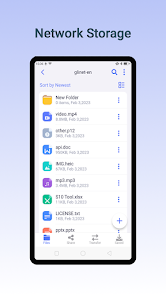
NAS Unusable. the files are being saved in the inaccessible Android data directory. I have contacted the support they are telling me it is perfectly accessible from a PC. I know that but I want to access the files I downloaded FROM MY PHONE and not have to attach my phone to a PC to get the files saved just because die Android Directory is inaccessible for security reasons. customer support not helpful at all.
1 person found this review helpful
What’s new
### Add
* Add support for MT3600BE
### Fix
* Fix known bugs.
* Add support for MT3600BE
### Fix
* Fix known bugs.
App support
About the developer
GL TECHNOLOGIES (HONG KONG) LIMITED
lipeng.song@gl-inet.com
Rm 601 6/F BLDG 5W
HONG KONG SCIENCE PARK
沙田
Hong Kong
+852 5584 1468


