
LED Sign

1K+
Downloads

Everyone
info
About this app
Messages are displayed in a flowing manner using bitmap-like characters.
Messages can be stored in multiple memories,
Select from memory and display it.
Messages can be changed in color by inserting a color selection command.
Available colors in this version
Blue: & lt; blue & gt;
Cyan: & lt; cyan & gt;
Green: & lt; green & gt;
Magenta: & lt; magenta & gt;
Red: & lt; red & gt;
White: & lt; white & gt;
Yellow: & lt; yellow & gt;
Light blue: & lt; lightblue & gt;
Pink: & lt; pink & gt;
Orange: & lt; orange & gt;
Purple: & lt; purple & gt;
Yellow green: & lt; yellowgreen & gt;
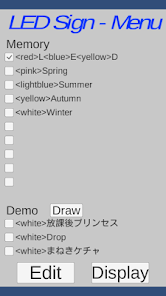
Menu screen description
· Select the memory by checking the check box (radio button)
Edit message with Edit
Display message with Display
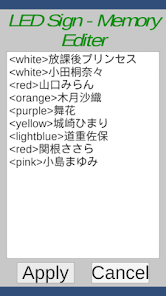
Description of the edit screen
· Start editing by tapping in the text area
· Editing end with OK on input field
· Save as Apply
· Cancel with Cancel
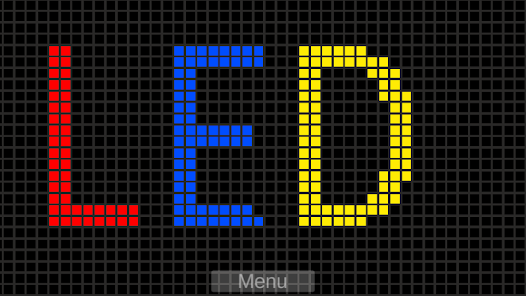
Explanation of message display screen
· Display end with Menu
Messages can be stored in multiple memories,
Select from memory and display it.
Messages can be changed in color by inserting a color selection command.
Available colors in this version
Blue: & lt; blue & gt;
Cyan: & lt; cyan & gt;
Green: & lt; green & gt;
Magenta: & lt; magenta & gt;
Red: & lt; red & gt;
White: & lt; white & gt;
Yellow: & lt; yellow & gt;
Light blue: & lt; lightblue & gt;
Pink: & lt; pink & gt;
Orange: & lt; orange & gt;
Purple: & lt; purple & gt;
Yellow green: & lt; yellowgreen & gt;
Menu screen description
· Select the memory by checking the check box (radio button)
Edit message with Edit
Display message with Display
Description of the edit screen
· Start editing by tapping in the text area
· Editing end with OK on input field
· Save as Apply
· Cancel with Cancel
Explanation of message display screen
· Display end with Menu
Updated on
Safety starts with understanding how developers collect and share your data. Data privacy and security practices may vary based on your use, region, and age. The developer provided this information and may update it over time.

No data shared with third parties
Learn more about how developers declare sharing

No data collected
Learn more about how developers declare collection
What’s new
APIレベル更新
App support
About the developer
黒田 豊治
kuroda.fas@gmail.com
Japan


