
3D Fox Pro, Printer Controller
4.2star
40 reviews
500+
Downloads

Everyone
info


About this app
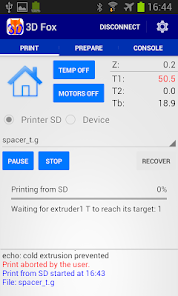
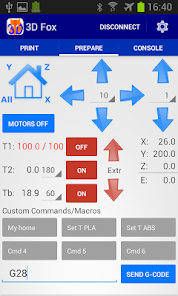
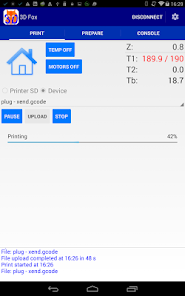
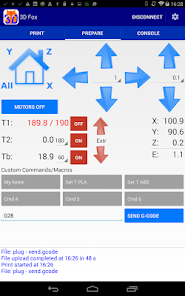
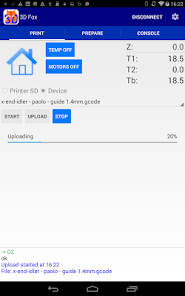
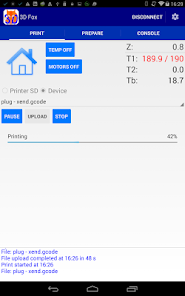
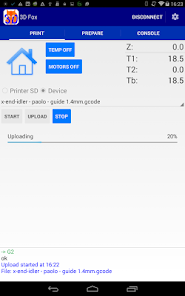
Print G-code files directly from your Android device via Wifi, Bluetooth or USB OTG/Host port.
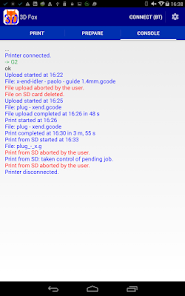
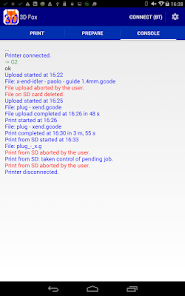
3D Fox is simple to use, has a clear and meaningful log screen and works great on small/inexpensive devices as well.
Developed with a Reprap Prusa i3 with Mega2560+Ramps+Marlin+Slic3r, Wifi module ESP8266 and BT module JY-MCU, it should work with many other HW/SW combinations.
IMPORTANT:
• Before buying this version please download the Free version and make sure your device and printer are supported, and that your are happy with the app.
SPECIAL FEATURES:
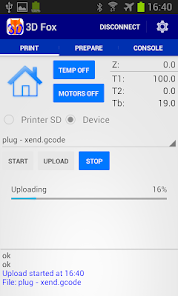
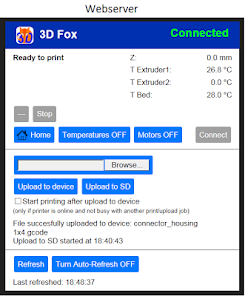
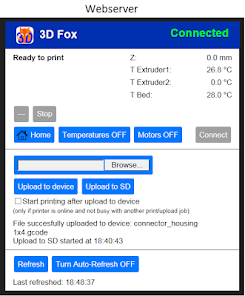
• Web interface to upload and print files from your PC/Tablet browser over the network.
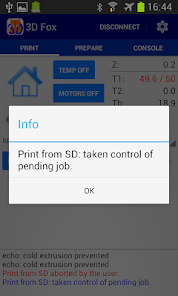
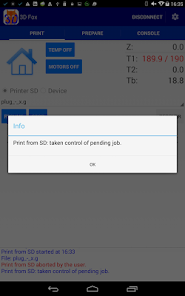
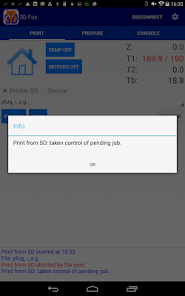
• Take back control of SD card printing jobs after losing connection with the printer. You can use this feature to manager several printers with the same device: start a print job on printer A, then do something else on printer B, finally go back to printer A and take back control of the pending printing job.
NOTES:
• You must put your G-code files in \3DFox directory of your Andorid device. Use a file manager (we recommend ES File Explorer) to move files from their original location to \3DFox
• 3D Fox does not work with MakerBot or other printers using a proprietary communication protocol.
USB CONNECTION
• Android device must have a USB OTG/Host port: http://en.wikipedia.org/wiki/USB_On-The-Go
• Supported printer USB-to-serial chips:
- CDC ACM (eg Arduino Mega)
- FTDI (eg Melzi, Sanguinololu)
- CH34x
- CP210X, PL2303
WIFI MODULE ESP-01 (ESP8266 chip) succesfully tested:
• Firmware: transparent bridge \'esp-link\' by JeeLabs: http://github.com/jeelabs/esp-link
• Baud rate: 250000.
• Upload speed: 1 MB transferred in 100 s (with Mega2560+Marlin), comparable to USB connection speed.
• Antenna: performances boosted with this improvement: http://www.thingiverse.com/thing:1665680
BLUETOOTH MODULE
• Bluetooth module JY-MCU connection and configuration: http://reprap.org/mediawiki/index.php?title=Jy-mcu#A_simple_way_to_change_BT_module_settings_-_apparently_using_ftdi_chip.2C_but_not_recommended
SUPPORT:
• For questions or bug reporting do not hesitate to write to Elisoft3D@gmail.com.
• For bug reporting please do not use Google Play Review comments as they do not allow an effective interaction with our development team.
3D Fox is simple to use, has a clear and meaningful log screen and works great on small/inexpensive devices as well.
Developed with a Reprap Prusa i3 with Mega2560+Ramps+Marlin+Slic3r, Wifi module ESP8266 and BT module JY-MCU, it should work with many other HW/SW combinations.
IMPORTANT:
• Before buying this version please download the Free version and make sure your device and printer are supported, and that your are happy with the app.
SPECIAL FEATURES:
• Web interface to upload and print files from your PC/Tablet browser over the network.
• Take back control of SD card printing jobs after losing connection with the printer. You can use this feature to manager several printers with the same device: start a print job on printer A, then do something else on printer B, finally go back to printer A and take back control of the pending printing job.
NOTES:
• You must put your G-code files in \3DFox directory of your Andorid device. Use a file manager (we recommend ES File Explorer) to move files from their original location to \3DFox
• 3D Fox does not work with MakerBot or other printers using a proprietary communication protocol.
USB CONNECTION
• Android device must have a USB OTG/Host port: http://en.wikipedia.org/wiki/USB_On-The-Go
• Supported printer USB-to-serial chips:
- CDC ACM (eg Arduino Mega)
- FTDI (eg Melzi, Sanguinololu)
- CH34x
- CP210X, PL2303
WIFI MODULE ESP-01 (ESP8266 chip) succesfully tested:
• Firmware: transparent bridge \'esp-link\' by JeeLabs: http://github.com/jeelabs/esp-link
• Baud rate: 250000.
• Upload speed: 1 MB transferred in 100 s (with Mega2560+Marlin), comparable to USB connection speed.
• Antenna: performances boosted with this improvement: http://www.thingiverse.com/thing:1665680
BLUETOOTH MODULE
• Bluetooth module JY-MCU connection and configuration: http://reprap.org/mediawiki/index.php?title=Jy-mcu#A_simple_way_to_change_BT_module_settings_-_apparently_using_ftdi_chip.2C_but_not_recommended
SUPPORT:
• For questions or bug reporting do not hesitate to write to Elisoft3D@gmail.com.
• For bug reporting please do not use Google Play Review comments as they do not allow an effective interaction with our development team.
Updated on
Safety starts with understanding how developers collect and share your data. Data privacy and security practices may vary based on your use, region, and age. The developer provided this information and may update it over time.

No data shared with third parties
Learn more about how developers declare sharing

No data collected
Learn more about how developers declare collection
Ratings and reviews
3.9
33 reviews

A Google user
- Flag inappropriate
July 13, 2019
This app has been very helpful in testing and calibration of my printer. I haven't used it for printing and advanced functions but connectivity to my Printrbot from my Galaxy S8 using a usb c otg cable has been consistent. This gives me access to moveme t, fan, extruder, and M code console without a PC. I've repaired 2 printers with the help of this app thanks!!
10 people found this review helpful
A Google user
- Flag inappropriate
April 14, 2019
One of the best useful practical apps, now it's time for it to use an internet service to control a 3D printer over a distance Like esp32 connected to it like blynk or esp link etc..
6 people found this review helpful

Cut Throat
- Flag inappropriate
June 6, 2021
This app is awesome gets rid of having to buy a raspberry pi, let's me 3d print from my ender 3 pro wirelessly, view my print from my camera, and all from an old phone that is finally repurposed.💯🔥🔥
5 people found this review helpful
What’s new
v 1.4.19
• Added support for Idex printers and for SKR2 and SKR3 boards
v 1.4.18
• USB communication: now working with SKR boards
v 1.4.16
• Improved support for Android 10
v 1.4.15
• Introduced speed for manual Z moves
• Webserver: fixed bug in Webcam button
v 1.4.13
• Ability to prevent sleep mode
• Webserver: configurable refresh time
v 1.4.8
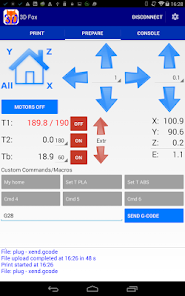
• Ability to change T, start/stop Fan and send Custom Commands during printing
• 2 decimal digits for XYZ positions and moves (Pro)
• Added support for Idex printers and for SKR2 and SKR3 boards
v 1.4.18
• USB communication: now working with SKR boards
v 1.4.16
• Improved support for Android 10
v 1.4.15
• Introduced speed for manual Z moves
• Webserver: fixed bug in Webcam button
v 1.4.13
• Ability to prevent sleep mode
• Webserver: configurable refresh time
v 1.4.8
• Ability to change T, start/stop Fan and send Custom Commands during printing
• 2 decimal digits for XYZ positions and moves (Pro)
App support
About the developer
Paolo Legnani
elegnani1997@gmail.com
Via Marcantonio Colonna, 46
20149 Milano
Italy