Text Scanner - Image To Text
Contains adsIn-app purchases
3.7star
591 reviews
100K+
Downloads

Everyone
info


About this app
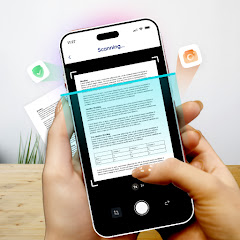
Text Scanner – OCR Text Scanner App enables you to copy text from anywhere. You can scan text from image, screen, document or anything. Insert image from gallery or use camera to read OCR. Our text reader recognize the text quickly.
Use our Text Scanner to convert a picture and files into text. This OCR reader is one of the best free apps to extract text from image, document and files. Just upload a picture having text to this OCR scanner and get results in a matter of seconds.
How to Copy Text from Image or Document
To start, you need a scanned copy of the printed page, either capture a picture directly from your smartphone camera or upload it from the gallery. You can also import files to this text reader for Android in three text formats; pdf, doc, and txt.
- All you need is to download this amazing image to text converter and follow a few simple steps to copy text from image or document.
- Choose the image or document to scan with this OCR reader. Upload it to this text scanner from your smartphone or supported website. You can also enter the image URL for scan to text into the upload box as well.
- After that, click the ‘’see results" button, the OCR scanner app will begin extracting text from image.
The "Download File" and "Share" buttons allow you to download a .txt file or copy and share scanned text to any contact you want.
Features of Text Scanner – OCR Scanner App
- Unlimited uploads images to scan text.
- Free to use OCR Scanner.
- No registration is required to copy text.
- Keeps your data safe and secure.
- Advanced technology of optical character recognition.
- Easy to use interface to Scan Text.
- Multiple text formats.
- Multi-language recognition to copy text from anywhere.
- Mathematical equations recognition.
- Quickly scan and extract text from image and document.
- Excellent working text reader.
Why you should use the Text Scanner or OCR Reader?
Using this online OCR Scanner to simplify the process of converting a photo to text. First thing that comes to mind is typing or writing by hand. But this text scanner saves your time by copying text directly from any image.
You know that manual typing takes more time, especially if the text is from a lengthy book with many pages. The ideal approach is to utilize this image to text scanner app, which takes little time and allows you to convert several images into text with advanced technology of best OCR scanner<.b>.
There are many apps to copy and scan text from image<.b>. But this one is lightweight and quickly Scan to Text. If you have documents or handwritten files to convert into soft copy? Give a try to this text scanner app to quickly copy and extract text from anywhere in no time.
We have made it easy for everyone to use this OCR scanner and convert image to text. You don’t need to pay a single penny to scan text with this OCR reader. Because our purpose is to provide you evert best experience of text reader for Android. Just upload image having text into the app, or use camera to scan text from image, document, handwritten files, and billboards for free.
Text Scanner - OCR Scanner App is an app designed to convert photos to text. You may use to extract text from image or document such as bills, bank accounts, and digital receipts. We are sure that after using this OCR Scanner, you’ll love it.
Don’t forget to let us know your experience, views and suggestions about our image to text. So that we’ll be able to update it as per your requirement to make it an ever Best Text Scanner and OCR reader app. Keep using this free app to copy text. Thank you
Use our Text Scanner to convert a picture and files into text. This OCR reader is one of the best free apps to extract text from image, document and files. Just upload a picture having text to this OCR scanner and get results in a matter of seconds.
How to Copy Text from Image or Document
To start, you need a scanned copy of the printed page, either capture a picture directly from your smartphone camera or upload it from the gallery. You can also import files to this text reader for Android in three text formats; pdf, doc, and txt.
- All you need is to download this amazing image to text converter and follow a few simple steps to copy text from image or document.
- Choose the image or document to scan with this OCR reader. Upload it to this text scanner from your smartphone or supported website. You can also enter the image URL for scan to text into the upload box as well.
- After that, click the ‘’see results" button, the OCR scanner app will begin extracting text from image.
The "Download File" and "Share" buttons allow you to download a .txt file or copy and share scanned text to any contact you want.
Features of Text Scanner – OCR Scanner App
- Unlimited uploads images to scan text.
- Free to use OCR Scanner.
- No registration is required to copy text.
- Keeps your data safe and secure.
- Advanced technology of optical character recognition.
- Easy to use interface to Scan Text.
- Multiple text formats.
- Multi-language recognition to copy text from anywhere.
- Mathematical equations recognition.
- Quickly scan and extract text from image and document.
- Excellent working text reader.
Why you should use the Text Scanner or OCR Reader?
Using this online OCR Scanner to simplify the process of converting a photo to text. First thing that comes to mind is typing or writing by hand. But this text scanner saves your time by copying text directly from any image.
You know that manual typing takes more time, especially if the text is from a lengthy book with many pages. The ideal approach is to utilize this image to text scanner app, which takes little time and allows you to convert several images into text with advanced technology of best OCR scanner<.b>.
There are many apps to copy and scan text from image<.b>. But this one is lightweight and quickly Scan to Text. If you have documents or handwritten files to convert into soft copy? Give a try to this text scanner app to quickly copy and extract text from anywhere in no time.
We have made it easy for everyone to use this OCR scanner and convert image to text. You don’t need to pay a single penny to scan text with this OCR reader. Because our purpose is to provide you evert best experience of text reader for Android. Just upload image having text into the app, or use camera to scan text from image, document, handwritten files, and billboards for free.
Text Scanner - OCR Scanner App is an app designed to convert photos to text. You may use to extract text from image or document such as bills, bank accounts, and digital receipts. We are sure that after using this OCR Scanner, you’ll love it.
Don’t forget to let us know your experience, views and suggestions about our image to text. So that we’ll be able to update it as per your requirement to make it an ever Best Text Scanner and OCR reader app. Keep using this free app to copy text. Thank you
Updated on
Safety starts with understanding how developers collect and share your data. Data privacy and security practices may vary based on your use, region, and age. The developer provided this information and may update it over time.

No data shared with third parties
Learn more about how developers declare sharing

This app may collect these data types
Personal info and Device or other IDs

Data is encrypted in transit

You can request that data be deleted
Ratings and reviews
3.6
585 reviews

Dark One
- Flag inappropriate
June 12, 2024
My only complaint is, I have to scan the photo with another app, save it as black and white, then import to Text Scanner, as taking the photo directly from Text Scanner shows only an error after the wheel has spun forever. But, once I imported the image in crisp B&W, it works surprisingly well. I would have given five stars, despite needing to import, only quotation marks are saved as the word "quote" between some symbols. Everything else is amazing. The adds seem minimal, and do not obstruct.
144 people found this review helpful

Barry Foxworth
- Flag inappropriate
December 13, 2022
Should be a 5 star app but trying to save a file is just not going to happen! I enter a name but it just will not save!!!! I tried over and over, entering new names and it just will not save my scans! The translations are almost perfect! But if I can't save my files it's no good to me! Bummer!
4 people found this review helpful
Enzipe Apps
December 13, 2022
Thank you for letting us know about the issue. Please note that you have to allow the app to access the media storage on your device to save the file in txt, docx or pdf format. If you still have the same issue. Please let us know your device model & version at support@check-plagiarism.com. So that we can fix it for you on priority.

Blessed Wilson Akiiki
- Flag inappropriate
October 3, 2025
very wonderful experience with this App. it helped me save a lot of time instead of r-writing texts
14 people found this review helpful
App support
About the developer
ENZIPE APPS
meracalculator@gmail.com
HR Tower
Faisalabad
Pakistan
+92 310 5042000


