Always On Display: Edge Light
Contains ads
4.0star
3.29K reviews
5L+
Downloads

Everyone
info

About this app
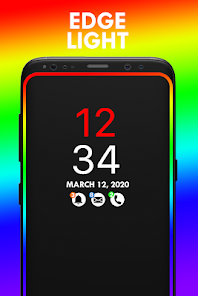
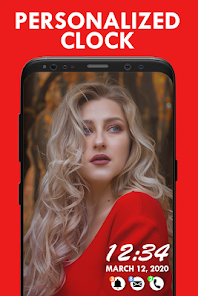
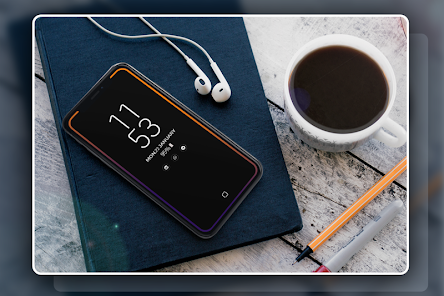
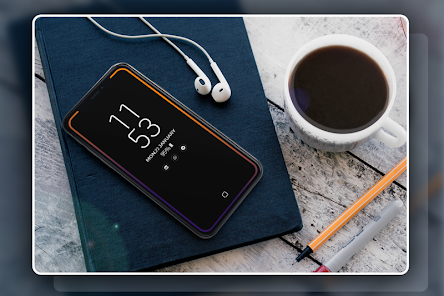
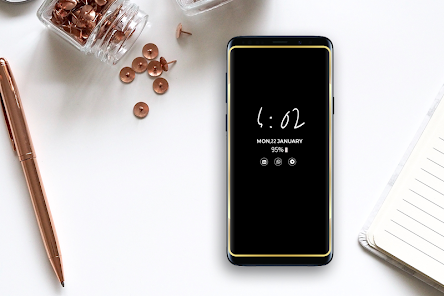
Super Always on Display-AMOLED provides information about, time, date, notifications and more and all without having to touch the phone. Just by looking at mobile screen. This is made possible thanks to Always on Display. Most of the screen stays black except for a few pixels.
The app (Always on Screen) is designed for this proposes to show some basic info in black screen whenever you want. All this information will be permanently displayed on your screen.
If you want to see what's going on your phone, you can simply take your phone out of your pocket to view all the latest notifications, in a similarly pleasing and minimalistic manner by using this best Always on Display app.
How to use this App (Always on Screen):
1. Open Always on Display-AMOLED, start service
3. To weak up your phone, double tap on screen
4. To turn off screen just press power button
5. The user can on or off service.
Main features
Easy to use Always on Amoled.
Great design and awesome performance.
Enable/Disable showing notifications
Automatic rules preserve battery using predefined rules •
Change font size, color.
Change clock style (digital, analog).
Display battery level.
Display notifications information.
Display weather info.
Always on' screen on (double tap will turn screen the on).
Select the information that will be displayed on the screen.
Change display position of info on the screen.
Auto ON/OFF Screen feature.
I wish app (Always on Display-AMOLED) will make your life better and more convenient.
The app (Always on Screen) is designed for this proposes to show some basic info in black screen whenever you want. All this information will be permanently displayed on your screen.
If you want to see what's going on your phone, you can simply take your phone out of your pocket to view all the latest notifications, in a similarly pleasing and minimalistic manner by using this best Always on Display app.
How to use this App (Always on Screen):
1. Open Always on Display-AMOLED, start service
3. To weak up your phone, double tap on screen
4. To turn off screen just press power button
5. The user can on or off service.
Main features
Easy to use Always on Amoled.
Great design and awesome performance.
Enable/Disable showing notifications
Automatic rules preserve battery using predefined rules •
Change font size, color.
Change clock style (digital, analog).
Display battery level.
Display notifications information.
Display weather info.
Always on' screen on (double tap will turn screen the on).
Select the information that will be displayed on the screen.
Change display position of info on the screen.
Auto ON/OFF Screen feature.
I wish app (Always on Display-AMOLED) will make your life better and more convenient.
Updated on
Safety starts with understanding how developers collect and share your data. Data privacy and security practices may vary based on your use, region and age. The developer provided this information and may update it over time.

No data shared with third parties
Learn more about how developers declare sharing

No data collected
Learn more about how developers declare collection

Data is encrypted in transit

Data can’t be deleted
Ratings and reviews
4.1
3.24K reviews

Stylish Rocky
- Flag inappropriate
1 August 2020
Add some more settings option in picture clock o like shortening the icons and what to display and what not and some others ! Overall great app loved it ! Thnx !
37 people found this review helpful

A Google user
- Flag inappropriate
28 April 2019
Wish I could give this worthless junk Zero stars. Clock time freezes and doesn't move so in no time there will be burnin on the screen and there is a big note across the bottom of the screen that doesn't go away. Worthless!
75 people found this review helpful
A Google user
- Flag inappropriate
31 March 2019
Doesn't seem to work reliably - not so much "always on" as "on for a bit, then stops working for no readily apparent reason"
38 people found this review helpful
What's new
- Crashes Fixed
App support
About the developer
Muhammad Suleman
lokuparallelapps19@gmail.com
Ghulshan Hameed Model Town, Makan No. 1/C, Muryali
Tehsil & Distt: Dera Ismail Kahn
Dera Ismail Khan, 29111
Pakistan


