
Hunky Punk
4.1star
222 reviews
10K+
Downloads

Everyone
info



About this game
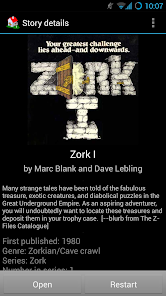
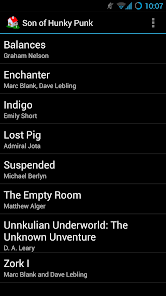
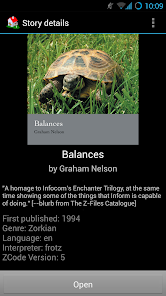
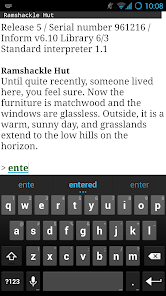
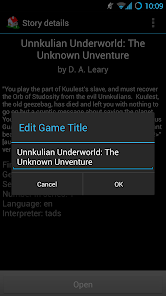
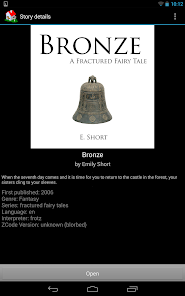
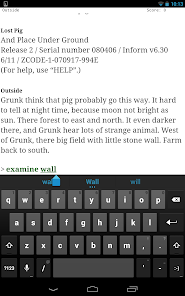
Hunky Punk is an interactive fiction interpreter for Android devices. Stories downloaded on your device can be installed in a library that fetches story information and covers from IFDb. Simply tap the "ADD GAMES" button to navigate to story files that you've downloaded to your device. Currently Z-Machine (Inform/Infocom games such as Zork and Planetfall) and TADS (Unkuulian Series, and many others) story files are supported.
This project is based on the original "Hunky Punk" created by Rafał Rzepecki.
Improvements include:
Improvements include:
* Tads & better Z-code support
* Shortcut command buttons
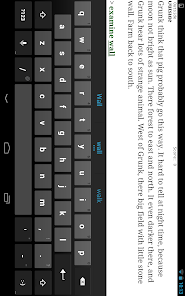
* Tap words as input
* Night mode, fonts, custom story path
* Fling scrollback
* Stability and bug fixes
Please report issues & submit enhancement requests at the project website
[https://github.com/retrobits/son_of_hunkypunk/issues]
This project is based on the original "Hunky Punk" created by Rafał Rzepecki.
Improvements include:
Improvements include:
* Tads & better Z-code support
* Shortcut command buttons
* Tap words as input
* Night mode, fonts, custom story path
* Fling scrollback
* Stability and bug fixes
Please report issues & submit enhancement requests at the project website
[https://github.com/retrobits/son_of_hunkypunk/issues]
Updated on
Safety starts with understanding how developers collect and share your data. Data privacy and security practices may vary based on your use, region and age. The developer provided this information and may update it over time.

No data shared with third parties
Learn more about how developers declare sharing

No data collected
Learn more about how developers declare collection
Ratings and reviews
4.0
189 reviews

Rowan Hawthorne
- Flag inappropriate
- Show review history
16 September 2021
Adding more stories is EXTREMELY unintuitive. I've downloaded several IFs and when I click on them from downloads, HP doesn't pop up as one of the options to read the file. So far, I only have the "essential pack" that HP suggested installed since it seems the app is hellbent on making the process of adding games difficult as all hell. Other than that, it works well for what it's supposed to do. However, since it's nigh impossible to add more games, I'm gonna have to uninstall. Shame.
6 people found this review helpful

Dani
- Flag inappropriate
4 November 2020
Experiencing the same issues as other reviewers: cannot go anywhere from the default screen that says "no stories installed". Trying to download preselected stories puts the files in the game directory, but nothing changes in the app itself. Also, trying to open supported files from a file manager fails with "could not read the story file". I'm running Android 10 on a Samsung Galaxy phone. Would really like to see some more support for this app, and would definitely pay for a working version!!
4 people found this review helpful
Dan Vernon
7 April 2021
thanks for your feedback! please try again with the latest release (ver 1.8 on 4/4/21).
also, please add more detail about the file that gives the error "could not read story file". Can you give me a link to it?

Aaron Barker
- Flag inappropriate
- Show review history
12 November 2025
Pretty sure this is abandon ware.. The keyboard covers up the screen as you type so typing errors are not immediate right away. Which is a huge issue in text based games.
1 person found this review helpful
What's new
Now add games easily from the main activity with the "ADD GAMES" button!
Target most recent Android version per Play Store requirements.
Bug fixes.
Target most recent Android version per Play Store requirements.
Bug fixes.
App support
About the developer
Daniel T Vernon
DTVERNON@GMAIL.COM
22908 Atlas Rd
Bothell, WA 98021-9244
United States


